ui5-icon-explorer
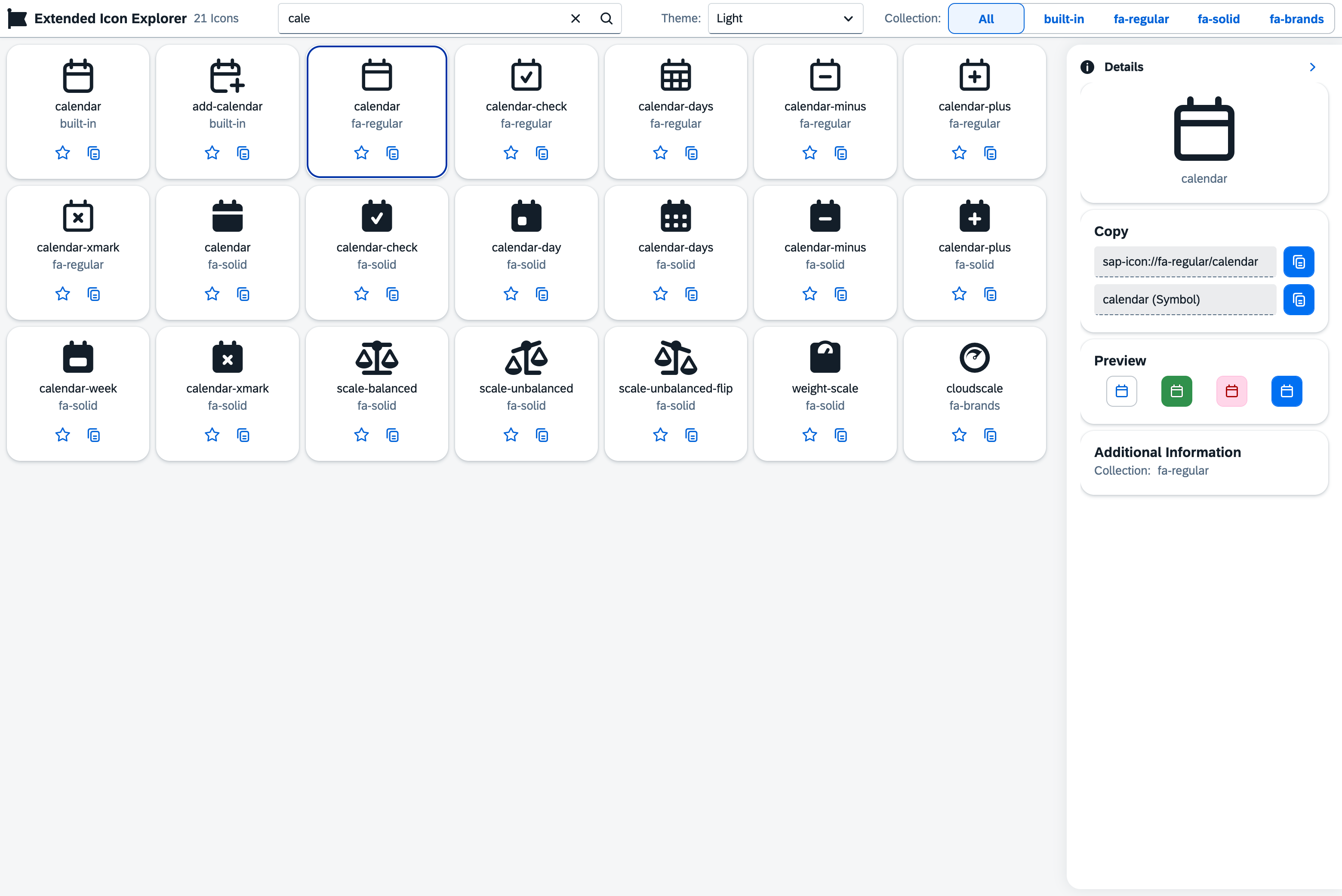
A live icon browser for SAPUI5 applications, built to look like SAP's own Icon Explorer, for searching, copying and filtering the icon set the ui5-fontawesome-lib library adds.
SAP ships its own Icon Explorer for the icons built into UI5; this rebuilds that same look and feel for the separate Font Awesome icon set that ui5-fontawesome-lib registers. It lets a developer search icons by name, copy an icon's code, mark favourites, filter by collection and switch between light, dark and contrast themes. It runs as a small SAPUI5 application published to its own page rather than something installed into another project, and it only browses the icons that library adds.
Facts
Where it sits
Who is behind it

In the atlas: maintains 69@ui5-communitymaintainerMario KernichContributes to this

In the atlas: maintains 8, contributes to 10, wrote 1@mariokernich1 contributor
What it declares
Every artifact
- Type
- Sample
- Origin
- By a community org
- Use as
- A reference
As a sample
- Form
- A reference application
Connections
Custom controls, wrappers and icon fonts packaged for reuse
Download
README
quoted from ui5-community/ui5-icon-explorer under Apache-2.0, read🎨 UI5 Icon Explorer





A powerful and modern icon explorer for SAPUI5 applications that uses the ui5-fontawesome-lib the extend the built-in icons with Font Awesome with an look and feel of the standard app https://sapui5.hana.ondemand.com/sdk/iconExplorer.html.
✨ Features
- 🔍 Smart Search - Find icons by name with instant results
- 📋 One-Click Copy - Copy icon codes directly to clipboard
- ⭐ Favorites System - Mark and organize your favorite icons
- 🎨 Theme Switching - Toggle between light, dark and contrast themes
- 📚 Collection Filtering - Filter by specific icon collections
- 🔍 Detailed View - Comprehensive icon information and usage examples
🚀 Live Demo
Available Scripts
| Command | Description |
|---|---|
npm start | Start development server |
npm run build | Build the app for production |
npm run check:ts | TypeScript type checking |
npm run check:lint | ESLint code quality check |
npm run check:ui5 | ui5lint check |
npm run check:all | Run all code quality checks |
npm run fix:lint | Automatically fix lint issues if possible |
🤝 Contributing
We welcome contributions! Please feel free to submit issues and pull requests.
Development Workflow
- Fork the repository
- Create a feature branch (
git checkout -b feature/amazing-feature) - Commit your changes (
git commit -m 'Add amazing feature') - Push to the branch (
git push origin feature/amazing-feature) - Open a Pull Request
📄 License
This project is licensed under the Apache License 2.0 - see the LICENSE file for details.
⭐ Support
If you find this library helpful, please consider giving it a star on GitHub! ⭐
Made with ❤️ for the SAP UI5 community
History
Details
Sources
Sources are graph entities: the same page may back several entries, and an unreachable source flags every row that rests on it.
Compatibility and provenance
Contributors
History in the atlas
- First seen.
For your agent
- Ref
artifact:ui5-community-ui5-icon-explorer- JSON
- /artifacts/ui5-community-ui5-icon-explorer.json
- MCP
- Connecting an agent