teched2025-XP263
An SAP TechEd 2025 hands-on session on SAP BTP's advanced administration tools: a Terraform account setup, then eight exercises on cost and usage for a global account administrator and a FinOps controller.
The exercises put a fictional global enterprise, Apex Holdings, into an SAP BTP account structure of directories, subaccounts and labels that mirrors its subsidiaries, departments, regions and environments, and work against that setup. Exercise 1 automates the setup itself with TerraformTerraformAn infrastructure as code tool that defines cloud and on-premise resources in configuration files and creates or changes them through provider plugins. SAP publishes a plugin for BTP, so Terraform is the CLI a reader installs to run a BTP account's configuration.; exercises 2 to 9 are the FinOps half, covering billing verification, monitoring costs, cross-charging and cost allocation, budgets and alerts, cost optimisation, a preview Cost and Usage Overview, and an optional export to Excel. The README scopes that half to the FinOps capabilities for managing cost and usage of BTP services that are available to all customers. The exercises are independent, so getting stuck on the Terraform setup does not block the rest.
Facts
Where it sits
Who is behind it

In the atlas: maintains 222@SAP-samplesmaintainerAjay SorengContributes to this

In the atlas: contributes to 36@ajaysorengAsher KirshenbaumContributes to this

In the atlas: contributes to 1@asher-kirshenbaumKeren RotenbergContributes to this

In the atlas: contributes to 1@keren-rotenbergChristian LechnerContributes to this

In the atlas: contributes to 12, wrote 2@lechnerc774 contributors
What it declares
Every artifact
- Type
- Sample
- Origin
- By SAP
- Use as
- A reference
As a sample
- Form
- Workshop or CodeJam material
Connections
Setting up cloud accounts, entitlements and access from code
Tracking what a cloud account consumes, with budget warnings
An infrastructure as code tool that defines cloud and on-premise resources in configuration files and creates or changes them through provider plugins. SAP publishes a plugin for BTP, so Terraform is the CLI a reader installs to run a BTP account's configuration.
Download
README
quoted from SAP-samples/teched2025-XP263 under Apache-2.0, readXP263 - Advanced tools for administrators in SAP BTP
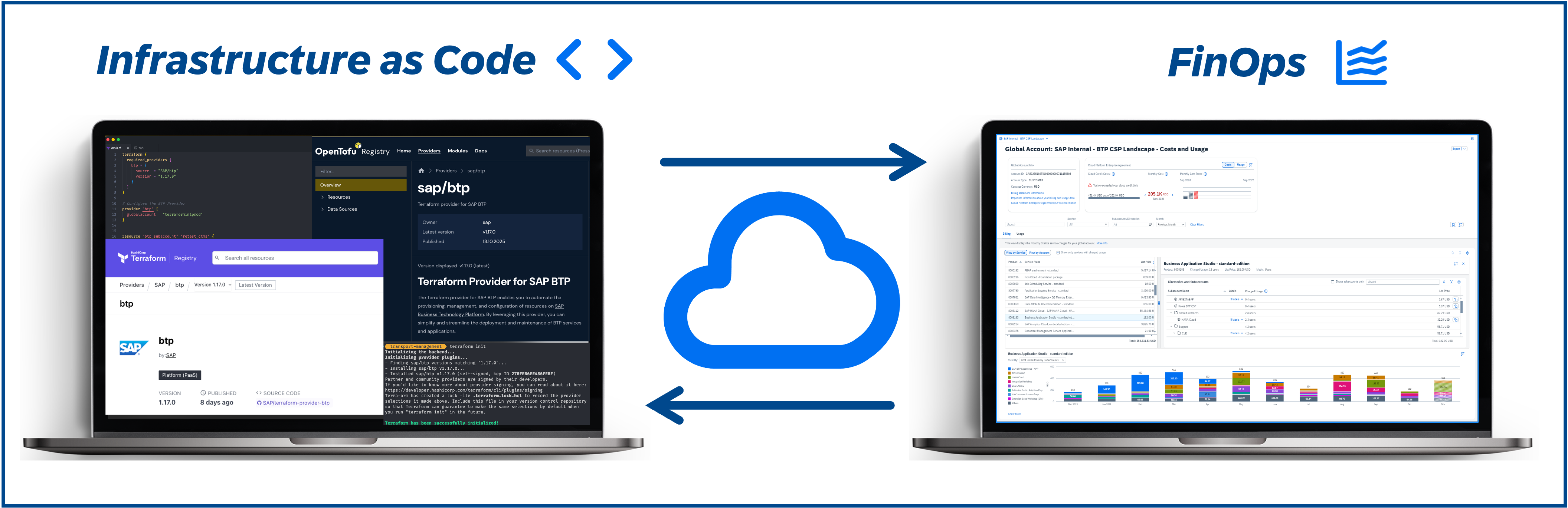
Description
This repository contains the material for the SAP TechEd 2025 session called XP263 - Advanced tools for administrators in SAP BTP.
Overview
In this guided exercise, participants will take on the roles of Apex Holdings administrators and a FinOps controller.
Apex Holdings is a sample global enterprise created to simulate SAP BTP administration and FinOps practices. The company operates across diverse industries - such as health, retail, energy, etc. - each represented as Subsidiary with its own BTP directory.
Within each Subsidiary, you'll find departments such as finance, sales, HR, IT, and operations with subaccounts spanning regions like EMEA, North America, APAC, LATAM, and the Middle East (represented as labels). Each Subsidiary manages its own dedicated applications, ranging from payroll and performance reviews in HR to revenue forecasting, logistics, and customer insights.
The overall account structure mirrors a real-world organization with production, test, and development environments (represented as directories) aligned to cost centers and contact persons (represented as labels).
This session gives the attendees the opportunity to get hands-on experience with advanced administration tools in SAP Business Technology Platform (SAP BTP). It consists of two main parts:
- Exercise 1 will give you insights on how to automate a consistent sample setup of SAP BTP accounts using Terraform as a foundation for using the FinOps capabilities on your accounts.
- Exercises 2-9 will equip you as global account administrator and controller with the skills to efficiently manage, monitor, and optimize their global accounts. You will learn about the FinOps capabilities (management cost and usage for BTP services) available to all customers using the Apex setup. The exercises cover:
- Exercise 2: Introduction to FinOps exercises
- Exercise 3: Billing verification
- Exercise 4: Monitoring costs
- Exercise 5: Cross-charging and cost allocation
- Exercise 6: Budget management and alerts
- Exercise 7: Cost optimization strategies
- Exercise 8: Cost and Usage Overview (Preview)
- Exercise 9: Exporting data to Excel (Optional)
Note
The exercises are independent. In case you get stuck in exercise 1 you can still proceed with exercises 2-9.
Exercises
- Getting Started
- Exercise 1 - Setup of Terraform Configuration
- Exercise 2 - Introduction to FinOps exercises
- Exercise 3 - Billing Verification
- Exercise 4 - Monitoring Costs
- Exercise 5 - Cross Charge / Cost Allocation
- Exercise 6 - Controlling Costs Using Budgets
- Exercise 7 - Optimization
- Exercise 8 - Cost and Usage Overview (Preview - Bonus)
- Exercise 9 - Export to Excel (Optional)
Contributing
Please read the CONTRIBUTING.md to understand the contribution guidelines.
Code of Conduct
Please read the SAP Open Source Code of Conduct.
How to obtain support
Support for the content in this repository is available during the actual time of the online session for which this content has been designed. Otherwise, you may request support via the Issues tab.
License
Copyright (c) 2026 SAP SE or an SAP affiliate company. All rights reserved. This project is licensed under the Apache Software License, version 2.0 except as noted otherwise in the LICENSE file.
Details
Sources
Sources are graph entities: the same page may back several entries, and an unreachable source flags every row that rests on it.
Compatibility and provenance
History in the atlas
- First seen.
For your agent
- Ref
artifact:sap-samples-teched2025-xp263- JSON
- /artifacts/sap-samples-teched2025-xp263.json
- MCP
- Connecting an agent