SAP-samples/cap-sflight
A travel-booking reference application built with CAP and SAP Fiori elements, whose same UIs run against a Node.js and a Java backend so the two stacks can be compared directly.
The same travel-processing and analytics UIs run against either a CAP Node.js backend or a CAP Java SDK backend, letting the two stacks be compared directly rather than read about separately. It demonstrates SAP Fiori annotations and runs UI test suites across the stacks, including an Analytical List Page built on an experimental new OData parser in the Node.js runtime. It stops short of masking the app's own rough edges: the README notes workarounds still in the model and handlers, and a travel total that simply sums prices while ignoring currencies.
Facts
Where it sits
Who is behind it

In the atlas: maintains 222@SAP-samplesmaintainerAdrian GörlerContributes to this

In the atlas: contributes to 4@agoerlerAjinkya PatilContributes to this

In the atlas: contributes to 112@ajinkyapatil8190Johannes VogtContributes to this

In the atlas: maintains 1, contributes to 28, wrote 10@AkatuoroMarc BeckerContributes to this

In the atlas: contributes to 7@beckermarcBob den OsContributes to this

In the atlas: contributes to 13@BobdenOsBrian BernardContributes to this

In the atlas: contributes to 64@btbernardAndre MeyeringContributes to this

In the atlas: contributes to 10@bugwelleChristian KolbowskiContributes to this

In the atlas: contributes to 3@c-koboChristian GeorgiContributes to this

In the atlas: maintains 1, contributes to 53@chgeoDaniel HutzelContributes to this

In the atlas: contributes to 32, wrote 3@danjoa41 contributors
What it declares
Every artifact
- Type
- Sample
- Origin
- By SAP
- Use as
- A reference
As a sample
- Form
- A reference application
Connections
Describing a service so a Fiori client renders it without UI code
Whole applications to read rather than snippets to copy
Download
Architecture
as mta.yaml states it at f51f831, readDownload
Bound, and not drawn
- sflight-srvhana
- sflight-db-deployerhana, SAP Authorization and Trust Management service
- sflight-appcontentSAP Destination service, SAP HTML5 Application Repository service for SAP BTP
- sflight-destinationcontentSAP Authorization and Trust Management service, SAP HTML5 Application Repository service for SAP BTP, SAP Destination service
Documented, with no instance in the document
- @cap-js/hana requires SAP HANA Cloudsflight-srvconditionalThe database this is the service for: capire's standard database for production, reached with the credentials
cds watchorcds runfetch from the binding at runtime.Using SAP HANA Cloud for Production — capire, Prepare for ProductionThis configures deployment for SAP HANA. The configuration is added to a `[hybrid]` profile in your _package.json_.
Using SAP HANA Cloud for Production — capire, cds deployWith this information, `cds watch`/`run` can fetch the SAP HANA credentials at runtime, so that the server can connect to it.
Databases — capire, overview (the 2 is the page's footnote mark)in production, SAP HANA 2 is used by default
- @sap/xssec requires Cloud Identity Servicessflight-srv
Bound in the descriptor, not joined to an entry
hana
README
quoted from SAP-samples/cap-sflight under Apache-2.0, readWelcome to the CAP SFLIGHT App
This is a sample app for the travel reference scenario, built with the SAP Cloud Application Programming Model (CAP) and SAP Fiori Elements.
The purpose of this sample app is to:
- Demonstrate SAP Fiori annotations
- Demonstrate and compare SAP Fiori features on various stacks (CAP Node.js, CAP Java SDK, ABAP)
- Run UI test suites on various stacks
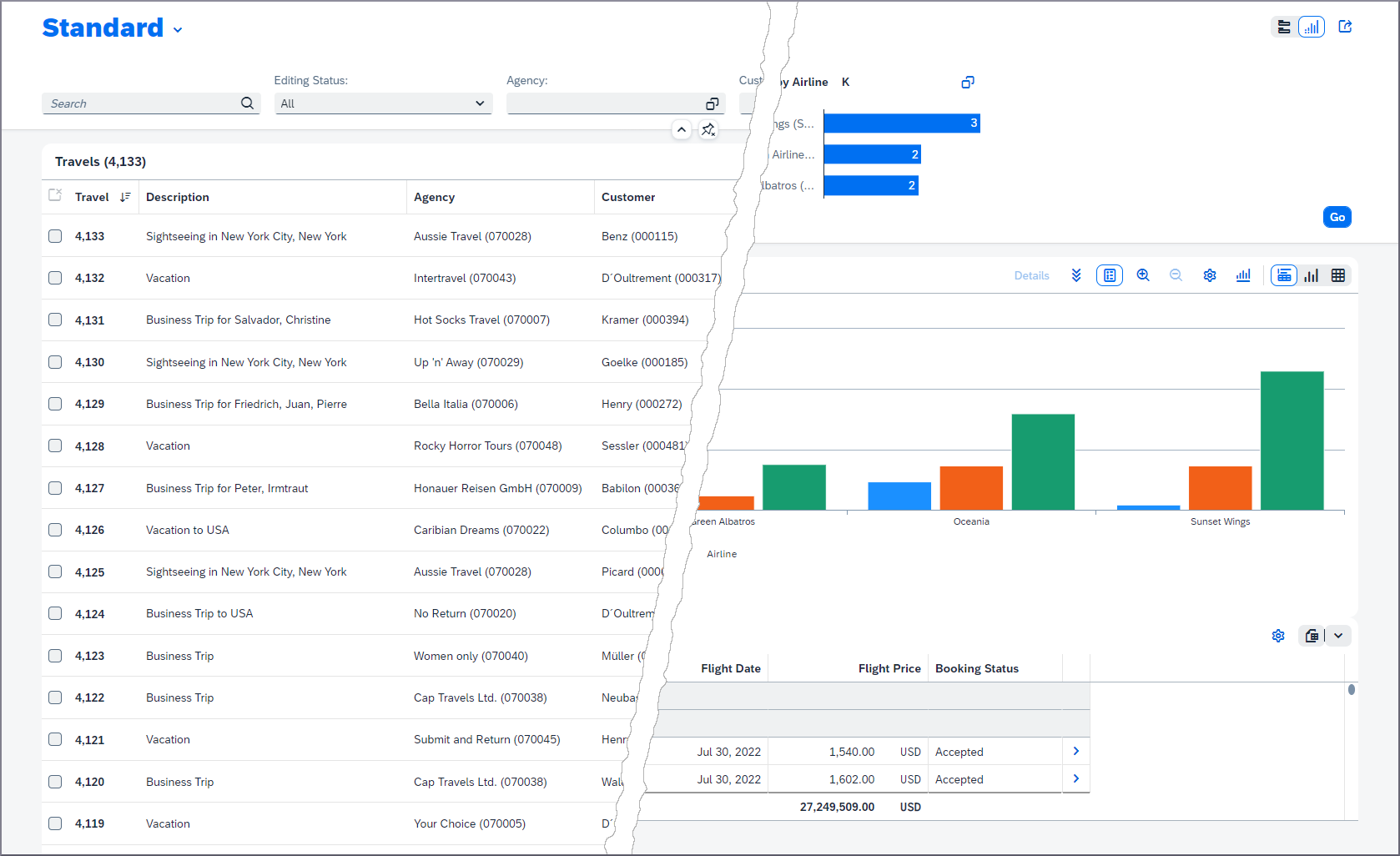
The app still contains some workarounds that are going to be addressed over time. In some cases, the model and the handlers can be improved or simplified once further planned CAP features become available. In other cases, the app itself could be improved. For example, calculation of the total price for a travel currently simply sums up the single prices ignoring the currencies.
For enabling all features of the Analytical List Page (ALP) in the Node.js runtime, we have switched on the new OData parser (
odata_new_parser: trueinpackage.json), which is still in an experimental state. Early adopters may use this feature in own projects on their own risk. You can also use the ALP with the standard OData parser, but then some features like grouping in the table are not available.

Run locally
Build and Run - Node.js Backend
Prerequisite:
npm i -g @sap/cds-dk
In the root folder of your project, run
npm ci
cds watch
Accessing the SAP Fiori Apps
Open these links in your browser:
- http://localhost:4004/sap.fe.cap.travel/index.html for processing the travel data
- http://localhost:4004/sap.fe.cap.travel_analytics/index.html for the Analytical List Page (ALP)
Build and Run - Java Backend
In the root folder of your project, run
npm ci
npm run build:ui
mvn spring-boot:run
At the moment, there is no watch mode for Fiori UI changes. Run
npm run build:uiafter each change there.
Accessing the SAP Fiori Apps
Open these links in your browser:
- http://localhost:4004/travel_processor/dist/index.html for processing the travel data
- http://localhost:4004/travel_analytics/dist/index.html for the Analytical List Page (ALP)
Log in with user amy and empty password.
Integration Tests
To start OPA tests, open this link in your browser: http://localhost:4004/travel_processor/webapp/test/integration/Opa.qunit.html
Test documentation is available at: https://ui5.sap.com/#/api/sap.fe.test
Deployment to SAP Business Technology Platform
The project contains a configuration for deploying the CAP services and the SAP Fiori app to the SAP Business Technology Platform (SAP BTP) using a managed application router. The app then becomes visible in the content manager of the SAP Build Work Zone.
The configuration file mta.yaml is for the Node.js backend of the app. If you want to deploy the Java backend, copy mta-java.yaml to mta.yaml.
Prerequisites
SAP Business Technology Platform
- Create a trial account on SAP BTP. See this tutorial for more information. Alternatively, you can use a sub-account in a productive environment.
- Get a SAP Cloud Identity Services tenant and establish trust
- Subscribe to the SAP Build Work Zone.
- Create an SAP HANA Cloud Service instance or use an existing one. Then, provision an instance - make sure to choose the Cloud Foundry Runtime environment.
Local Machine
-
Install the Cloud Foundry command line interface (CLI). See this tutorial for more details.
-
Install the MultiApps CF CLI Plugin:
cf add-plugin-repo CF-Community https://plugins.cloudfoundry.org cf install-plugin multiapps -
Install the Cloud MTA Build Tool globally:
npm install -g mbt
Build the Project
Build the project from the command line:
mbt buildThe build results will be stored in the directory mta_archives.
Deploy
- Log in to the target space.
- Deploy the MTA archive using the CF CLI:
cf deploy mta_archives/capire.sflight_1.0.0.mtar
Assign Role Collection
Any authorized user has read access to the app. For further authorization, assign a role collection to your user in the SAP BTP Cockpit:
sflight-reviewer-{spacename}for executing actions Accept Travel, Reject Travel, and Deduct Discountsflight-processor-{spacename}for full write access
Integrate SFlight with SAP Build Work Zone, Standard Edition
CAP SFlight uses the managed AppRouter, which in case of a trial account, is provided by the Navigation Service in SAP Build Work Zone, Standard Edition. Please consult this tutorial to make sure that your Build Work Zone is configured correctly to serve the CAP SFlight Frontend.
Local Development with a HANA Cloud Instance
You need to have access to a HANA Cloud instance and SAP BTP.
- Deploy the HDI content to a HANA HDI container (which is newly created on first call):
cds deploy --to hana. - Start the application with the Spring Profile
cloud.- From Maven:
mvn spring-boot:run -Dspring-boot.run.profiles=cloud - From your IDE with the JVM argument
-Dspring.profiles.active=cloudor env variablespring.profiles.active=cloud
- From Maven:
The running application is now connected to its own HDI container/schema. Please keep in mind that the credentials for that HDI container are stored locally on your filesystem (default-env.json).
Deployment to SAP Business Technology Platform - Kyma Runtime
The deployment to Kyma Runtime is explained in file README-Kyma.md.
Creating an SAP Fiori App from Scratch
If you want to implement an SAP Fiori app, follow these tutorials:
- Create a List Report Object Page App with SAP Fiori Tools
- Developing SAP Fiori applications with SAP Fiori Tools
Get Support
In case you've a question, find a bug, or otherwise need support, use the SAP Community to get more visibility.
License
Copyright (c) 2021 SAP SE or an SAP affiliate company and cap-sflight contributors. This project is licensed under the Apache Software License, version 2.0 except as noted otherwise in the LICENSE file.
Details
Sources
Sources are graph entities: the same page may back several entries, and an unreachable source flags every row that rests on it.
Compatibility and provenance
Flavors
“Build and Run - Node.js Backend” — SAP-samples/cap-sflight — README
“Build and Run - Java Backend” — SAP-samples/cap-sflight — README
Contributors



















History in the atlas
- First seen.
For your agent
- Ref
artifact:sap-samples-cap-sflight- JSON
- /artifacts/sap-samples-cap-sflight.json
- MCP
- Connecting an agent