vscode-ui5-api-reference
VS Code extension that shows the SAPUI5 and OpenUI5 API reference in a side bar view, with inherited members, member filters and a favourites list, for one framework version at a time.
Puts the UI5 API documentation in a VS Code side bar, so an object's members can be read next to the code that uses them. The view shows the full API including inherited members, can show or hide descriptions, filters to members such as properties or aggregations, and keeps a favourites list for quick access; the API of a control can also be opened from an XML view, and a search command lists matching objects up to the hitlistSize setting. It reads one framework version at a time: the apiURL setting holds the address, defaults in the extension's package.json to the 1.136.7 API of openui5.hana.ondemand.com (the README still names 1.120.15), and VS Code has to be reloaded after changing it.
Facts
Where it sits
Who is behind it

In the atlas: maintains 3, contributes to 4@wozjacmaintainerJakob Marius KjaerContributes to this

In the atlas: maintains 2, contributes to 24, wrote 1@uxkjaer1 contributor
What it declares
Every artifact
- Type
- IDE extension
- Origin
- Independently maintained
As an IDE extension
- Installs into
- VS Code
- Distributed through
- Visual Studio Marketplace
Connections
Finding answers in written documentation, and writing what is missing
Download
Install
npm add vscode-ui5-api-referenceDerived from the package name. No recipe recorded; the README has the configuration.
README
quoted from wozjac/vscode-ui5-api-reference under MIT, read


VSCode UI5: API reference
VS Code extension - SAP/Open UI5 reference view in a side bar view.
Video about features:
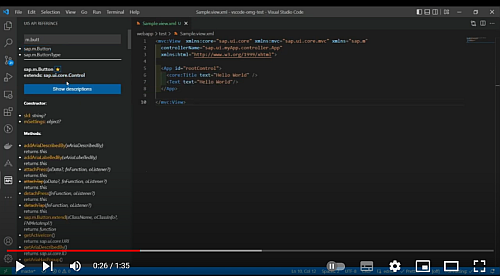
Important
Since version 1.2.1 there is a new config field for the API URL version - please migrate your setting from the old, deprecated one.
Features
- show/hide desciptions
- filtering options (show only members like properties, aggregations)
- full API (with inherited members)
- favorites list for quick access
Installation
Search & install the extension via VSCode Extensions.
Usage
After installation a new icon is available:

API side bar can be also opened using command:

Basic search
-
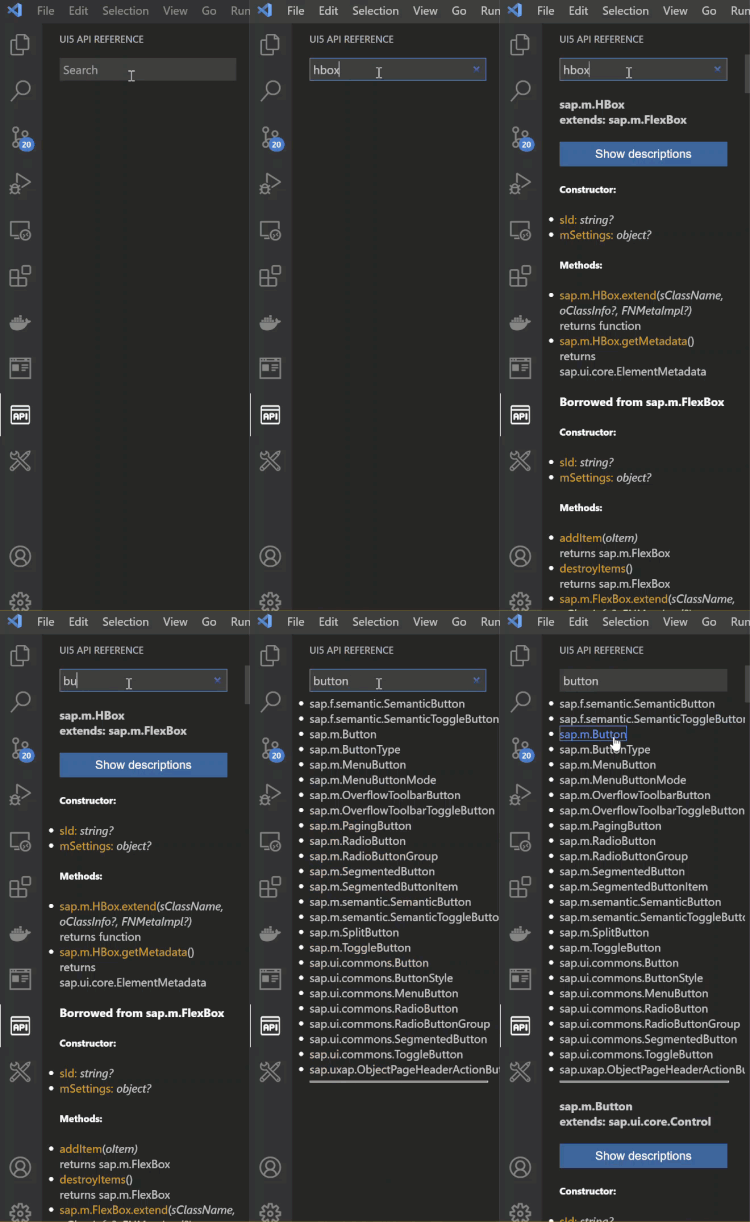
if an UI5 object can be matched with the search input, it will be displayed immadiately, otherwise the hitlist is showed
-
search can be done with or without namespace
-
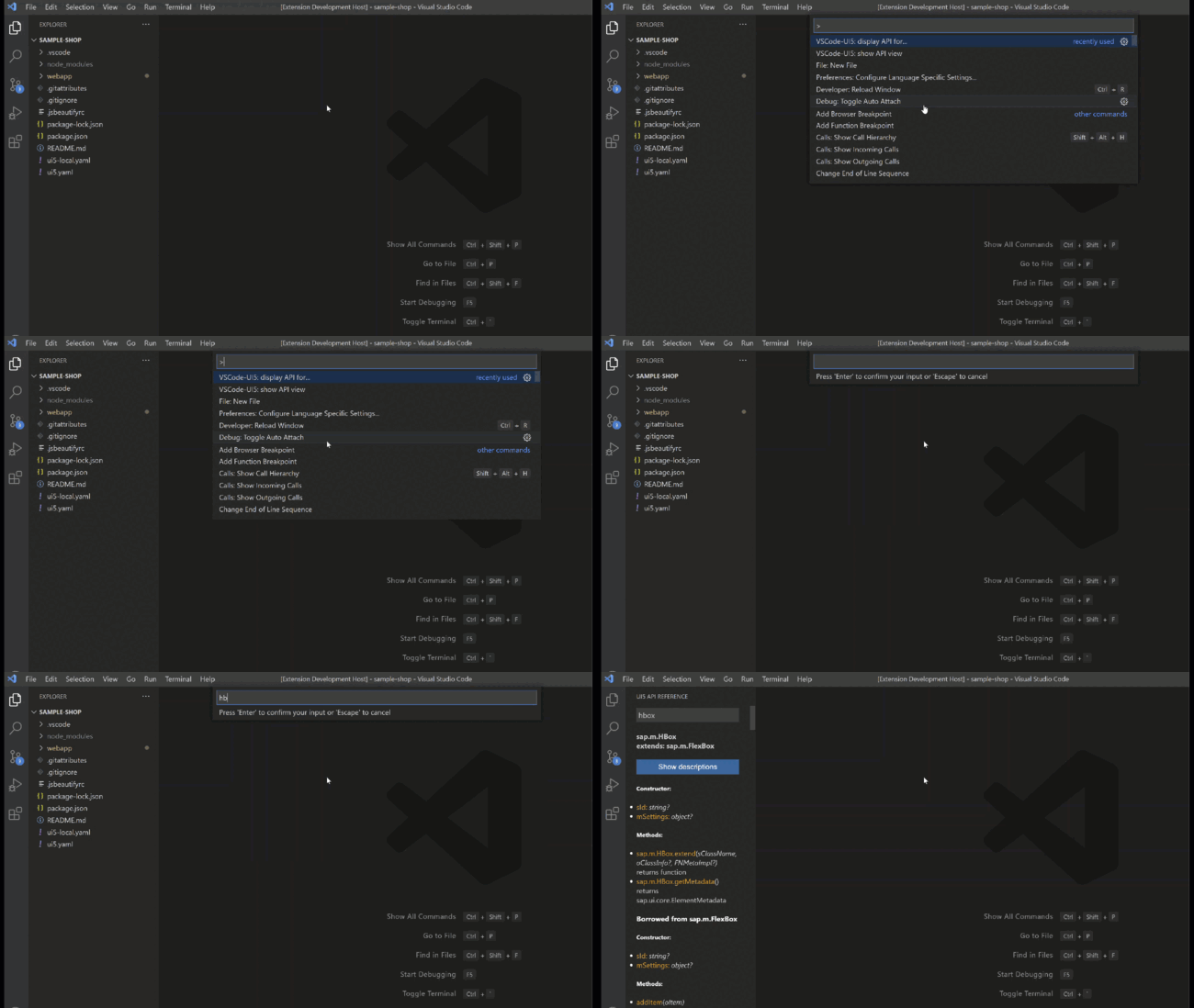
search can be also triggered using command:
-
clicking on the object name or method, property etc. will open the original UI5 API page in your default browser
Filtering
-
API can be filtered, for example typing "hbox add" will show only members matching "add". Filtering works also if the hitlist if firstly displayed.
-
displaying specific members: ?p will display only properties, ?c - constructor, ?e - events, ?m - methods, ?a - aggregations; for example hbox ?m will immediately display Hbox with methods only. m.butt ?p will show hitlist first and after selecting an object members filter will be applied, showing only properties

-
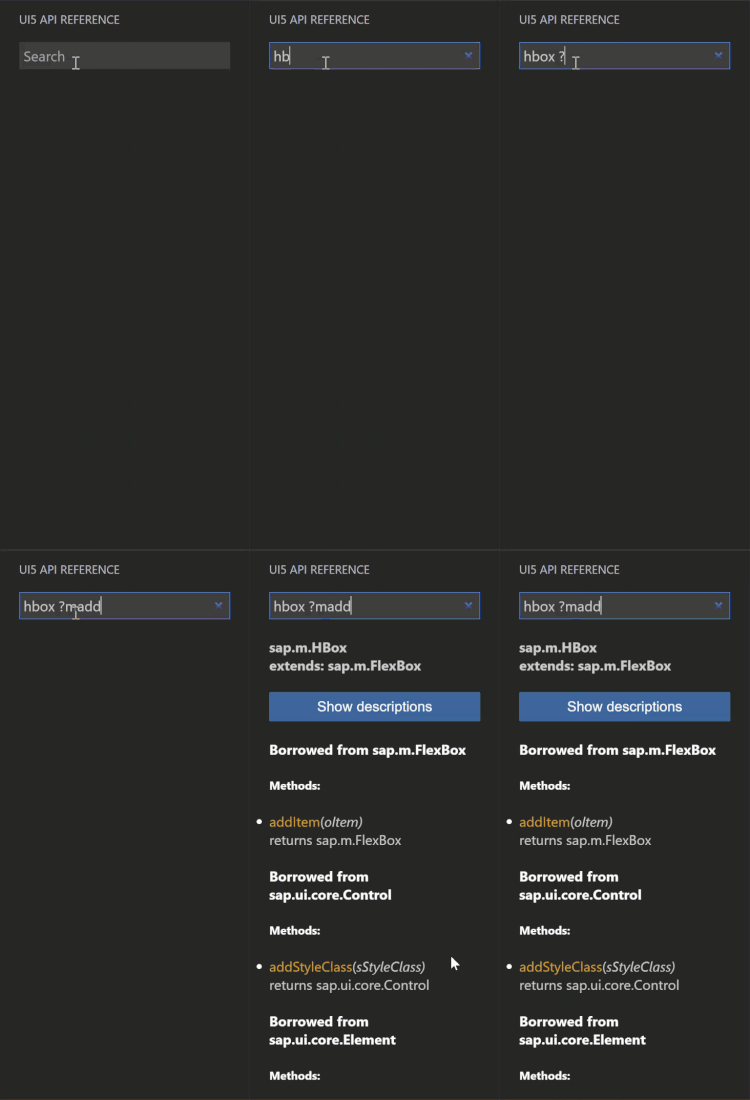
members can be also filtered by a search term, for example to display only methods with "add", type "hbox ?madd"
-
when an object's API is already displayed, putting only ?c, ?m etc. in the search input will apply fitlering on this object. It might be also narrowed to searched string, for example "get..." methods - ?mget etc.
Favorites
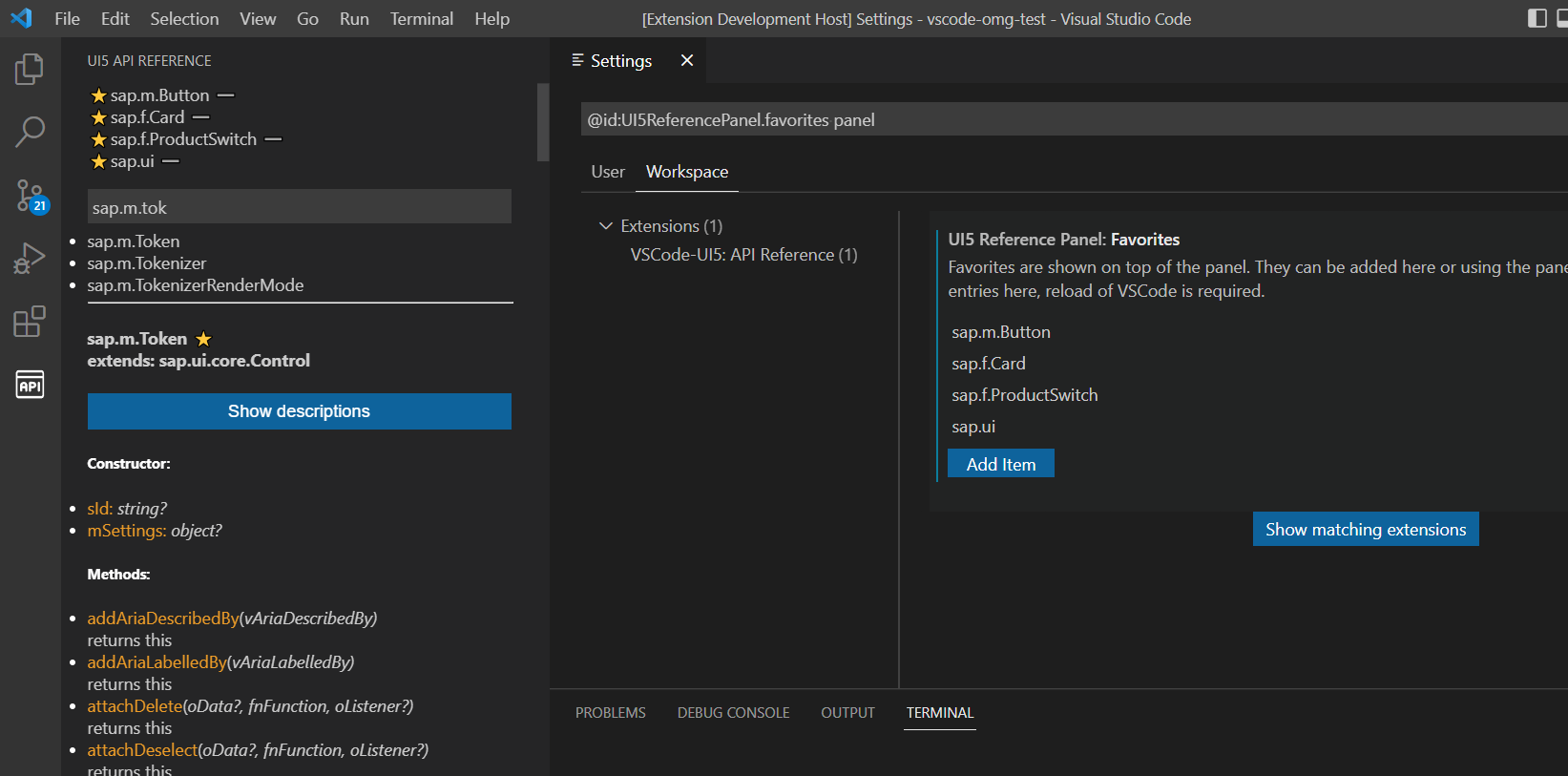
They can be used to have frequently used objects always available. Favorites are stored in the
configuration (per workspace) and they can be maintained there or using the icons available
on the list and in the object API.
XML views
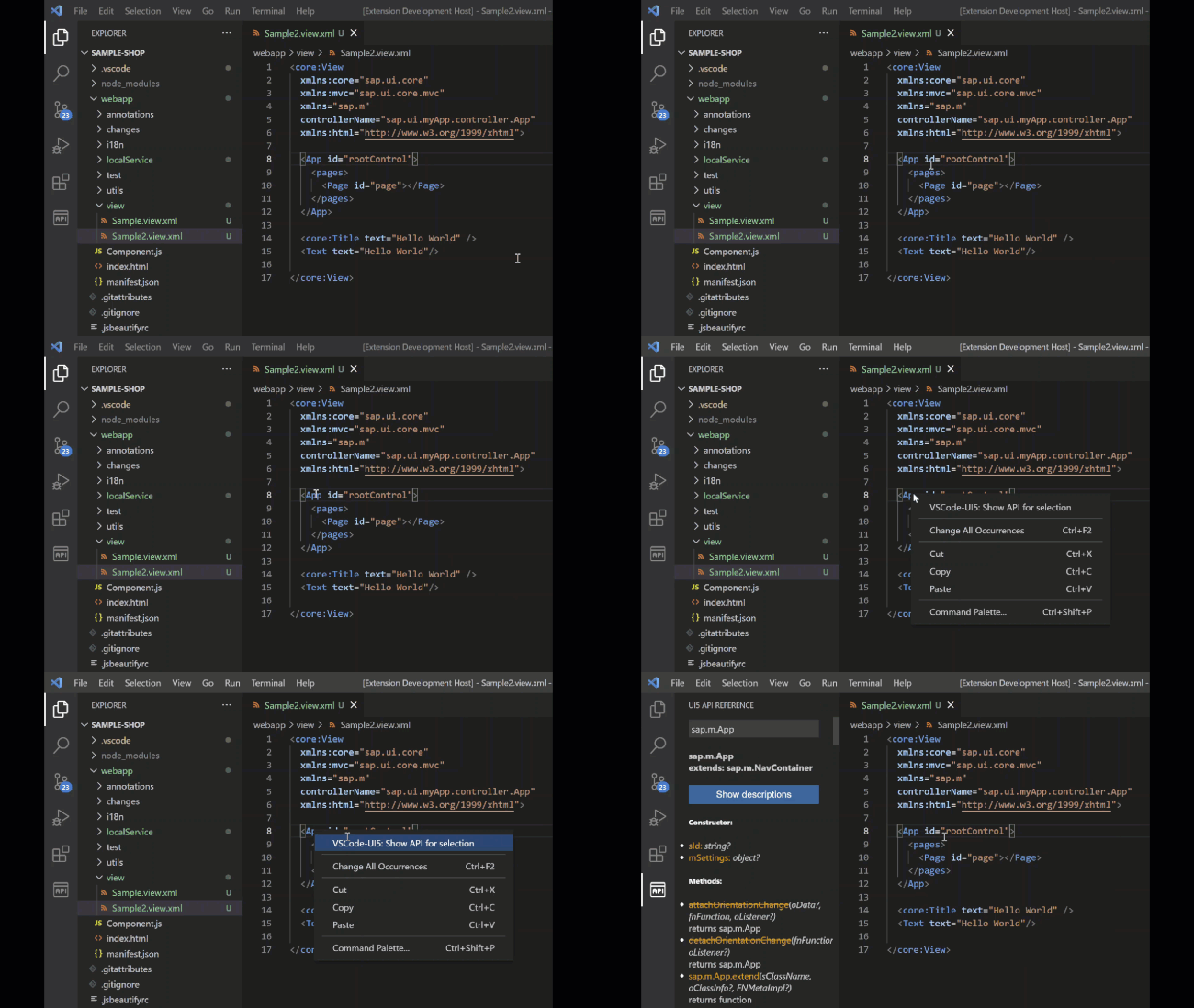
API can be also opened for controls in XML views; use the context menu option on a selected control:
Extension Settings
This extension contributes the following settings:
apiURL: the path to SAPUI5/OpenUI5 version; default is https://openui5.hana.ondemand.com/1.120.15
Please remember to reload VS Code after changing this setting!favorites: the list of favorites UI5 objects; they can be added via configuration or using the icons in the panelhitlistSize: maximum number of objects shown in the hitlist if multiple objects matches the search query; if more objects is found, then the hitlist is not displayed and you are asked to narrow your search
Release Notes
See CHANGELOG.md
License
This plugin is licensed under the MIT license.
Author
Feel free to contact me:
- wozjac@zoho.com
- jacekw.dev
- Bluesky (https://jacekwoz.bsky.social)
- LinkedIn (https://www.linkedin.com/in/jacek-wznk)
History
Others providing
Compare all 4 on the Documentation page →- mcp-sap-docsmcp-sap-docsAn MCP server over seventeen cloned SAP documentation repositories — ABAP keyword docs, capire, OpenUI5, Cloud SDK, BTP — searched with BM25 and prebuilt embeddings fused by reciprocal rank fusion.independent, capMCP server searching seventeen SAP documentation repositories
- ui5-lib-diffui5-lib-diffA hosted app that lists what changed between two SAPUI5 or OpenUI5 versions from the UI5 API's change records, and publishes the same data as static JSON files at fixed paths for tools and agents.independent, ui5Hosted app listing changes between SAPUI5 or OpenUI5 versions
- @ui5/webcomponents-mcp-server@ui5/webcomponents-mcp-serverFour tools that answer an agent's questions about UI5 Web Components from the framework's own documentation — component API, integration guides, and the docs themselves.sap official, ui5MCP server answering questions on UI5 Web Components
Details
Sources
Sources are graph entities: the same page may back several entries, and an unreachable source flags every row that rests on it.
Compatibility and provenance
Contributors
History in the atlas
- First seen.
For your agent
- Ref
artifact:wozjac-vscode-ui5-api-reference- JSON
- /artifacts/wozjac-vscode-ui5-api-reference.json
- MCP
- Connecting an agent