abap_btocs_ollama
An ABAP plugin, built on the B-Tocs ABAP SDK, that calls models served by Ollama through an SM59 RFC destination, implementing four of its API endpoints: generate, tags, show and embeddings.
Calling a locally or centrally hosted Ollama model from ABAP means wiring up the calls to its API by hand. This plugin does that through an SM59 RFC destination, implementing four of Ollama's API endpoints as ABAP programs and a connector class: generate, tags (the list of installed models), show (model info) and embeddings. It stops at those four: further Ollama API features are listed among its known issues as not yet implemented. The B-Tocs ABAP SDK has to be installed first, and the Ollama container with the models loaded is the other half of the setup.
Facts
Where it sits
Who is behind it

In the atlas: maintains 6, contributes to 5@b-tocsmaintainer
Before choosing this
Signals
ActivityQuietNo published releases; repository quiet for 28 months
It publishes no releases, and its repository has been quiet for at least 24 full months. This may be normal for stable software; check whether its current state still fits your use.
What it declares
Every artifact
- Type
- Package
- Origin
- Independently maintained
As a package
- Where it runs
- Inside its host
- Distributed through
- abapGit
Connections
Calling a language model with tenant and credential handling solved
Download
README
quoted from b-tocs/abap_btocs_ollama under MIT, readB-Tocs ABAP Plugin - OLLAMA Connector

Summary
This plugin is based on the B-Tocs ABAP SDK and enables the SAP ABAP Server to use Large Language Models provided by the OLLAMA infrastructure services. Most of the Large Language Models can be tested from the ABAP server. For more information about the models and their licences see the OLLAMA Library or the referenced Hugging Face model page.
The plugin is free at your own risk. MIT License.
Architecture
Screenshots
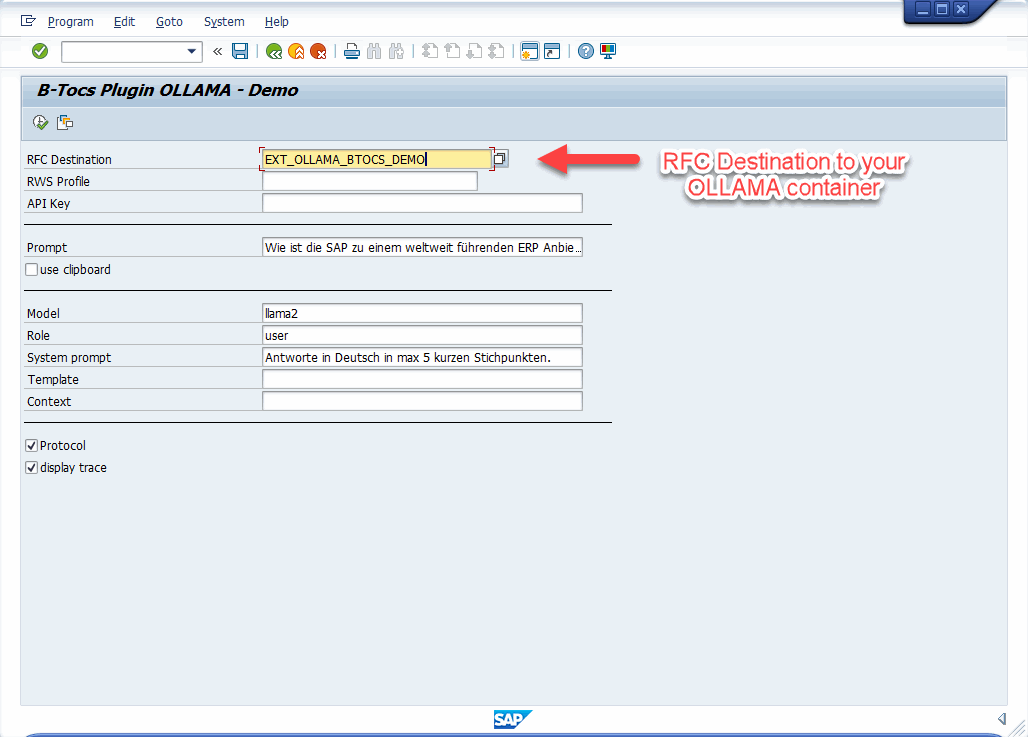
LLAMA2 prompt
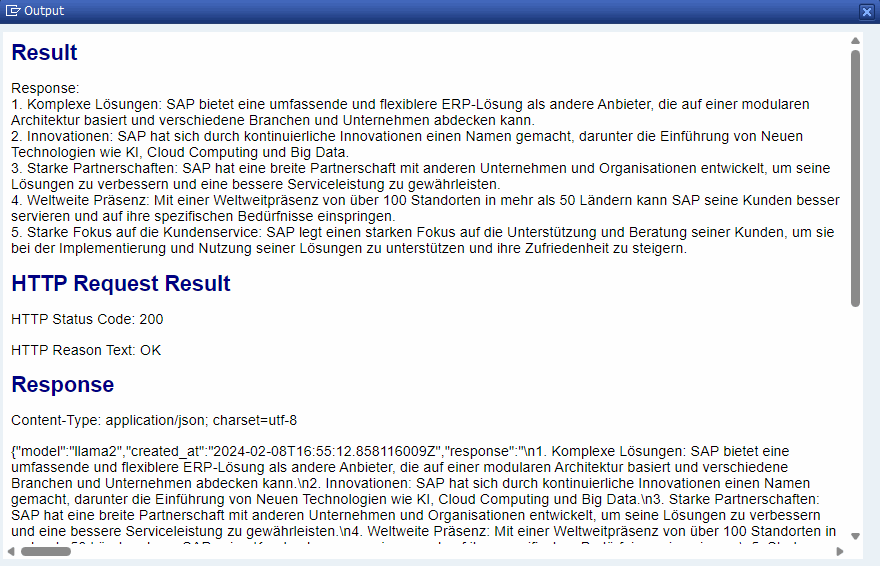
LLAMA2 result
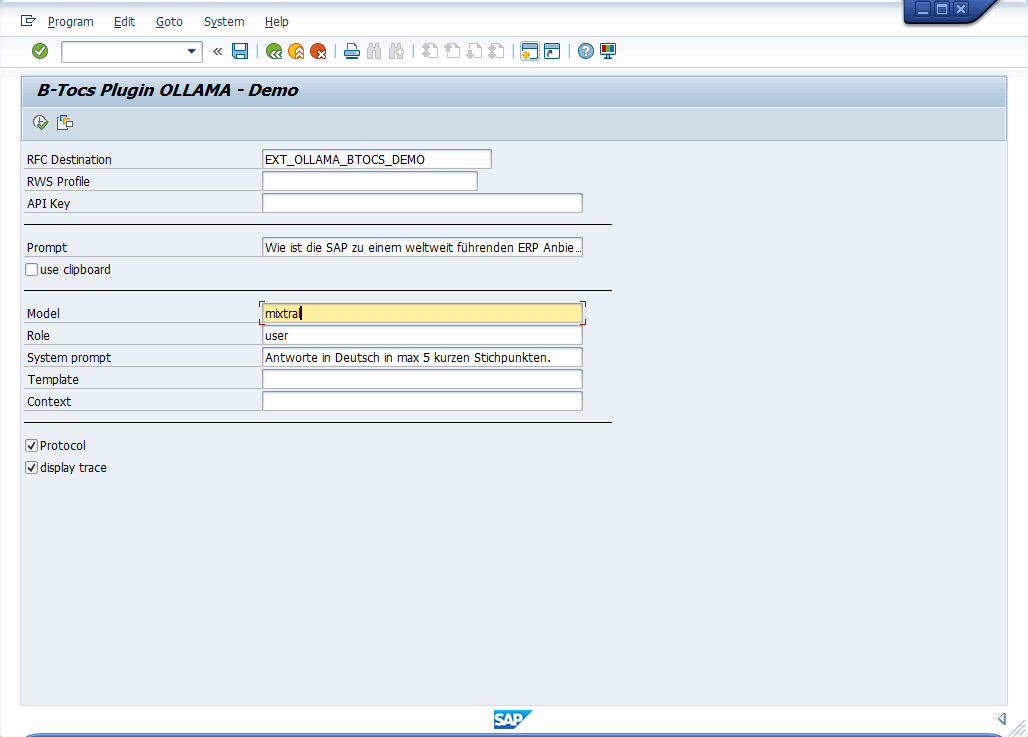
MIXTRAL prompt
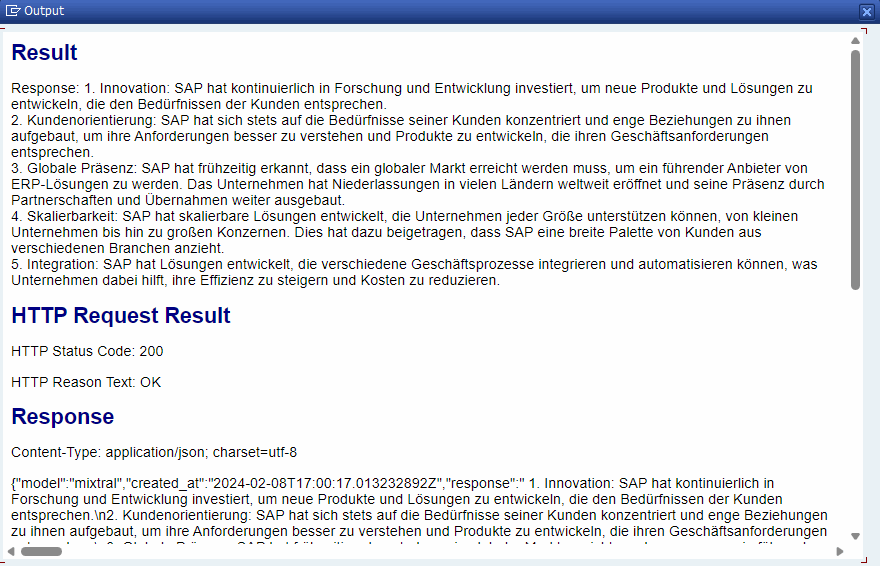
MIXTRAL result
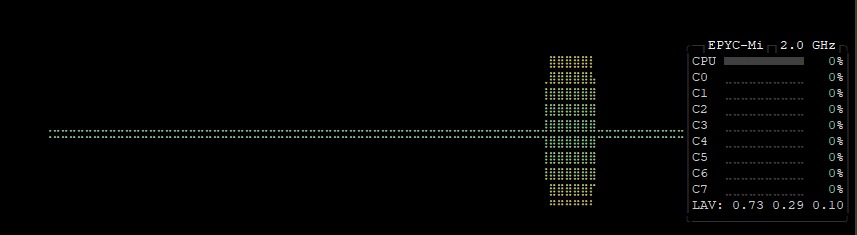
Server Load
Installation & Configuration
1. Prepare the AI backend
- Configure the OLLAMA docker container
- Load your required models, e.g. "llama2", "mistral", "mixtral", ...
- Test the models from command line within the container
- check webservice port 11434 is available
2. Prepare your SAP ABAP Backend
- An installed B-Tocs ABAP SDK is required. Check for Updates.
- Install this plugin with abapGit.
- Use Package ZBTOCS_OLLAMA or $BTOCS_OLLAMA (local only)
- Configure SM59 RFC Destination to your service
- Test the connection
- Execute program ZBTOCS_OLLAMA_GUI_RWS_DEMO for a demo
3. Use the OLLAMA Connector
- Try model 'llama2' with a simple prompt
- Try the system prompt feature
- Try other models with same prompts
Example ABAP Code:
DATA lo_response TYPE REF TO zif_btocs_rws_response.
DATA(ls_result) = VALUE zbtocs_ollama_s_generate_res( ).
DATA(lo_connector) = zcl_btocs_ollama_connector=>create( ).

IF lo_connector->set_endpoint(
    iv_rfc     = p_rfc
    iv_profile = p_prf
  ) EQ abap_true.

    lo_response = lo_connector->api_generate(
      EXPORTING
        is_params = VALUE zbtocs_ollama_s_generate_par(
          model       = 'llama2'
          role        = 'user'
          prompt      = 'Wie ist SAP zu einem Weltmarktführer für ERP Systeme geworden?'
          sys_prompt  = 'Antworte in Deutsch und in max. 5 Stichpunkten.'
          template    = ||
          context     = ||
        )
        iv_parse = abap_true
      IMPORTING
        es_result = ls_result
    ).

    IF ls_result IS NOT INITIAL.
      cl_demo_output=>write_text( text = |Response: { ls_result-response }| ).
      cl_demo_output=>display( ).
    ENDIF.
ENDIF.

lo_connector->destroy( ).
Check report ZBTOCS_OLLAMA_GUI_RWS_DEMO for more.
API implementation
The Ollama API is documented here. Not all these API endpoints are implemented in ABAP.
| Program | Description | API endpoint |
|---|---|---|
| ZBTOCS_OLLAMA_GUI_RWS_DEMO | Default usage generation | /api/generate |
| ZBTOCS_OLLAMA_GUI_API_TAGS | List of installed models | /api/tags |
| ZBTOCS_OLLAMA_GUI_API_SHOW | Model info | /api/show |
| ZBTOCS_OLLAMA_GUI_API_EMBED | Generate embedding | /api/embeddings |
History
- 0.2.0 2024/02/20
- api endpoint /api/tags
- api endpoint /api/show
- api endpoint /api/embeddings
- added support for images in /api/generate
- additional information in result popup for /api/generate
- connector refactoring: parse* methods
- 0.1.0 2024/01/22
- initial release
- connector
- api endpoint /api/generate
Known Issues
- Some Ollama API features are not implemented yet
- The performance of the webservice depends on your AI backend. In local environment the performance is bad...
- There is currently no data center experience for optimal conditions for the container and parallel requests
- Known issues with backward compatibility. Will be fixed soon...
FAQ
I want to use it as a SAP customer
This plugin is free to use at your own risk (MIT licence).
I want to use it as a SAP partner
It is free for you too. But sharing of ideas and code is expected: Contribute code, docs, ideas, ... to the project via pull requests, blogs, ...
I need support
Support for individual issues is not available. Ask a good developer, partner or the community.
I want to contribute
Fork this repository and contribute through pull requests. More extensive participation in this repository is possible after positive experiences.
Others providing
Compare all 9 on the LLM integration page →- llm_clientllm_clientAn ABAP client that gives chat-completion LLM APIs one interface for chat messages, structured output and tool calls across ten providers, from OpenAI and Anthropic to OLLAMA and AWS Bedrock.independent, abapABAP client with one interface to chat-completion LLM APIs
- abap-agent-runtimeabap-agent-runtimeAn ABAP-native MCP endpoint inside the SAP system: an agent reads the screen of an opted-in abap2UI5 app as structured data, fills its fields and fires its events as the logged-on SAP user.community org, abapABAP-native MCP endpoint that drives opted-in abap2UI5 apps
- SAP AI CoreSAP AI CoreSAP's AI service on BTP: the runtime for AI assets, and through the Generative AI Hub inside it the access to foundation models, the orchestration service with its templating, masking, filtering and grounding modules, the Prompt Registry and Document Grounding.sap official, btpAI runtime on BTP with the Generative AI Hub
- abap-sdk-nwas-xabap-sdk-nwas-xAn ABAP client library for IBM's watsonx.ai and watsonx.ai Runtime APIs, installed into an SAP NetWeaver AS ABAP system through abapGit, generating and refreshing the IAM token from an API key.independent, abapABAP client library for IBM watsonx.ai APIs
- Microsoft AI SDK for SAPMicrosoft AI SDK for SAPMicrosoft's ABAP library for calling Azure OpenAI and OpenAI from an SAP application server, wrapping completions, embeddings, fine-tuning and the other operations in ABAP data types, installed with abapGit.partner, abapABAP library for calling Azure OpenAI and OpenAI
- zllmzllmAn ABAP framework for chaining and orchestrating calls to large language models in pure ABAP, with templated prompts, routing by complexity, response caching and token estimation.independent, abapABAP framework for chaining and orchestrating LLM calls
- ABAP AI SDKABAP AI SDKSAP's reuse library for calling a large language model from ABAP code, powered by Intelligent Scenario Lifecycle Management and reaching the models in the Generative AI Hub; delivered with SAP BTP ABAP environment, SAP S/4HANA Cloud Public and Private Edition and SAP S/4HANA.sap official, abapSAP reuse library for calling large language models from ABAP
- abap-sdk-nwasabap-sdk-nwasAn ABAP client library for IBM Watson's Discovery, Language Translator, Natural Language Understanding, Speech to Text, Text to Speech and Assistant services, installed through abapGit.independent, abapAn ABAP client library for IBM Watson's Discovery, Language Translator, Natural Language Understanding, Speech to Text, Text to Speech and Assistant services, installed through abapGit.
Details
Sources
Sources are graph entities: the same page may back several entries, and an unreachable source flags every row that rests on it.
Compatibility and provenance
abaplint
Flavors
“Configure SM59 RFC Destination to your service” — b-tocs/abap_btocs_ollama — README, Installation & Configuration
History in the atlas
- First seen.
For your agent
- Ref
artifact:b-tocs-abap-btocs-ollama- JSON
- /artifacts/b-tocs-abap-btocs-ollama.json
- MCP
- Connecting an agent