AbapGenerator
An ABAP transaction, ZABAP_GENERATOR, that generates a Model-View-Controller-style project by copying a template package's objects into a new one under the project's name.
A design pattern such as Model-View-Controller means creating the same package, report and model/view classes for every new project, then copying the report's selection-screen data across to the model class by hand. Transaction ZABAP_GENERATOR removes the repetition: it copies a chosen template package's objects into a new one, replacing the template name with the project name, and can re-read the generated report's selection screen afterwards to update the model class and its range tables. Default values for the generator live in table ZZT_ABAP_GEN, maintained through SM30.
Facts
Where it sits
Who is behind it

In the atlas: maintains 1, contributes to 3@OberstVonGatowmaintainerfschmidt-waremaContributes to this

In the atlas: contributes to 1@fschmidt-warema1 contributor
Before choosing this
Signals
ActivityQuietNo published releases; repository quiet for 48 months
It publishes no releases, and its repository has been quiet for at least 24 full months. This may be normal for stable software; check whether its current state still fits your use.
What it declares
Every artifact
- Type
- Generator
- Origin
- Independently maintained
As a generator
- Generates
- A new projectCode or test data
- Run with
- does not say
- Distributed through
- does not say
Connections
Starting a project, and adding pieces to one that runs
Download
README
quoted from OberstVonGatow/AbapGenerator under MIT, readAbapGenerator
Generate ABAP Objects from Templates. ABAP Generator - be smart, stay lazy.
Use-Case: If you use a Design Pattern like Model-View-Controller, you always have to create a lot of Object for a new Project. You create a Package, a Report, a Model-Class, a View-Class and maybe other Classes. There is also the hassle to pass the Selection Screen Data from the Report to the Model Class. There are generic ways to read the Selection Data of the Report but they always made it more complex, difficult to read and error-prone.
With ABAP Generator:
- You create your Template Packages with your needed Classes and Report once
- When you want to start a new Project you just start Transaction ZABAP_GENERATOR with your Template
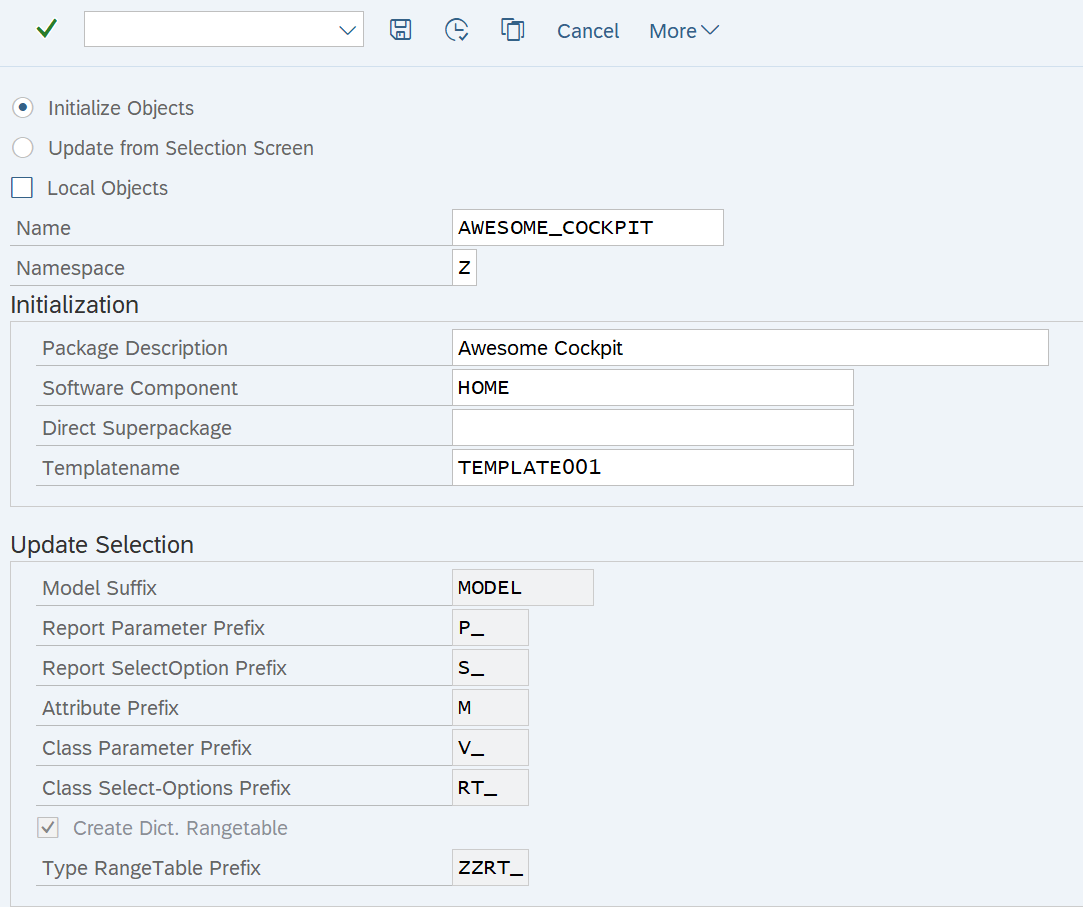
- Initialization (in ZABAP_GENERATOR)
- The Template Objects will be copied and changed accordingly (Templatename will be replaced with the Projectname)
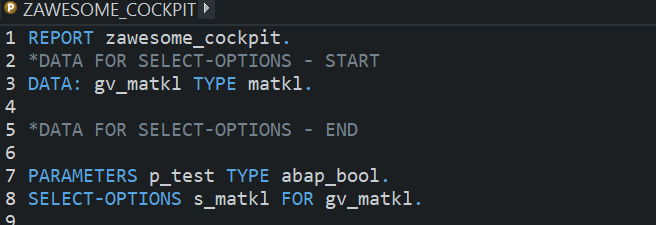
- Then you change the Selection Screen of your just generated Report as you like in ADT or SE38
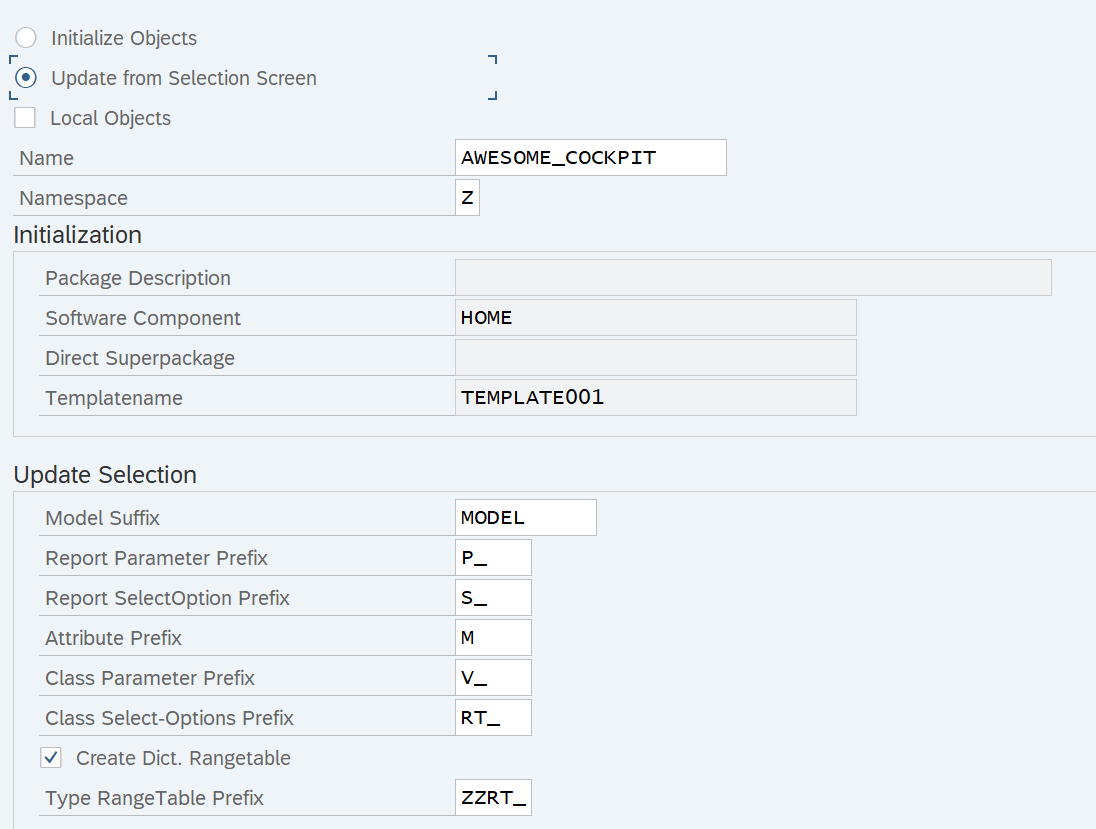
- Update Selection Screen (in ZABAP_GENERATOR)
- Your Report Selection Screen will be read and the Parameters/Select-Options passed to the Model Class
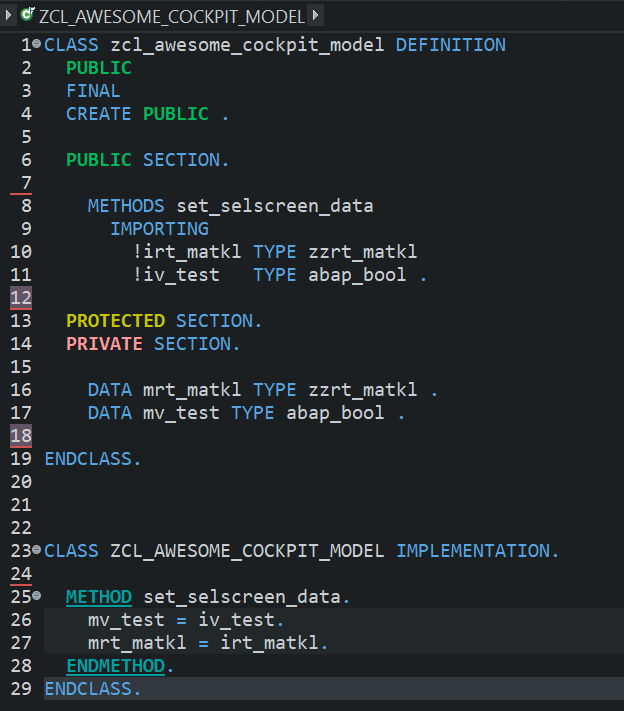
- Model Class will be changed to fit the Selection Data
- If Dict. Range Tables is checked, TableTypes with Rangetables will be created if not already created.
You can change the Default Values and Settings in Table ZZT_ABAP_GEN with SM30. (Default Values will be generated in ZZT_ABAP_GEN with first run of ZABAP_GENERATOR).
Transaction ZABAP_GENERATOR Initialization:
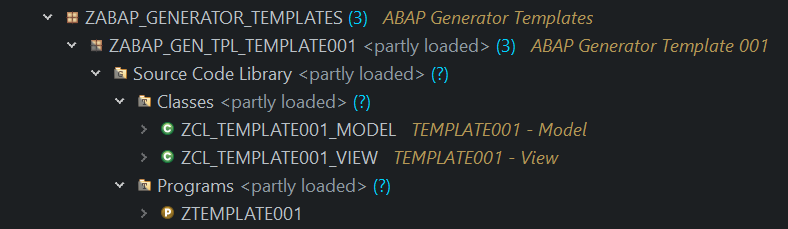
Template Package:
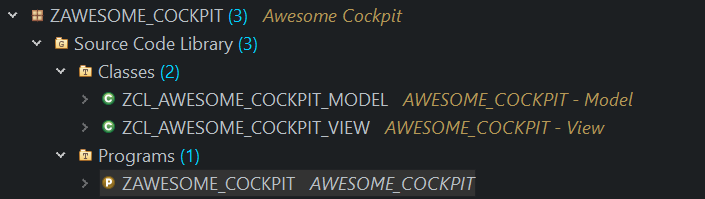
New Package:
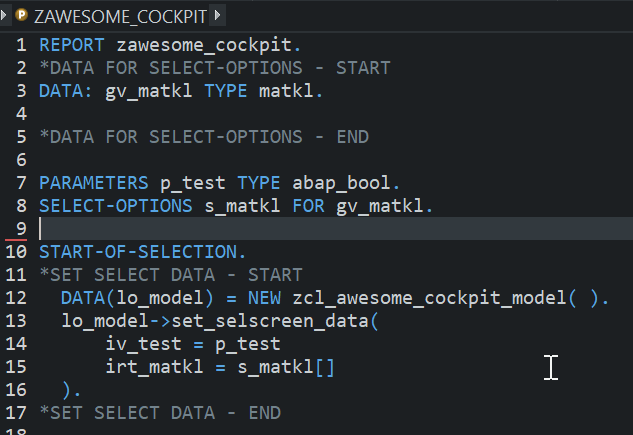
Update Report as you like:
Transaction ZABAP_GENERATOR Update:
Updated Report:
Updated Model:
Others providing
Compare all 2 on the Generators page →- abap2UI5 Layout Editorabap2UI5 Layout EditorA browser editor that lays out a UI5 view by drag and drop and writes it out as one abap2UI5 app class, pulled into the system with abapGit.community org, abapDrag-and-drop UI5 view editor that writes an abap2UI5 app class
Details
Sources
Sources are graph entities: the same page may back several entries, and an unreachable source flags every row that rests on it.
Compatibility and provenance
abaplint
Contributors
History in the atlas
- First seen.
For your agent
- Ref
artifact:oberstvongatow-abapgenerator- JSON
- /artifacts/oberstvongatow-abapgenerator.json
- MCP
- Connecting an agent