sap-knowledge-pipeline
A Python library that reads selected records out of an SAP OData service or an SAP HANA SELECT and renders them as chunked documents, each carrying the entity set and business key it came from.
A recipe names the properties that may be read, and nothing outside it reaches the document: the README calls recipes security boundaries as well as rendering instructions, and an unexpected field in the OData response is ignored. Two readers feed it, an async OData V2 and V4 client that follows the service's own opaque continuation links and inspects EDMX metadata for entity sets, keys, properties and navigation properties, and a HANA adapter that streams a parameterised SELECT in bounded pages through the optional SAP hdbcli driver. What comes out is a chunk with a stable chunk and document id, the rendered text, the entity set and complete business key, the source ETag where SAP supplied one, and the recipe and document type, so a retrieval answer can say which record it came from. The [fastembed] extra adds local FastEmbedFastEmbedA Python library for embedding generation, built on the ONNX Runtime rather than PyTorch and needing no GPU. For the things here it is what turns a chunk into a vector on the machine doing the work rather than through a hosted embedding service. embeddings and a persistent QdrantQdrantA vector similarity search engine and vector database. For the things here it is where embedded chunks are stored and searched, running locally beside the process that wrote them or as a server of its own. index, and the pipeline stops before the model: no LLM is called automatically, and the application decides where retrieved context is sent.
Facts
Where it sits
Who is behind it

In the atlas: maintains 2, contributes to 2@yassinbahrimaintainerADITYAContributes to this

In the atlas: contributes to 1@adity9821 contributor
Before choosing this
Conditions
PracticalFunctional boundary
An early alpha release whose README says to pin the version and test recipes against non-production data first. HANA synchronisation is snapshot-only and does not reconcile deleted rows, so a document for a row deleted in the source stays in the index. A recipe's field allow-list does not decide what the service account may read: the README states that field allow-listing does not replace SAP authorization, and that the package infers no SAP module semantics, authorization scope or safe fields from table names. Only Business Partner has a built-in recipe, every other dataset needs a KnowledgeRecipe written for it, and QdrantQdrantA vector similarity search engine and vector database. For the things here it is where embedded chunks are stored and searched, running locally beside the process that wrote them or as a server of its own. local mode is stated to be for development and smaller indexes.
What it declares
Every artifact
- Type
- Package
- Origin
- Independently maintained
As a package
- Where it runs
- does not say
- Distributed through
- PyPI
Connections
Grounding a model's answer in data retrieved at question time
SAP's relational database platform, on-premise and in HANA Cloud
Managed SAP HANA database service on BTP
SAP's ERP suite, run on-premise or as a private cloud edition, with its business data and processes reached over OData, RFC and the ABAP platform. For the things here it is the system a tool reads from or writes to. The public cloud edition is its own entry.
A Python library for embedding generation, built on the ONNX Runtime rather than PyTorch and needing no GPU. For the things here it is what turns a chunk into a vector on the machine doing the work rather than through a hosted embedding service.
A vector similarity search engine and vector database. For the things here it is where embedded chunks are stored and searched, running locally beside the process that wrote them or as a server of its own.
Download
Install
python -m pip install sap-knowledge-pipeline
python -m pip install "sap-knowledge-pipeline[hana]"
python -m pip install "sap-knowledge-pipeline[fastembed]"
Copied from yassinbahri/sap-knowledge-pipeline — README, Installation, read . Not run by the atlas.
README
quoted from yassinbahri/sap-knowledge-pipeline under MIT, readSAP Knowledge Pipeline
Turn selected SAP OData and HANA business records into secure, citation-ready knowledge for RAG.




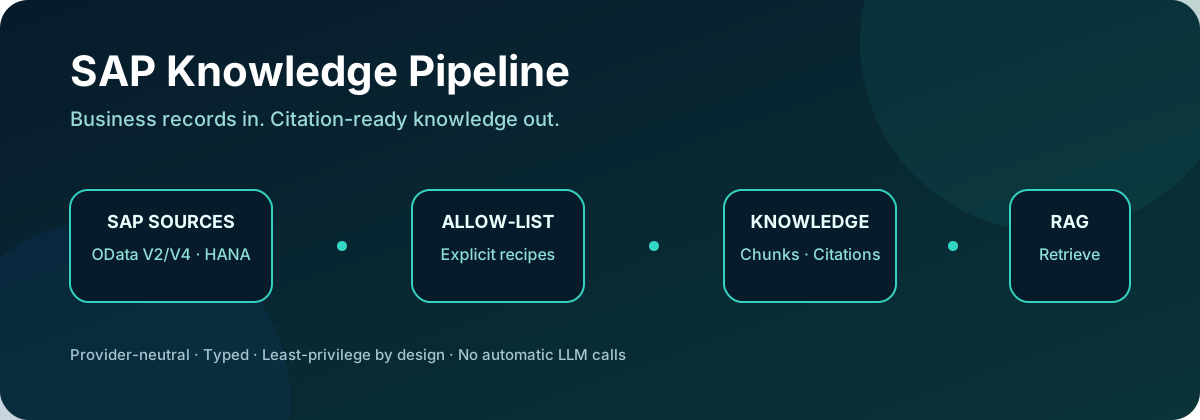
Install · OData · HANA · RAG search · Contribute
Important
This project is an early technical foundation. It is not affiliated with or endorsed by SAP. It does not grant access to SAP systems or reproduce SAP's authorization model.
Installation
Install the core OData and knowledge-transformation package:
python -m pip install sap-knowledge-pipelineChoose optional integrations explicitly:
python -m pip install "sap-knowledge-pipeline[hana]"
python -m pip install "sap-knowledge-pipeline[fastembed]"
python -m pip install "sap-knowledge-pipeline[all]"
Python 3.11 through 3.14 are supported. This is an early alpha release: pin the version, test recipes against non-production data first, and review the known limitations before adopting it.
How it fits together
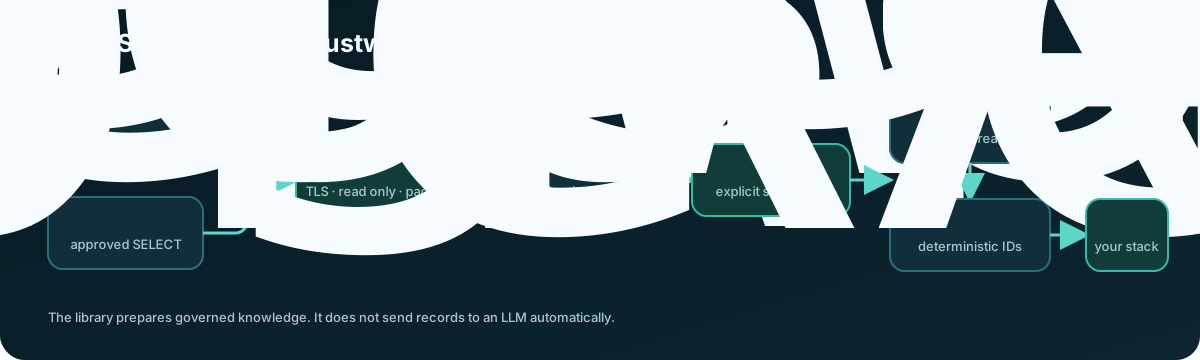
See the project roadmap for planned releases and contribution opportunities.
The package's synchronization events are portable, so an application can choose OpenAI, a local embedding model, pgvector, Qdrant, SAP HANA Cloud, or another store without changing SAP extraction.
The optional Qdrant integration now provides the first end-to-end local target.
Current milestone
The first milestone provides the protocol layer required by the later knowledge pipeline:
- OData V2 and V4 JSON page parsing.
- Server-driven pagination using opaque continuation links.
- Continuation-host validation to prevent credential leakage and SSRF.
- V4 changed and deleted entity handling.
- EDMX metadata inspection for entity sets, keys, properties, and navigation properties.
- An async HTTP client that can be tested without a live SAP system.
- Declarative recipes that allow-list fields before they enter RAG.
- Deterministic knowledge documents, citations, and character-aware chunks.
- A conservative SAP Business Partner starter recipe.
- Certificate-validated SAP HANA connections through the optional SAP
hdbclidriver. - Explicit, parameterized HANA
SELECTdatasets streamed in bounded pages. - Local FastEmbed embeddings and a persistent Qdrant knowledge index.
OData synchronization includes durable checkpoints and delta-link handling. The initial HANA adapter performs snapshot reads; resumable keyset pagination and deletion tracking remain future work.
Known limitations
- HANA snapshot synchronization and safe catalog inspection are available from the TOML CLI.
- HANA synchronization is snapshot-only and does not reconcile deleted rows.
- The package does not infer SAP module semantics, authorization scope, or safe fields from table names.
- Only Business Partner has a built-in recipe; other datasets require an
explicit
KnowledgeRecipe. - Qdrant local mode is intended for development and smaller indexes.
- No LLM is called automatically. Applications decide where retrieved context is sent.
Development setup
python -m venv .venv# Windows PowerShell
.venv\Scripts\Activate.ps1
python -m pip install --group dev -e .
# macOS or Linux
source .venv/bin/activate
python -m pip install --group dev -e .Then run the complete local quality suite:
ruff check .
ruff format --check .
mypy src
pytest
Minimal source example
import asyncio

import httpx

from sap_knowledge.sources.odata import ODataClient, ODataVersion


async def main() -> None:
    async with httpx.AsyncClient() as http:
        client = ODataClient(
            service_root="https://services.odata.org/V4/TripPinServiceRW/",
            version=ODataVersion.V4,
            http=http,
        )

        metadata = await client.metadata()
        people = metadata.entity_set("People")

        async for page in client.pages("People", key_fields=people.keys):
            for record in page.records:
                print(record.key, record.data)


asyncio.run(main())
The same client can consume a configured SAP OData service. Credentials should
be supplied through an httpx.AsyncClient authentication configuration and
must never be committed to the repository.
SAP Business Partner to RAG chunks
Recipes are security boundaries as well as rendering instructions. Only the properties listed by the recipe enter the document text or metadata; an unexpected field in the OData response is ignored.
import asyncio
import os

import httpx

from sap_knowledge import CharacterChunker, KnowledgeRenderer
from sap_knowledge.recipes import BUSINESS_PARTNER
from sap_knowledge.sources.odata import ODataClient, ODataVersion


async def main() -> None:
    async with httpx.AsyncClient(
        auth=(os.environ["SAP_USER"], os.environ["SAP_PASSWORD"]),
        timeout=30,
    ) as http:
        source = ODataClient(
            service_root=os.environ["SAP_ODATA_SERVICE_ROOT"],
            version=ODataVersion.V2,
            http=http,
        )
        renderer = KnowledgeRenderer()
        chunker = CharacterChunker(max_characters=1200, overlap_characters=120)

        async for page in source.pages(
            BUSINESS_PARTNER.entity_set,
            key_fields=BUSINESS_PARTNER.key_fields,
            select=BUSINESS_PARTNER.select_fields,
        ):
            for record in page.records:
                document = renderer.render(record, BUSINESS_PARTNER)
                for chunk in chunker.split(document):
                    # Send chunk.text and chunk.metadata to your chosen target.
                    print(chunk.model_dump_json())


asyncio.run(main())
Every chunk includes:
- A stable chunk and document ID.
- The rendered, embedding-ready text.
- The OData entity set and complete business key.
- The source ETag when supplied by SAP.
- The recipe and document type.
Stable IDs let a later sink upsert changed chunks without duplicating them. The structured citation lets a RAG application show where an answer came from.
Transform approved fields before RAG
An allow-listed field can still contain a value that should not reach an embedding or vector payload. Recipes can declare deterministic masks, SHA-256 digests, date normalization, and closed value mappings:
from sap_knowledge import HashTransform, MaskTransform

secured_recipe = BUSINESS_PARTNER.model_copy(
    update={
        "transforms": (
            HashTransform(field="BusinessPartner"),
            MaskTransform(
                field="BusinessPartnerFullName",
                visible_prefix=1,
            ),
        )
    }
)

document = KnowledgeRenderer().render(record, secured_recipe)
The transformed value is reused across text, metadata, citations, and stable identifiers so the raw value does not escape through a second output path. Custom hooks are supported for trusted application code. See Field transformations and redaction for the complete security model and API.
SAP HANA to RAG chunks
Install the optional SAP HANA driver:
python -m pip install "sap-knowledge-pipeline[hana]"Use a dedicated database principal with only SELECT privileges on approved
views. The package rejects obvious multi-statement and non-SELECT input,
but SQL-text validation is not an authorization boundary. Database grants are
the security boundary.
Keep connection values in environment variables:
$env:SAP_HANA_ADDRESS = "your-host.hanacloud.ondemand.com"
$env:SAP_HANA_PORT = "443"
$env:SAP_HANA_USER = "your-read-only-user"
$env:SAP_HANA_PASSWORD = "your-password"
Define an explicit dataset and its stable business key:
import os

from sap_knowledge.sources.hana import HanaClient, HanaDataset


products = HanaDataset(
    name="PRODUCT_KNOWLEDGE",
    statement=(
        'SELECT "PRODUCT_ID", "PRODUCT_NAME", "DESCRIPTION" '
        'FROM "RAG_READ"."PRODUCT_KNOWLEDGE" '
        'WHERE "ACTIVE" = ? ORDER BY "PRODUCT_ID"'
    ),
    key_fields=("PRODUCT_ID",),
    parameters=(True,),
)

with HanaClient.connect(
    address=os.environ["SAP_HANA_ADDRESS"],
    port=int(os.environ.get("SAP_HANA_PORT", "443")),
    user=os.environ["SAP_HANA_USER"],
    password=os.environ["SAP_HANA_PASSWORD"],
) as source:
    for page in source.pages(products, page_size=500):
        for record in page.records:
            print(record.model_dump_json())
Connections always request encryption and certificate validation. Query
parameters are passed separately to the SAP driver. Duplicate result-column
names, missing business keys, and null key values fail before records enter the
knowledge pipeline. See examples/hana_to_rag.py for transformation into
citation-ready chunks.
The adapter works at the HANA SQL layer. It is not specific to S/4HANA: an ECC EHP8 system on HANA, S/4HANA, HANA Cloud, or a custom HANA application can all be sources when the configured user can read a stable view or query. The meaning and safety of SAP application tables still belongs in an explicit recipe or curated database view.
Discover accessible HANA metadata
Catalog discovery returns only metadata visible to the connected principal. It does not select business rows:
with HanaClient.connect(
    address=os.environ["SAP_HANA_ADDRESS"],
    port=int(os.environ.get("SAP_HANA_PORT", "443")),
    user=os.environ["SAP_HANA_USER"],
    password=os.environ["SAP_HANA_PASSWORD"],
) as source:
    catalog = source.catalog()
    for schema in catalog.schemas():
        for database_object in catalog.objects(schema):
            columns = catalog.columns(schema, database_object.name)
            print(schema, database_object.name, columns)
System schemas are excluded by default. HANA system views filter their results
according to the connected user's privileges. Do not grant CATALOG READ to a
production ingestion account merely to make discovery easier; create a curated
schema or grant SELECT only on approved views instead.
The same discovery workflow is available from the CLI when source = "hana":
sap-knowledge --config sap-hana.toml inspect
sap-knowledge --config sap-hana.toml inspect --schema RAG_READ
sap-knowledge --config sap-hana.toml inspect --schema RAG_READ --object PRODUCT_KNOWLEDGE --json
Use --include-system only for local troubleshooting. The CLI never prints the
configured HANA password and does not include SQL parameters in catalog output.
Write HANA snapshot events
HanaSnapshotKnowledgePipeline connects HANA to the same portable JSONL event
format consumed by the Qdrant indexer:
pipeline = HanaSnapshotKnowledgePipeline(
    source=source,
    dataset=products,
    recipe=product_recipe,
    sink=JsonlEventSink("data/hana-product-events.jsonl"),
)
result = await pipeline.run()
Snapshot events have deterministic IDs, so rerunning the same approved query upserts the same documents. This initial implementation does not yet detect rows that disappeared between snapshots; incremental cursors and deletion reconciliation are still required for production synchronization.
You can also run a HANA snapshot through the same CLI event writer. Copy
sap-hana.example.toml, set the HANA credentials in the process environment,
and run sync:
Copy-Item sap-hana.example.toml sap-hana.toml
$env:SAP_HANA_USER = "your-read-only-user"
$env:SAP_HANA_PASSWORD = "your-password"
sap-knowledge --config sap-hana.toml sync
The [hana] section stores environment-variable names, dataset identity, one
explicit SELECT, key fields, optional parameters, and page size. It must not
contain literal passwords.
SAP module coverage
The extraction and RAG layers are module-neutral. FI/CO, MM, SD, PM, HCM,
SuccessFactors replication data, industry add-ons, and custom Z* objects can
all use the same pipeline when represented as stable rows. Module-specific
support is not automatic: joins, organizational scope, authorization rules,
business terminology, keys, sensitive-field exclusions, and change tracking
must be defined by a curated view or explicit query and a KnowledgeRecipe.
The only built-in SAP business recipe currently included is the OData Business Partner recipe. HANA module recipes should be added one validated use case at a time rather than guessing directly from SAP table names.
Command-line usage
Copy the supplied configuration template and edit the service URL:
cp sap-knowledge.example.toml sap-knowledge.tomlOn Windows PowerShell:
Copy-Item sap-knowledge.example.toml sap-knowledge.toml
$env:SAP_USER = "your-technical-user"
$env:SAP_PASSWORD = "your-password"
The TOML file contains environment-variable names, never passwords or tokens:
[service]
root = "https://your-sap-host.example/sap/opu/odata/sap/API_BUSINESS_PARTNER/"
version = "2"
username_env = "SAP_USER"
password_env = "SAP_PASSWORD"

[pipeline]
recipe = "business_partner"
events_path = "data/business-partner-events.jsonl"
checkpoint_path = "state/business-partner.json"
max_characters = 1200
overlap_characters = 120
SAP Business Accelerator Hub sandboxes use an API key instead of Basic
authentication. Copy sap-business-partner-sandbox.example.toml, obtain your
personal key from SAP, and set it only in the process environment:
$env:SAP_API_KEY = "your-personal-sandbox-key"
sap-knowledge --config sap-business-partner-sandbox.example.toml inspect
sap-knowledge --config sap-business-partner-sandbox.example.toml sync
The corresponding configuration uses:
api_key_env = "SAP_API_KEY"
api_key_header = "APIKey"
Inspect the service before extracting data:
sap-knowledge --config sap-knowledge.toml inspect
sap-knowledge --config sap-knowledge.toml inspect --entity-set A_BusinessPartner --json
For HANA configurations, inspect accessible schemas, objects, or columns:
sap-knowledge --config sap-hana.toml inspect
sap-knowledge --config sap-hana.toml inspect --schema RAG_READ
sap-knowledge --config sap-hana.toml inspect --schema RAG_READ --object PRODUCT_KNOWLEDGE --json
Validate configuration and source metadata before reading any business rows or writing events:
sap-knowledge --config sap-knowledge.toml validate
sap-knowledge --config sap-knowledge.toml validate --json
For OData, validate requests only the service $metadata document and checks
the configured recipe's entity set, keys, and selected properties. For HANA,
set both catalog_schema and catalog_object to check the recipe fields against
privilege-filtered catalog columns. Without those explicit lineage values, HANA
validation still checks configuration, recipe, dataset, and key invariants but
reports that column compatibility was not checked. It never executes the
configured business-row SELECT.
Validation proves compatibility with metadata visible at that moment. It does not prove authorization for every future row or guarantee that source metadata will remain unchanged.
Run or resume synchronization:
sap-knowledge --config sap-knowledge.toml syncThe CLI validates the built-in recipe against live EDMX metadata before it requests business data. It fails early when an entity set, key, or selected property is unavailable.
Inspect checkpoint status without revealing its URLs:
sap-knowledge --config sap-knowledge.toml checkpoint--reveal-cursors is available for careful local debugging. Avoid copying its
output into logs or issue reports. You can also run the CLI as
python -m sap_knowledge.
Local vector search and RAG context
Install the optional local embedding and Qdrant dependencies:
python -m pip install "sap-knowledge-pipeline[fastembed]"Scope retrieval with SAP metadata
Business authorization fields should usually control retrieval without becoming part of the embedded text. Add explicit metadata mappings when defining a recipe:
from sap_knowledge.knowledge import FieldMapping, KnowledgeRecipe, MetadataMapping

recipe = KnowledgeRecipe(
    name="maintenance_orders",
    entity_set="MaintenanceOrders",
    key_fields=("OrderID",),
    title_fields=("Description",),
    fields=(
        FieldMapping(source="Description", label="Description", required=True),
        FieldMapping(source="Status", label="Status"),
    ),
    metadata=(
        MetadataMapping(source="CompanyCode", key="sap_company_code", required=True),
        MetadataMapping(source="AllowedRoles", key="security_roles", required=True),
    ),
)
Metadata fields are requested from SAP and stored with each chunk, but are not placed in the document text or sent to the embedding model. Require them when searching:
hits = index.search(
    "Which pumps need maintenance?",
    filters={
        "sap_company_code": "1000",
        "security_roles": "MAINTENANCE",
    },
)
The CLI supports the same fail-closed query shape. Repeating one key means “any of these values”; different keys are combined with “and”:
sap-knowledge search "Which pumps need maintenance?" \
  --filter sap_company_code=1000 \
  --filter security_roles=MAINTENANCE
These filters are an enforcement building block, not an identity or authorization provider. The application must derive filter values from a trusted authenticated identity and must never accept tenant, company-code, or role filters directly from an untrusted user request.
Evaluate citation and scope integrity offline
Use the provider-neutral evaluation helper with synthetic fixtures before connecting production SAP data. It verifies that every returned hit retains its document citation and that scalar or multi-valued metadata remains inside trusted scopes:
from sap_knowledge.vector import evaluate_retrieval

report = evaluate_retrieval(
    hits,
    allowed_scopes={
        "sap_company_code": {"1000"},
        "security_roles": {"MAINTENANCE"},
    },
)
assert report.passed, (report.missing_citations, report.scope_leaks)
Run the bundled multi-company synthetic evaluation with
pytest tests/test_retrieval_evaluation.py. Adapt its metadata keys and allowed values to the
fields mapped by your own SAP module recipe; never derive the allowed values from user input.
For a source checkout:
python -m pip install -e ".[fastembed]"The sandbox example config includes a persistent local Qdrant index and the small English BGE embedding model:
[vector]
path = "data/qdrant-business-partners"
collection = "sap_business_partners"
model = "BAAI/bge-small-en-v1.5"
model_cache_path = "state/embedding-models"
batch_size = 128
After sync has produced the JSONL events, embed and index them:
sap-knowledge --config sap-business-partner-sandbox.example.toml indexRun semantic retrieval:
sap-knowledge --config sap-business-partner-sandbox.example.toml search \
  "industrial manufacturing and engineering company" --limit 3
Results contain the score, source text, document and chunk IDs, and the original SAP entity set and business key. To create a grounded prompt that can be sent to any chat model:
sap-knowledge --config sap-business-partner-sandbox.example.toml prompt \
  "Which business partners manufacture industrial components?" --limit 5
The prompt requires numbered citations, tells the model to use only retrieved sources, and treats SAP text as untrusted data rather than instructions. Prompt construction does not call an LLM or send SAP data to a third party.
The collection records its embedding model and vector dimension. Search and index operations fail explicitly if configuration changes, preventing vectors from incompatible embedding spaces from being mixed silently.
Qdrant local mode is intended for development and smaller indexes. The adapter uses the same Qdrant collection operations needed for a server or cloud target, but remote connection configuration and production hardening are future work.
Live compatibility smoke test
The regular test suite is fully offline. An opt-in example checks real public services without retaining their data:
python examples/live_odata_smoke.pyIt inspects the public SAP Business Accelerator Hub catalog metadata, then runs the complete temporary JSONL/checkpoint pipeline against the OData reference Northwind V2 and TripPin V4 services. Network availability and those external services are outside this project's control, so this is deliberately not part of CI.
Durable synchronization to JSONL
ODataKnowledgePipeline combines extraction, rendering, chunking, deletion
events, and checkpoints. JSONL is the first portable sink: it is easy to
inspect, replay, import into another system, or use as the input to a custom
embedding worker.
from pathlib import Path

from sap_knowledge.sync import (
    FileCheckpointStore,
    JsonlEventSink,
    ODataKnowledgePipeline,
)

pipeline = ODataKnowledgePipeline(
    source=source,
    recipe=BUSINESS_PARTNER,
    sink=JsonlEventSink(Path("data/business-partner-events.jsonl")),
    checkpoints=FileCheckpointStore(Path("state/business-partner.json")),
)

result = await pipeline.run()
print(result.model_dump())
The first run reads the complete entity set. The checkpoint records each next link only after that page's events have been flushed to disk. A later call:
- Resumes an interrupted pagination cursor.
- Uses the saved delta link when the OData service provides one.
- Emits
deleteevents for V4 removed entities. - Returns immediately when a snapshot is complete and has no delta link.
Pass force_full=True to intentionally start a new complete snapshot:
await pipeline.run(force_full=True)Upserts contain the complete chunk set for a document. A downstream adapter
should replace all chunks with the same document_id; deletes should remove
all of them.
Note
Synchronization is intentionally at least once. If event output succeeds but checkpoint persistence fails, the page is replayed. Consumers must upsert by stable IDs. Use only one writer per JSONL/checkpoint pair.
Warning
OData continuation and delta URLs may contain opaque access state. Protect the checkpoint directory like a credential, never commit it, and do not expose it in logs.
Use a separate checkpoint file for every sink. Recipe and chunker settings are
fingerprinted; changing either one requires force_full=True, which prevents a
new transformation configuration from being applied only to later changes.
Defining a custom recipe
from sap_knowledge import FieldMapping, KnowledgeRecipe

MATERIAL = KnowledgeRecipe(
    name="material",
    entity_set="A_Product",
    key_fields=("Product",),
    title_fields=("ProductName", "Product"),
    document_type="sap_material",
    fields=(
        FieldMapping(source="ProductName", label="Product name"),
        FieldMapping(source="Product", label="Product ID", required=True),
        FieldMapping(source="ProductType", label="Product type"),
        FieldMapping(source="BaseUnit", label="Base unit"),
    ),
)
Pass MATERIAL.select_fields to ODataClient.pages(). This requests only the
keys and allowed properties and provides a second guard in case the service
returns additional data.
Caution
Field allow-listing does not replace SAP authorization. Use a least-privilege technical user, validate which business data may leave SAP, and apply tenant or user-level authorization again when retrieving chunks.
Contributing
Contributions are welcome, including small fixtures and documentation fixes. Read CONTRIBUTING.md for setup, testing, pull-request, and SAP test-data safety guidance.
History
Others providing
Compare all 3 on the Document grounding page →- SAP AI CoreSAP AI CoreSAP's AI service on BTP: the runtime for AI assets, and through the Generative AI Hub inside it the access to foundation models, the orchestration service with its templating, masking, filtering and grounding modules, the Prompt Registry and Document Grounding.sap official, btpAI runtime on BTP with the Generative AI Hub
- SAP HANA CloudSAP HANA CloudThe managed database under most of this: CAP's default target, the store Datasphere and Analytics Cloud sit on, and a service with plans and components.sap official, btpManaged SAP HANA database service on BTP
Details
Sources
Sources are graph entities: the same page may back several entries, and an unreachable source flags every row that rests on it.
Compatibility and provenance
Contributors
History in the atlas
- Handed over as a URL. Filed behind the BTP door because what it reads is an SAP OData service and [SAP HANA](artifact:sap-hana), and neither the library nor its recipes touch CAP, UI5 or ABAP; the repository's own topics are rag, rag-pipeline, sap, sap-btp and sap-hana. One edge, [retrieval-augmented generation](capability:retrieval-augmented-generation): the capability's CAP coverage says the layer above the vector, splitting long text into chunks and deciding what goes into the prompt, is hand-written in every entry there, and that layer is what this library is. [Data import and export](capability:data-import-export) was considered and left off, since that capability is about a file somebody supplies rather than records read out of a live service, and [OData](capability:odata) is about serving a model as OData rather than consuming one. The optional SAP `hdbcli` driver is named in the prose and carries no edge: SAP's Node.js driver is the artifact [@sap/hana-client](artifact:sap-hana-client), so its Python sibling belongs in the graph the same way and not as an external, which is an editorial decision rather than one for this batch.
- First seen.
For your agent
- Ref
artifact:yassinbahri-sap-knowledge-pipeline- JSON
- /artifacts/yassinbahri-sap-knowledge-pipeline.json
- MCP
- Connecting an agent