ODAPU
A UI5 app installed with abapGitabapGitA Git client written in ABAP that runs inside the system, so objects are cloned, pulled and pushed without leaving it; with no package manager in ABAP, a cloned repository is how code is distributed.community org, abap that builds and saves test requests for OData services and connects to ABAP Push Channels, on S/4HANA systems.
Picks an OData service from a search list, whether RAP and CDS or a classic SEGW project, and builds a request from its entities, functions and actions, with filter, sort, header and expand options instead of a hand-written URL. The metadata shows as XML or as a diagram of entities, functions, actions and complex types, and requests and projects are saved to reopen in tabs. An ABAP Push Channel on the system can be connected to, sent messages and read. On-premise it runs from the Fiori launchpad after a semantic object, a role and an SICF node are set up; the BTP setup deploys the UI from odapu-ui5, and the README states it is not tested yet.
Facts
Where it sits
Who is behind it

In the atlas: maintains 8, contributes to 10, wrote 1@mariokernichmaintainer
What it declares
Every artifact
- Type
- App
- Origin
- Independently maintained
As an app
- Where it runs
- Inside the system it serves
- Distributed through
- abapGit
Connections
Sending a request to an OData service or push channel by hand
Git client written in ABAP that runs inside the system
SAP's ERP suite, run on-premise or as a private cloud edition, with its business data and processes reached over OData, RFC and the ABAP platform. For the things here it is the system a tool reads from or writes to. The public cloud edition is its own entry.
ABAP runtime on BTP for the ABAP Cloud model
Download
Where it sits in your app
Download
README
quoted from mariokernich/odapu-abap under Apache-2.0, read
OData & APC Test Tool
This app gives you a powerful tool to test ODATA services – whether it's modern ABAP RAP/CDS or classic SEGW projects – as well as APC (ABAP Push Channels). With its intuitive UI, you can easily build test cases, run them instantly, and save them for quick access later. No more manual hassle – just click, test, repeat. ⚡
🚀 Highlights
- One Tool for everything: ODATA and ABAP Push channel in one place. Whether using old or newer, modern technolgoies.
- Parallel Testing: Run multiple requests or channels simultaneously – perfect for complex debugging and real-time monitoring. Each project will be placed in it's own tab, which can be switched anytime.
- ODATA Request builder: Easily switch between entity (and CRUD operation), function and action to pick the right ressource you want to test. Based on the selection, you will see the right inputs to fill.
- Extended ODATA entity functions: Detailed and user friendly options to define filter, sorter, header, expand and general request options with no need of manual URL build.
- ODATA Metadata visualization: View metadata.xml contents and full visualization of OData project including entities, functions, actions and complex types
- ODATA Requests history: Recently used resources are saved for quick access to your latest requests
- Project Management: Save, load, and organize your test cases.
- Service & Channel Search: Quickly find OData services and Push Channels.
- Flexible Data View: Switch between different views to display data.
- Success and Error sound feedback: Audio notifications for successful operations and error states
- Multilanguage Support: English (en), German (de) - Deutsch, French (fr) - Français, Turkish (tr) - Türkçe, Spanish (es) - Español, Italian (it) - Italiano, Russian (ru) - Русский
- Update notification: Automatically notifies you when a new version is available
🔧 System Requirements
- At least one system with S/4HANA components
- Works both on-premise and in the SAP BTP (Cloud) environment
Feature Showcase
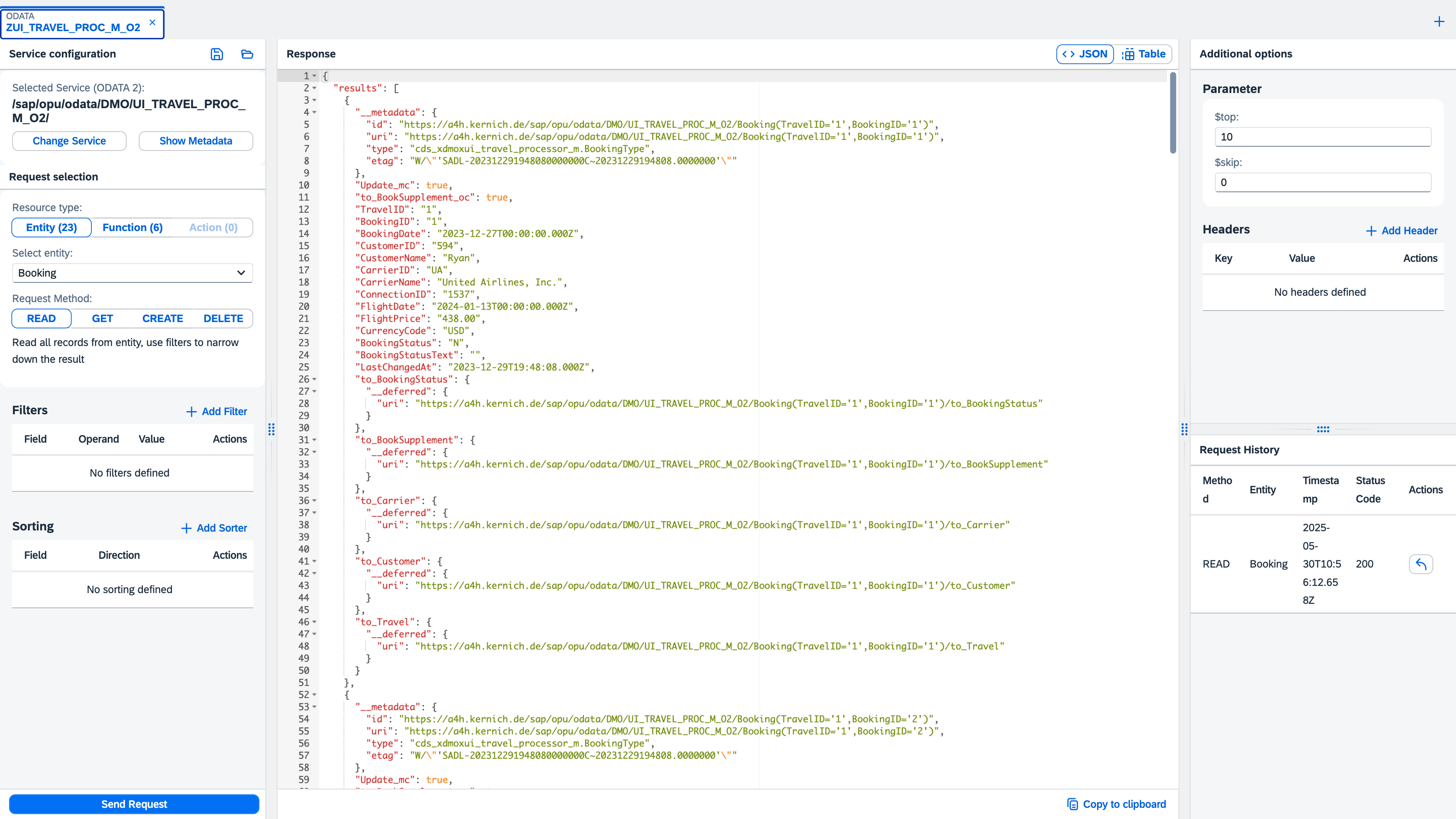
Main screen of ODATA service testing.
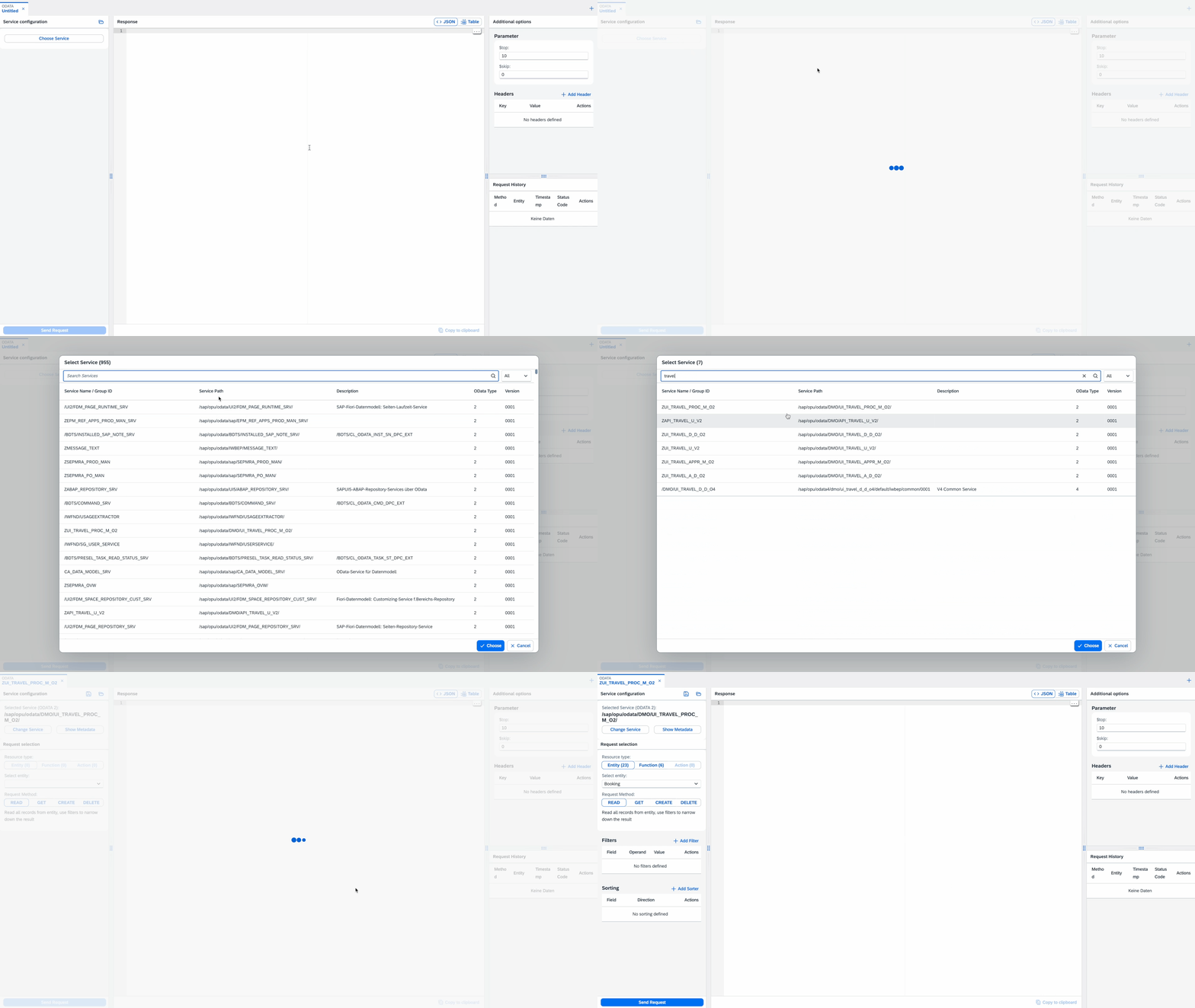
Find and pick your service in seconds to get started — just search the list.
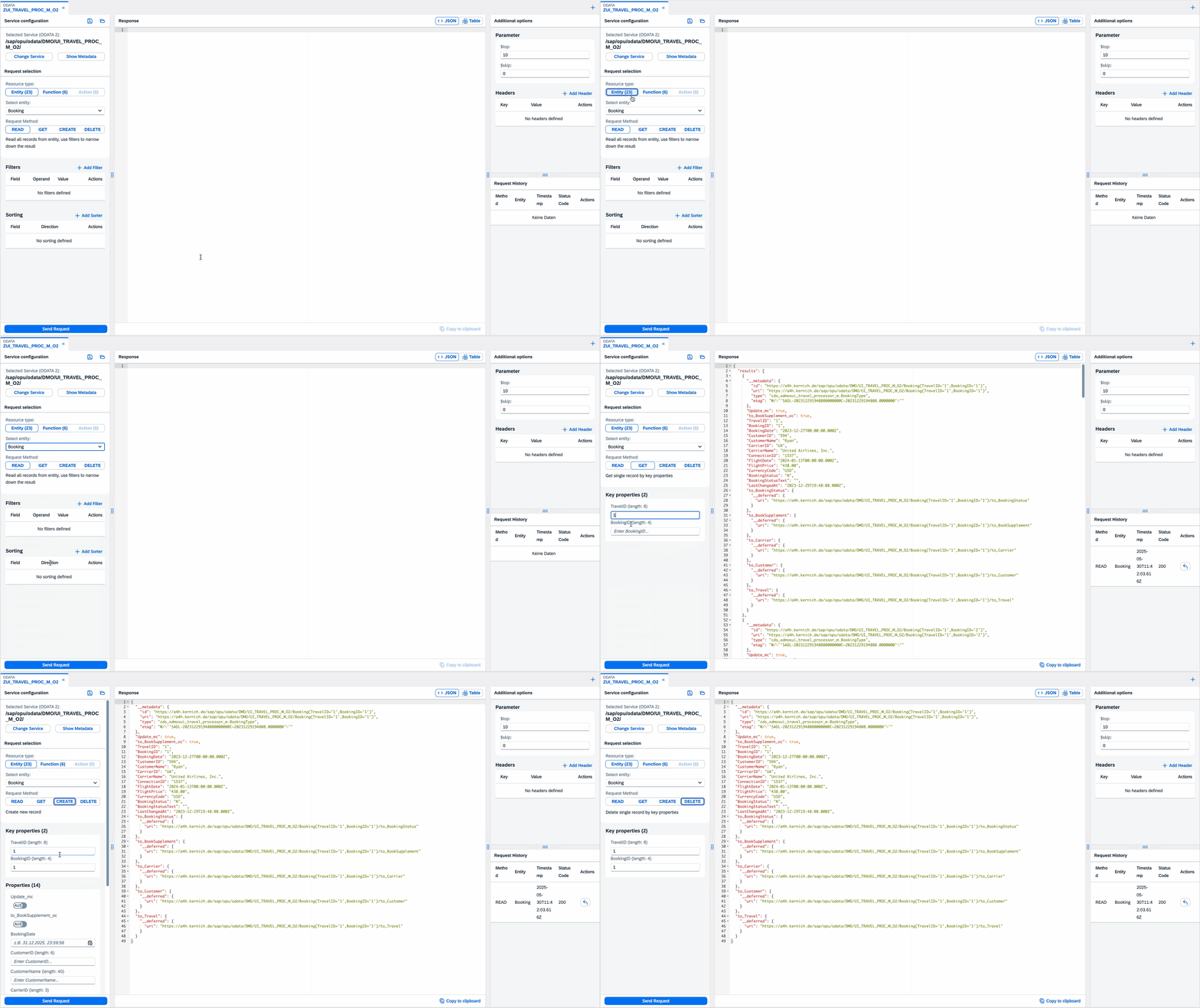
Create requests with just a few clicks — straight from the available resources of the current ODATA service.
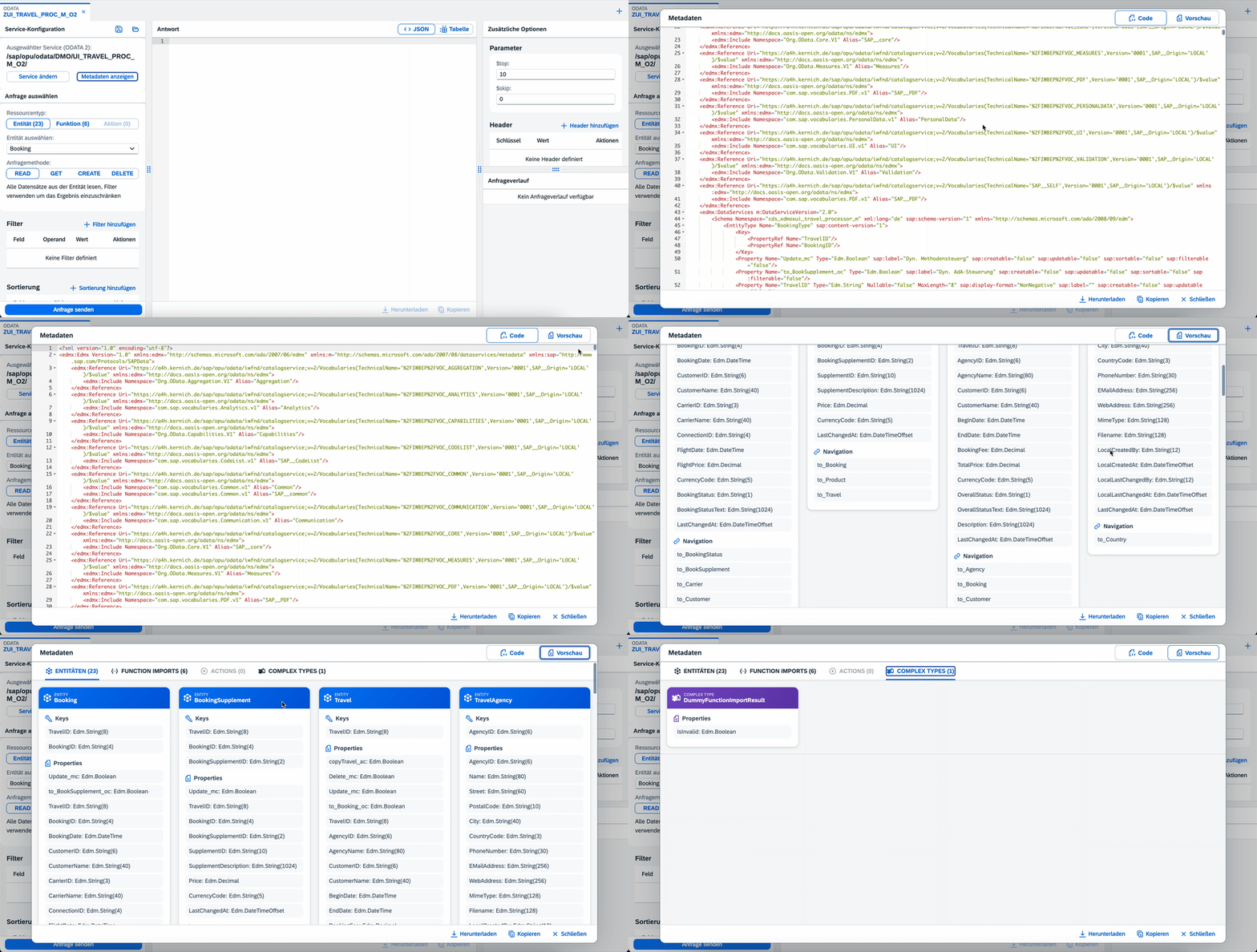
Display service metadata as XML source or with visualization of all entities, functions, actions and complex types.
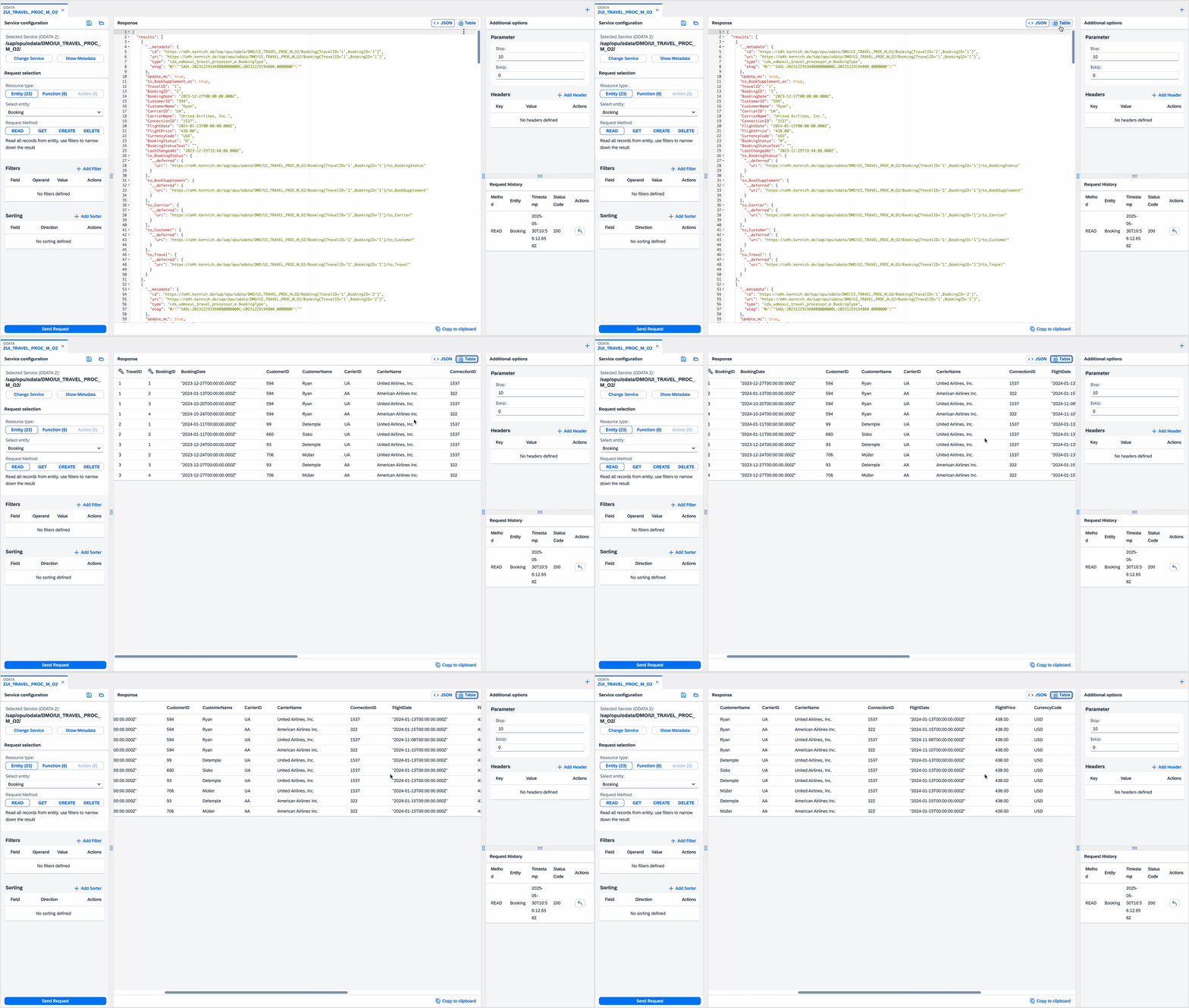
Switch from JSON data preview to table view mode.
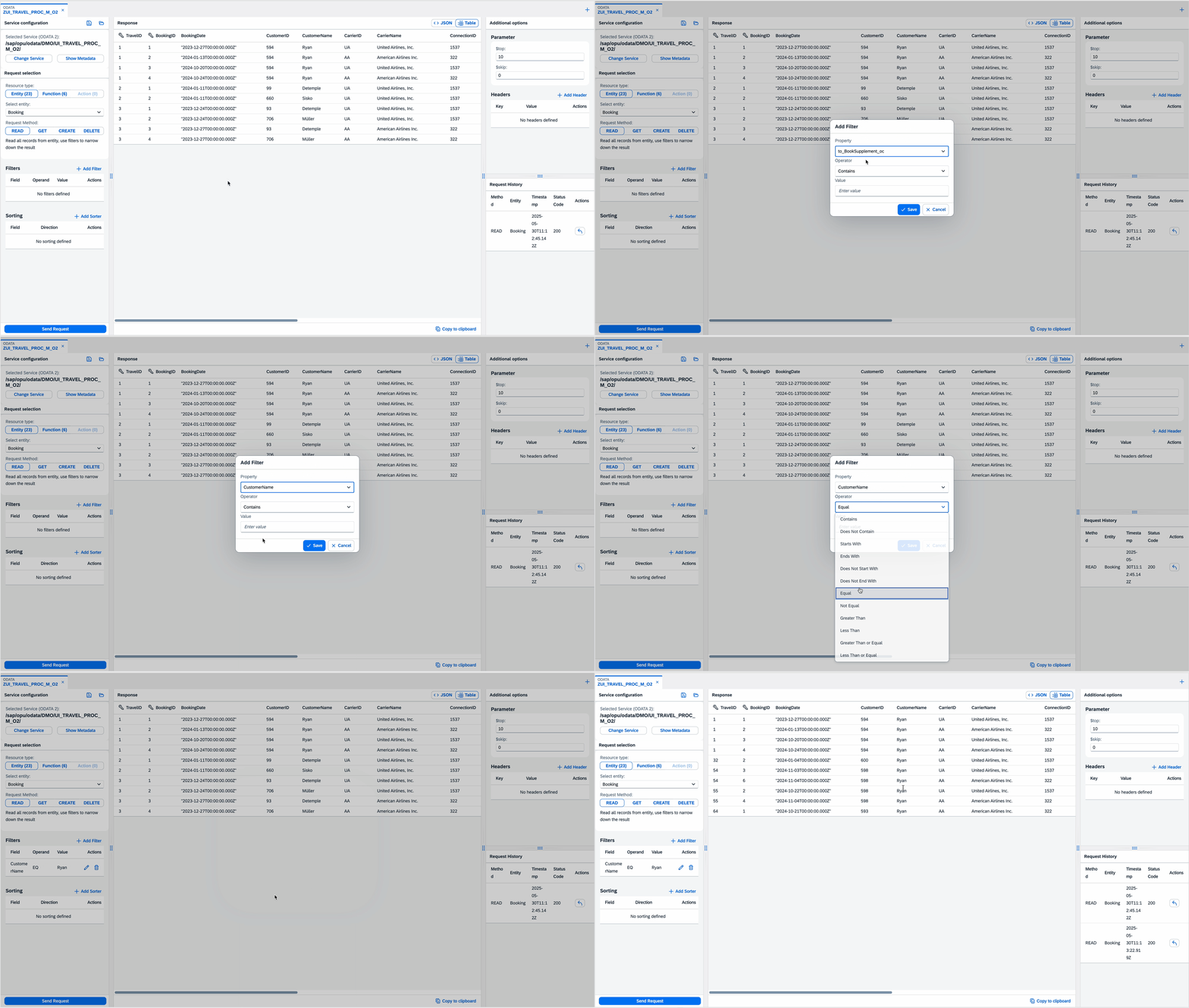
Quickly add or edit filter and sorter definitions by selecting properties from the chosen entity.
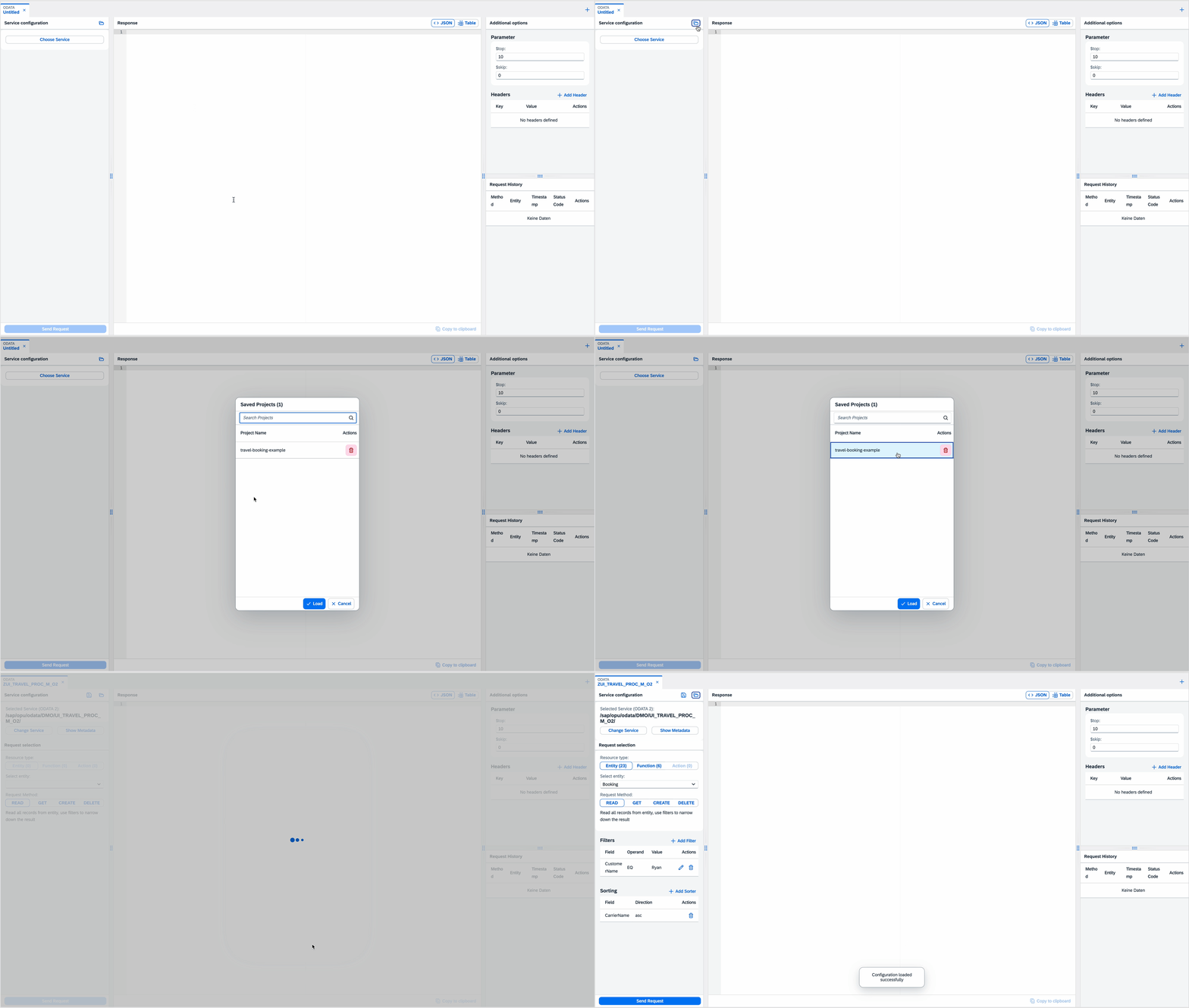
Save and load your projects.
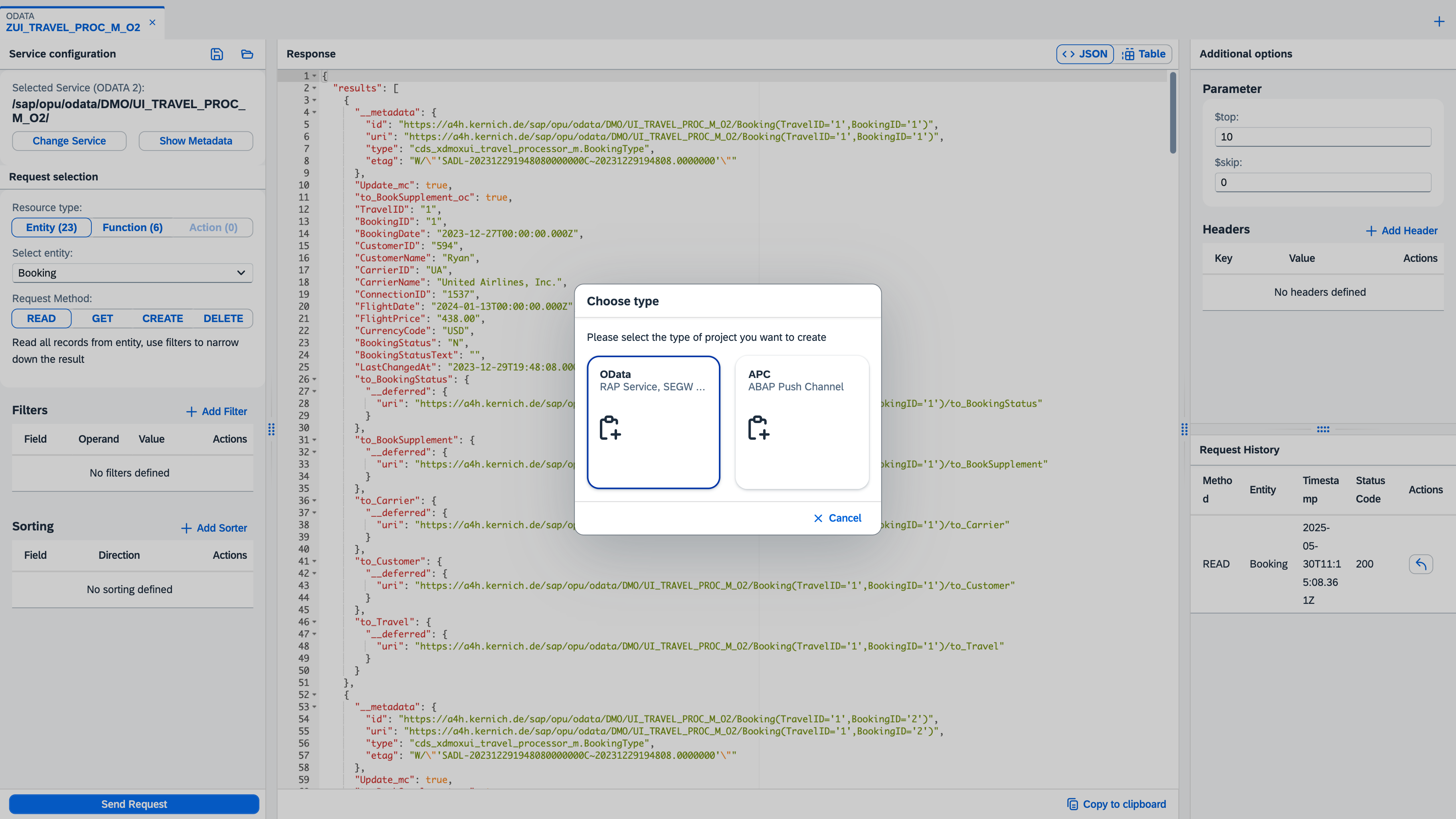
Work with ODATA and APC tools all in one place.
Pick any ABAP Push Channel which is available on the system. Connect or disconnect the selected ABAP Push Channel. Write and Receive Messages.
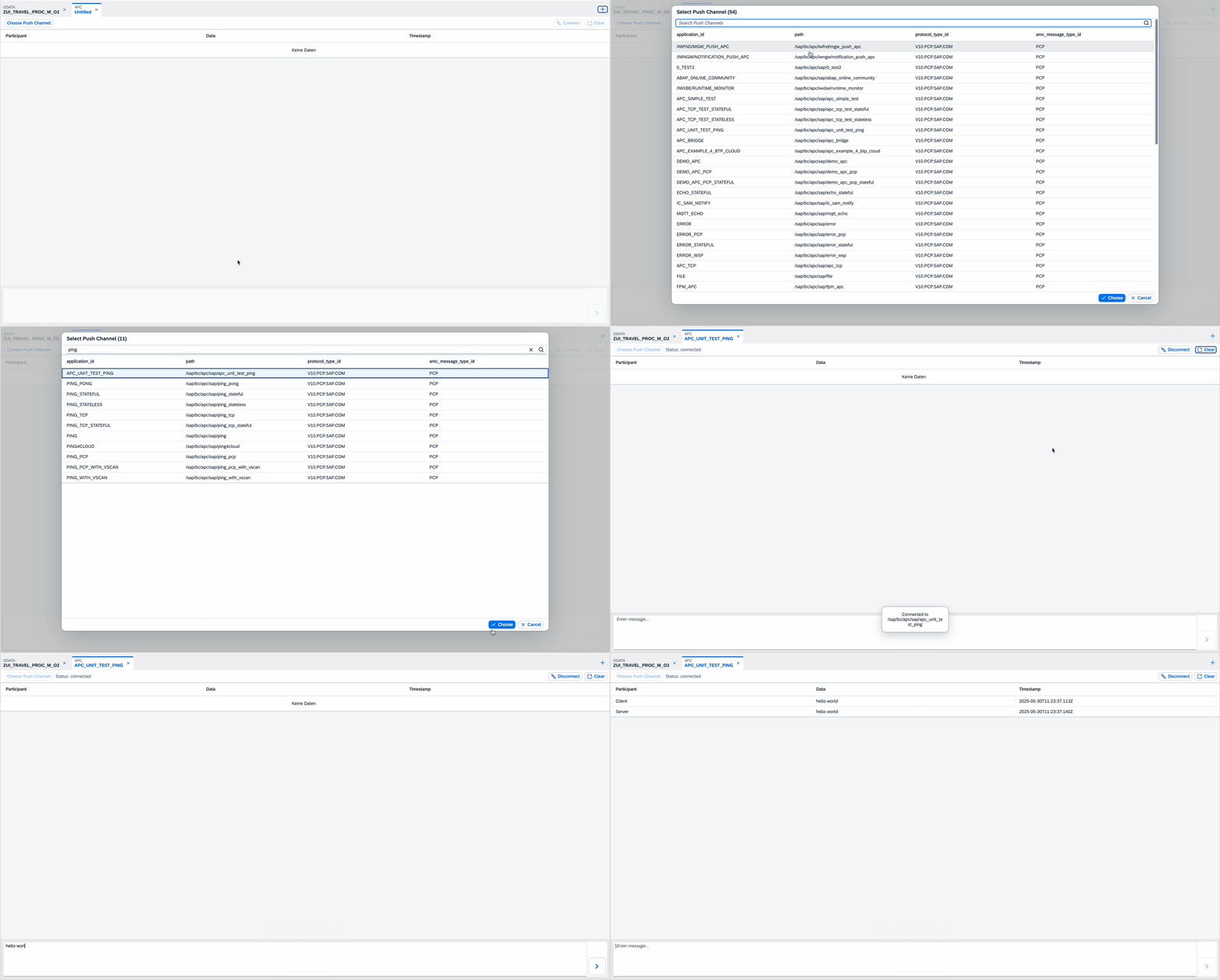
Create and manage multiple ODATA and APC projects simultaneously — switch between them effortlessly.
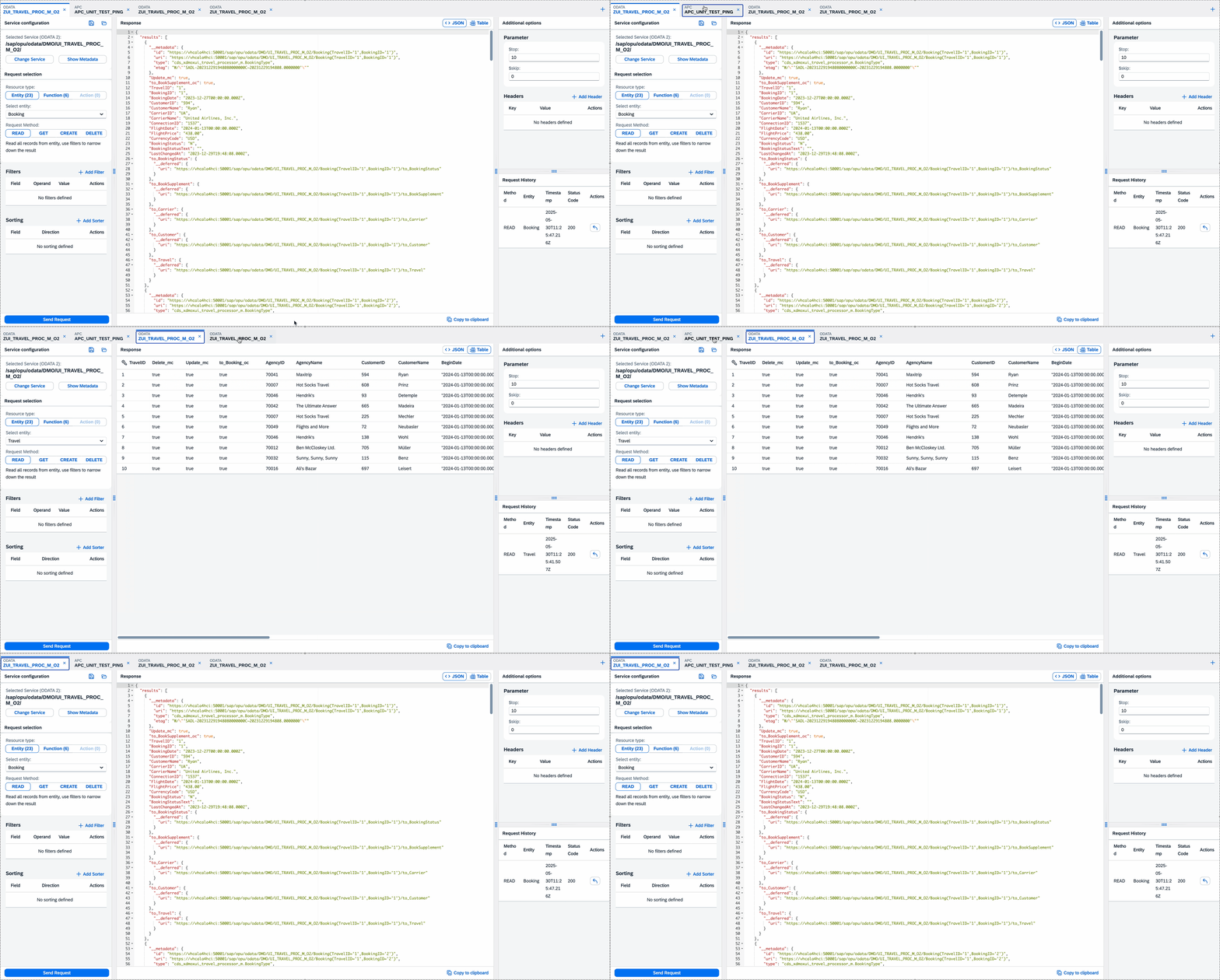
📌 How to use
To set up and use this project, you need to use abapgit. Follow these steps:
- Install abapgit in your ABAP system.
- Clone this repository using abapgit.
- Follow the abapgit instructions to pull and activate the project.
For more details, visit the abapgit documentation.
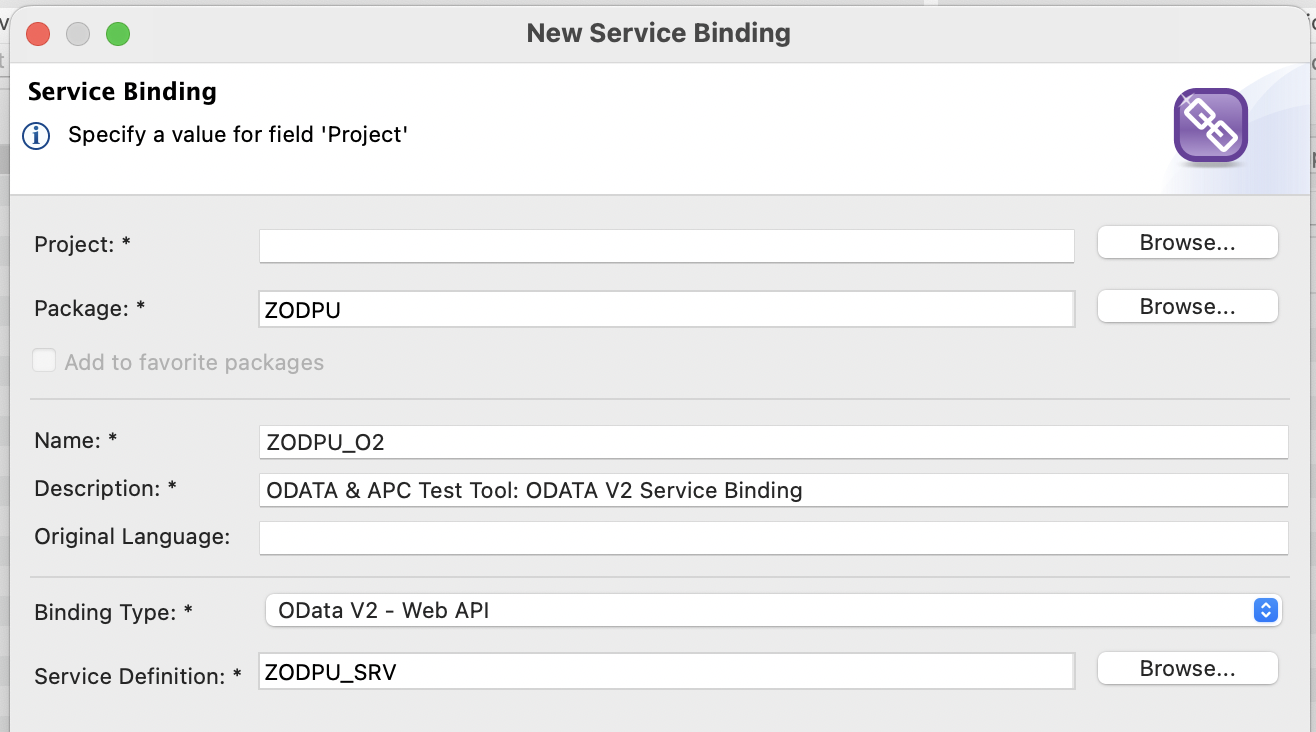
Import with abapgit failed with service binding / definition
If the abapgit import failed for ZODPU_SRV service definition or ZODPU_O2 service binding, then you need to manually create them.
Create new service definition ZODPU_SRV with the following contents:
@EndUserText.label: 'ODATA & APC Test Tool: Main Service'
define service ZODPU_SRV {
  expose ZCE_ODPU_INFO as Info;
  expose ZCE_ODPU_SERVICES as ODataService;
  expose ZCE_ODPU_APC as PushChannel;
  expose ZC_ODPU_OPROJ as ODataServiceProject;
  expose ZCE_ODPU_TABLE as Dictionary;
  expose ZCE_ODPU_TABLE_FIELDS as DictionaryField;
}
Create new service binding ZODPU_O2
OnPremise specific setup steps
- Open transaction
/UI2/SEMOBJand create a new semantic object:ZODPU. - Open transaction
PFCGand create a new role:ZODPU.- Add the Launchpad Catalog
ZODPUand Launchpad GroupZODPU. - Assign the role to your user.
- Add the Launchpad Catalog
- Open transaction
SICFand ensure the service nodezodpu_ui5is activated. - Launch the Fiori Launchpad via
/UI2/FLPand start theODAPUapp.
Cloud / SAP BTP specific setup steps
Note: This environment is actually not tested yet!
- Deploy the UI5 application form here: https://github.com/mariokernich/odapu-ui5
- Ensure service binding
ZODPU_O2is published - Open the UI5 application from HTML5 applications section or add it to an SAP Work Zone launchpad.
License
This project is licensed under the Apache Software License, version 2.0 except as noted otherwise in the LICENSE file.
History
Other 12
Notes
🚀 Highlights
- One Tool for everything: ODATA and ABAP Push channel in one place. Whether using old or newer, modern technolgoies.
- Parallel Testing: Run multiple requests or channels simultaneously – perfect for complex debugging and real-time monitoring. Each project will be placed in it's own tab, which can be switched anytime.
- ODATA Request builder: Easily switch between entity (and CRUD operation), function and action to pick the right ressource you want to test. Based on the selection, you will see the right inputs to fill.
- Extended ODATA entity functions: Detailed and user friendly options to define filter, sorter, header, expand and general request options with no need of manual URL build.
- ODATA Metadata visualization: View metadata.xml contents and full visualization of OData project including entities, functions, actions and complex types
- ODATA Requests history: Recently used resources are saved for quick access to your latest requests
- Project Management: Save, load, and organize your test cases.
- Service & Channel Search: Quickly find OData services and Push Channels.
- Flexible Data View: Switch between different views to display data.
- Success and Error sound feedback: Audio notifications for successful operations and error states
- Multilanguage Support: English (en), German (de) - Deutsch, French (fr) - Français, Turkish (tr) - Türkçe, Spanish (es) - Español, Italian (it) - Italiano, Russian (ru) - Русский
- Update notification: Automatically notifies you when a new version is available
Other 4
Notes
- Added “Favorite” feature to the Service list
- Fixed various bugs for improved stability
- Added missing UI translations
- Refined the update notification dialog for better clarity
Other 10
Notes
- Introduced unified interface for both OData and ABAP Push Channel testing
- Added support for parallel request and channel execution across multiple tabs
- Implemented tab-based project layout for easier context switching
- Added dynamic OData request builder for CRUD operations, functions, and actions
- Introduced advanced configuration for OData requests: filters, sorting, headers, and parameters
- Enabled saving and loading of test cases through integrated project management
- Implemented full-text search for OData services and Push Channels
- Added multiple data display modes for flexible result viewing
- Included multilingual UI with English, German, Turkish, and French support
- Integrated automatic update notifications for new versions from GitHub releases API
Others providing
Compare all 2 on the Calling a service by hand page →- abap-odata-testabap-odata-testAn ABAP client library for calling OData services and chaining assertions on the response, such as assert_http_200, for unit tests, ADT console runs and standalone programs; its examples show GET only.independent, abapABAP client for calling and asserting on OData services
Details
Sources
Sources are graph entities: the same page may back several entries, and an unreachable source flags every row that rests on it.
Compatibility and provenance
abaplint
History in the atlas
- First seen.
For your agent
- Ref
artifact:mariokernich-odapu-abap- JSON
- /artifacts/mariokernich-odapu-abap.json
- MCP
- Connecting an agent