abapPretty
A command-line ABAP pretty printer that formats every supported include under a base object on a server over ADT in one invocation, activates the result and can put it on a transport.
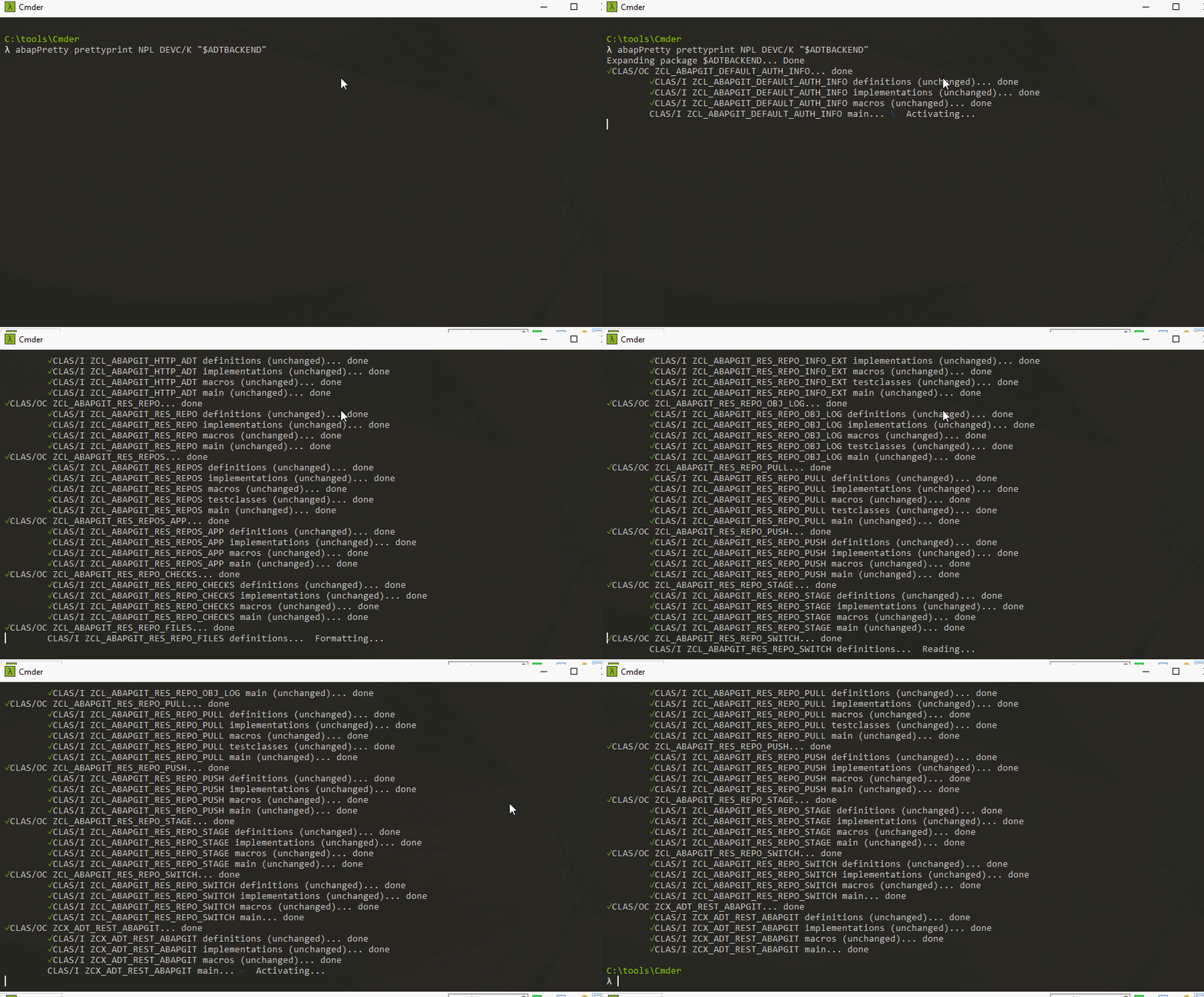
The formatter in ABAP Development Tools and in the ABAP Editor works on the source a developer has open, so bringing an existing package to one layout is one object and one save at a time. abapPretty takes a base object type and name, as in abapPretty prettyprint -c MYCONN DEVC/K ZMYPACKAGE, connects over ADT with a stored connection or with credentials passed on the command line or in the environment, formats every supported include beneath it and activates what it wrote, with -r to expand subpackages and -t to put the changes on a transport. simulate runs every step except writing the formatted source and activating, list prints the objects that would be updated, and supportedtypes prints the object types it handles. -a formats against an abaplintabaplintStatic analysis for ABAP that runs outside a system on serialised source in a repository, so ABAP checks run in a pull request and in CI before the code ever reaches a system.community org, abap configuration file instead of the server's own settings. Its README opens with a warning that this will overwrite whole packages with a single invocation, and with a note that a system that is too old may need the maintainer's own abapfs_extensions plugin.
Facts
Where it sits
Who is behind it

In the atlas: maintains 14, contributes to 21@marcellourbanimaintainer
Before choosing this
Signals
ActivityQuietNo published releases; repository quiet for 45 months
It publishes no releases, and its repository has been quiet for at least 24 full months. This may be normal for stable software; check whether its current state still fits your use.
What it declares
Every artifact
- Type
- CLI
- Origin
- Independently maintained
- Runtime
- Node.js
As a CLI
- Distributed through
- npm
Connections
Rewriting source to match one layout
Download
Install
npm add abapPrettyDerived from the package name. No recipe recorded; the README has the configuration.
README
quoted from marcellourbani/abapPretty under MIT, readabapPretty
ABAP pretty printer - Command line utility to format ABAP code on a server




| ⚠️ WARNING: this will overwrite whole packages with a single invocation. Use at your own risk and MAKE BACKUPS |
|---|
| If your system is too old you might need to install this plugin |
|---|
Converted this:

Into this:

Usage
$ npm install -g abappretty
$ abapPretty COMMAND
running command...
$ abapPretty (-v|--version|version)
abappretty/0.2.5 linux-x64 node-v12.18.0
$ abapPretty --help [COMMAND]
USAGE
  $ abapPretty COMMAND
...
Commands
abapPretty connectionabapPretty connection:create ID BASEURL USERNAME [PASSWORD]abapPretty help [COMMAND]abapPretty list [OBJECTTYPE] [OBJECTNAME]abapPretty prettyprint [OBJECTTYPE] [OBJECTNAME]abapPretty simulate [OBJECTTYPE] [OBJECTNAME]abapPretty supportedtypes
abapPretty connection
Lists stored connection details
USAGE
  $ abapPretty connection
See code: src/commands/connection/index.ts
abapPretty connection:create ID BASEURL USERNAME [PASSWORD]
Store the server and user details
USAGE
  $ abapPretty connection:create ID BASEURL USERNAME [PASSWORD]

ARGUMENTS
  ID        connection ID
  BASEURL   Server base URL
  USERNAME  Username
  PASSWORD  User password. If not set will be asked on use

OPTIONS
  -C, --client=client        SAP client to connect to
  -s, --skip-ssl-validation  Don't validate SSL certificate - DANGEROUS
  --certPath=certPath        Path to SSL certificate

EXAMPLE
  $ abapPretty connection:create MYCONN https://myserver:44300 myuser mypass --certPath=/secret/cert
See code: src/commands/connection/create.ts
abapPretty help [COMMAND]
display help for abapPretty
USAGE
  $ abapPretty help [COMMAND]

ARGUMENTS
  COMMAND  command to show help for

OPTIONS
  --all  see all commands in CLI
See code: @oclif/plugin-help
abapPretty list [OBJECTTYPE] [OBJECTNAME]
List objects that would be updated
USAGE
  $ abapPretty list [OBJECTTYPE] [OBJECTNAME]

ARGUMENTS
  OBJECTTYPE  Base object type
  OBJECTNAME  Base object name

OPTIONS
  -C, --client=client                            SAP client to connect to
  -P, --port=port                                Port to connect to
  -c, --connectionId=connectionId                connection ID
  -h, --ashost=ashost                            SAP hostname
  -p, --password=password                        Password
  -r, --recursive                                Expand subpackages
  -s, --skip-ssl-validation=skip-ssl-validation  Don't validate SSL certificate - DANGEROUS
  -u, --user=user                                Username
  --certPath=certPath                            Path to SSL certificate
  --[no-]ssl                                     use SSL (default)

EXAMPLES
  $ abapPretty list -c MYCONN DEVC/K ZMYPACKAGE
  $ abapPretty list -h host -P port -u user -p password DEVC/K ZMYPACKAGE
  $ SAP_ASHOST=host SAP_PORT=port SAP_USER=user SAP_PASSWORD=bash -c 'abapPretty list DEVC/K ZMYPACKAGE'
See code: src/commands/list.ts
abapPretty prettyprint [OBJECTTYPE] [OBJECTNAME]
Pretty prints every supported include file in the selected range
USAGE
  $ abapPretty prettyprint [OBJECTTYPE] [OBJECTNAME]

ARGUMENTS
  OBJECTTYPE  Base object type
  OBJECTNAME  Base object name

OPTIONS
  -C, --client=client                            SAP client to connect to
  -P, --port=port                                Port to connect to

  -a, --abaplint=abaplint                        Format using abapLint config file.
                                                 If left blank or set to <default> the default configuration will be
                                                 used

  -c, --connectionId=connectionId                connection ID

  -f, --file=file                                File with a list of objects to process.
                                                 Expects space separated text file with type,name and url of each
                                                 object

  -h, --ashost=ashost                            SAP hostname

  -p, --password=password                        Password

  -r, --recursive                                Expand subpackages

  -s, --skip-ssl-validation=skip-ssl-validation  Don't validate SSL certificate - DANGEROUS

  -t, --transport=transport                      Transport

  -u, --user=user                                Username

  --certPath=certPath                            Path to SSL certificate

  --[no-]ssl                                     use SSL (default)

EXAMPLES
  $ abapPretty prettyprint -c MYCONN DEVC/K ZMYPACKAGE
  $ abapPretty prettyprint -h host -P port -u user -p password DEVC/K ZMYPACKAGE -t transportnumber
  $ SAP_ASHOST=host SAP_PORT=port SAP_USER=user SAP_PASSWORD=bash -c 'abapPretty prettyprint DEVC/K ZMYPACKAGE'
See code: src/commands/prettyprint.ts
abapPretty simulate [OBJECTTYPE] [OBJECTNAME]
Simulate updates: perform all actions except writing the formatted source and activating
USAGE
  $ abapPretty simulate [OBJECTTYPE] [OBJECTNAME]

ARGUMENTS
  OBJECTTYPE  Base object type
  OBJECTNAME  Base object name

OPTIONS
  -C, --client=client                            SAP client to connect to
  -P, --port=port                                Port to connect to

  -a, --abaplint=abaplint                        Format using abapLint config file.
                                                 If left blank or set to <default> the default configuration will be
                                                 used

  -c, --connectionId=connectionId                connection ID

  -f, --file=file                                File with a list of objects to process.
                                                 Expects space separated text file with type,name and url of each
                                                 object

  -h, --ashost=ashost                            SAP hostname

  -p, --password=password                        Password

  -r, --recursive                                Expand subpackages

  -s, --skip-ssl-validation=skip-ssl-validation  Don't validate SSL certificate - DANGEROUS

  -t, --transport=transport                      Transport

  -u, --user=user                                Username

  --certPath=certPath                            Path to SSL certificate

  --[no-]ssl                                     use SSL (default)

EXAMPLES
  $ abapPretty simulate -c MYCONN DEVC/K ZMYPACKAGE
  $ abapPretty simulate -h host -P port -u user -p password DEVC/K ZMYPACKAGE
  $ SAP_ASHOST=host SAP_PORT=port SAP_USER=user SAP_PASSWORD=bash -c 'abapPretty simulate DEVC/K ZMYPACKAGE'
See code: src/commands/simulate.ts
abapPretty supportedtypes
List supported object types
USAGE
  $ abapPretty supportedtypes

EXAMPLE
  $ abapPretty supportedtypes
See code: src/commands/supportedtypes.ts
Others providing
Compare all 3 on the Code formatting page →- abap2UI5 Playgroundabap2UI5 PlaygroundABAP in the editor on the left and the abap2UI5 app it builds on the right, both inside one browser tab: the framework is transpiled to JavaScript at build time and the class in the editor is compiled when Run is pressed.community org, abapIn-browser ABAP editor beside the abap2UI5 app it buildsfrom ABAP
- ABAP remote filesystemABAP remote filesystemA Visual Studio Code extension that opens an ABAP system over ADT as an editable filesystem and exposes system tools to GitHub Copilot and external MCP clients.independent, abapVS Code extension editing ABAP systems over ADT as a filesystemfrom ABAP
Details
Sources
Sources are graph entities: the same page may back several entries, and an unreachable source flags every row that rests on it.
Compatibility and provenance
History in the atlas
- First seen.
For your agent
- Ref
artifact:marcellourbani-abappretty- JSON
- /artifacts/marcellourbani-abappretty.json
- MCP
- Connecting an agent