slp-supplier-validation
A CAP reference application for validating supplier registration data from Ariba Supplier Lifecycle Management against third-party providers before an erroneous record reaches SAP Master Data Governance or ERP.
Supplier registration data entered during onboarding in Ariba Supplier Lifecycle Management can be wrong, and the erroneous record then travels on into SAP Master Data Governance or an ERP system. Published as a reference for customers building their own validation on the Cloud Application Programming Model, this application creates supplier requests, holds the validation controls for requests and registrations, maintains external correlation IDs and lists suppliers from Ariba, around checks with providers like IRS for tax identification validation, OFAC and address validation. It ships no service handlers for those providers: integrating a chosen provider's API is left to whoever builds on it. The main branch runs on PostgreSQL on SAP BTP, hyperscalerPostgreSQL on SAP BTP, hyperscaler optionA managed PostgreSQL from the underlying hyperscaler — AWS, Azure, Google Cloud or Alicloud — consumed through a BTP service binding.sap official, btp, and the README says a HANA deployment means converting the database to HDB and updating mta.yaml first.
Facts
Where it sits
Who is behind it

In the atlas: maintains 222@SAP-samplesmaintainerGanesh RamachandranContributes to this

In the atlas: contributes to 3@gnshram1 contributor
What it declares
Every artifact
- Type
- Sample
- Origin
- By SAP
- Use as
- A reference
As a sample
- Form
- A reference application
Connections
Whole applications to read rather than snippets to copy
Managed PostgreSQL from the hyperscaler via a BTP service binding
Collects Cloud Foundry or Kyma logs into a searchable Kibana
Cloud Foundry runtime of SAP BTP for polyglot applications
Calls an application endpoint on a schedule and logs each run
Download
README
quoted from SAP-samples/slp-supplier-validation under Apache-2.0, readWelcome to SLP Supplier Validation
Welcome to the sample use case of the Supplier Validation application. This open source application developed using the Cloud Application Programming Model (CAP) will help as reference for customers developing solution to validate Supplier Registration data in Ariba Supplier Lifecycle management with external thirdparty providers like IRS for Tax Identification validation, OFAC check, Address Validation etc. This validation process help improve quality of supplier data and avoid creation of erroneous Supplier record in SAP Master Data Governance or ERP systems.
Requirements
This solution utilizes BTP Services. Below are pre-requisite services for using this application.
a. PostgreSQL on SAP BTP, hyperscaler
b. SAP Application Logging Service for SAP BTP
c. SAP Job Scheduling Service
d. SAP BTP, Cloud Foundry Runtime
Description
SAP Ariba offers a comprehensive solution to register suppliers and qualify them for downstream transaction It is important to validate Supplier Registration data and provide easy approach to create supplier request data and sync it with Ariba Supplier Master record. This application will help as a reference for customers who would like to perform extensive thirdparty validation.
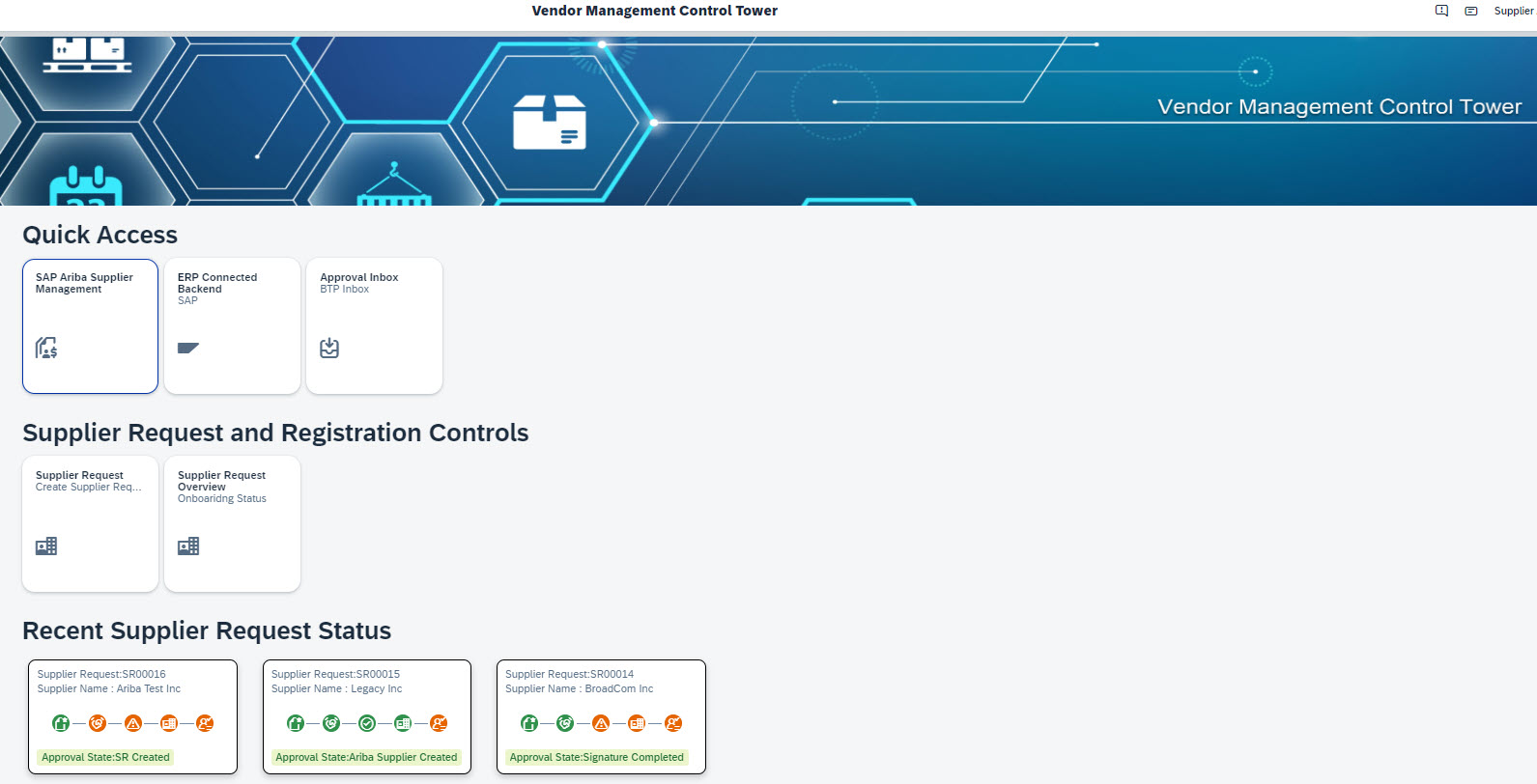
Some of the key capabilities of SLP Validation Application includes
- Creation Supplier Request
- Validation Controls for Supplier Request and Supplier Registration.
- External Correlation ID maintance
- Supplier List from Ariba
- Supplier Request Overview Please note this sample application does not provide any service handlers to integrate to thirdparty applications. Customers have to develop the integration using their preferred provider and API provided.
Sample View of SLP Supplier Validation
Database Requirement
Use the main GIT branch if you are using PostgreSQL as your database in BTP. If the database is HANA DB, convert the database HDB and also update MTA.YAML to deploy Multi Target Applications with HANA Database.
Deploy the Application
Prior to running the package and deploy.
Step1: Go to app directory and run npm i command.
Step2: Run the same command npm i under root directory as well.
Step3: Run the following command to build and deploy the file to the SAP BTP, Cloud Foundry environment.
npm run mta:package:deploy
Known Issues
No known Issues
How to Get Support
Create an issue in this repository if you find a bug or have questions about the content.
For additional support, ask a question in SAP Community.
Contributing
If you wish to contribute code, or offer fixes and improvements, please send a pull request. Due to legal reasons, contributors will be asked to accept a DCO when they create the first pull request to this project. This happens in an automated fashion during the submission process. SAP uses the standard DCO text of the Linux Foundation.
License
Copyright (c) 2023 SAP SE or an SAP affiliate company. All rights reserved. This project is licensed under the Apache Software License, version 2.0 except as noted otherwise in the LICENSE file.
Details
Sources
Sources are graph entities: the same page may back several entries, and an unreachable source flags every row that rests on it.
Compatibility and provenance
Contributors
History in the atlas
- First seen.
For your agent
- Ref
artifact:sap-samples-slp-supplier-validation- JSON
- /artifacts/sap-samples-slp-supplier-validation.json
- MCP
- Connecting an agent