@cap-js/cap-operator-plugin
Generates Helm charts for deploying CAP applications with the CAP Operator on Kubernetes.
Facts
Where it sits
Who is behind it

In the atlas: maintains 34@cap-jsmaintainerAnirudh PrasadContributes to this

In the atlas: contributes to 1@anirudhprasad-sapChristian GeorgiContributes to this

In the atlas: maintains 1, contributes to 53@chgeoPavanContributes to this

In the atlas: contributes to 3@Pavan-SAPSteffen WaldmannContributes to this

In the atlas: contributes to 25@swaldmann4 contributors
Before choosing this
Conditions
LicenceSAP Developer License Agreement 3.2 CAP§ 1, 2from DeploymentA productive CAP customer application is deployed using materials covered by this agreement.
- § 1 License. Productive customer applications are limited to SAP BTP or another SAP-licensed platform, and mass extraction to a non-SAP product is restricted except where solely required for SAP interoperability.
- § 2 Intellectual Property. The agreement retains SAP's rights in the covered materials and limits making APIs, tools or software available to third parties, while preserving ownership of customer applications subject to SAP's underlying rights.
The CAP-specific agreement makes the deployment platform part of the permitted productive-use condition, so deployment choices need the applicable agreement checked rather than treated as purely technical.
SAP Developer License Agreement 3.2 CAP →What it declares
Every artifact
- Type
- Generator
- Origin
- By SAP
- Runtime
- Node.js
As a generator
- Declared for
- >=9
- Generates
- Configuration
- Run with
- cds add
- Distributed through
- npm
Connections
Getting an application onto a runtime and keeping it there
Download
Install
npm add @cap-js/cap-operator-pluginDerived from the package name. No recipe recorded; the README has the configuration.
README
quoted from cap-js/cap-operator-plugin under Apache-2.0, read


CAP Operator Plugin
The CAP Operator Plugin offers a simple method for generating CAP Operator resources, which are essential for deploying multi-tenant CAP Applications.
Warning
Action Required: Deprecated Fields in
CAPApplicationSpecThe following fields have been deprecated and require migration:
Field Deprecated Since Plugin Version Required Details provider(subdomain,tenantId)CAP Operator v0.31.0 v0.17.0+ Removed from generated chart. Existing provider tenants must be manually cleaned up in the cluster. globalAccountIdCAP Operator v0.28.0 v0.15.0+ Replaced by providerSubaccountId.To migrate, upgrade to the required plugin version and run
cds add cap-operator. This updatesvalues.yaml,values.schema.json, andchart/templates/cap-operator-cros.yamlaccordingly.After running the migration, please review the changed files to ensure the updates are correct before deploying.
If you have already migrated or the fields are not present in your chart, you can ignore this message.
Before You Start
The CAP Operator plugin requires @sap/cds-dk: ">=9". If you've installed @sap/cds-dk globally, ensure that the installed version is 9 or higher.
Set Up the Plugin
To integrate the CAP Operator Plugin into your project, follow these steps:
-
Add the plugin package to your project as a dev dependency:
npm add @cap-js/cap-operator-plugin -D -
After installation, execute the following command to add the CAP Operator Helm chart to your project:
cds add cap-operator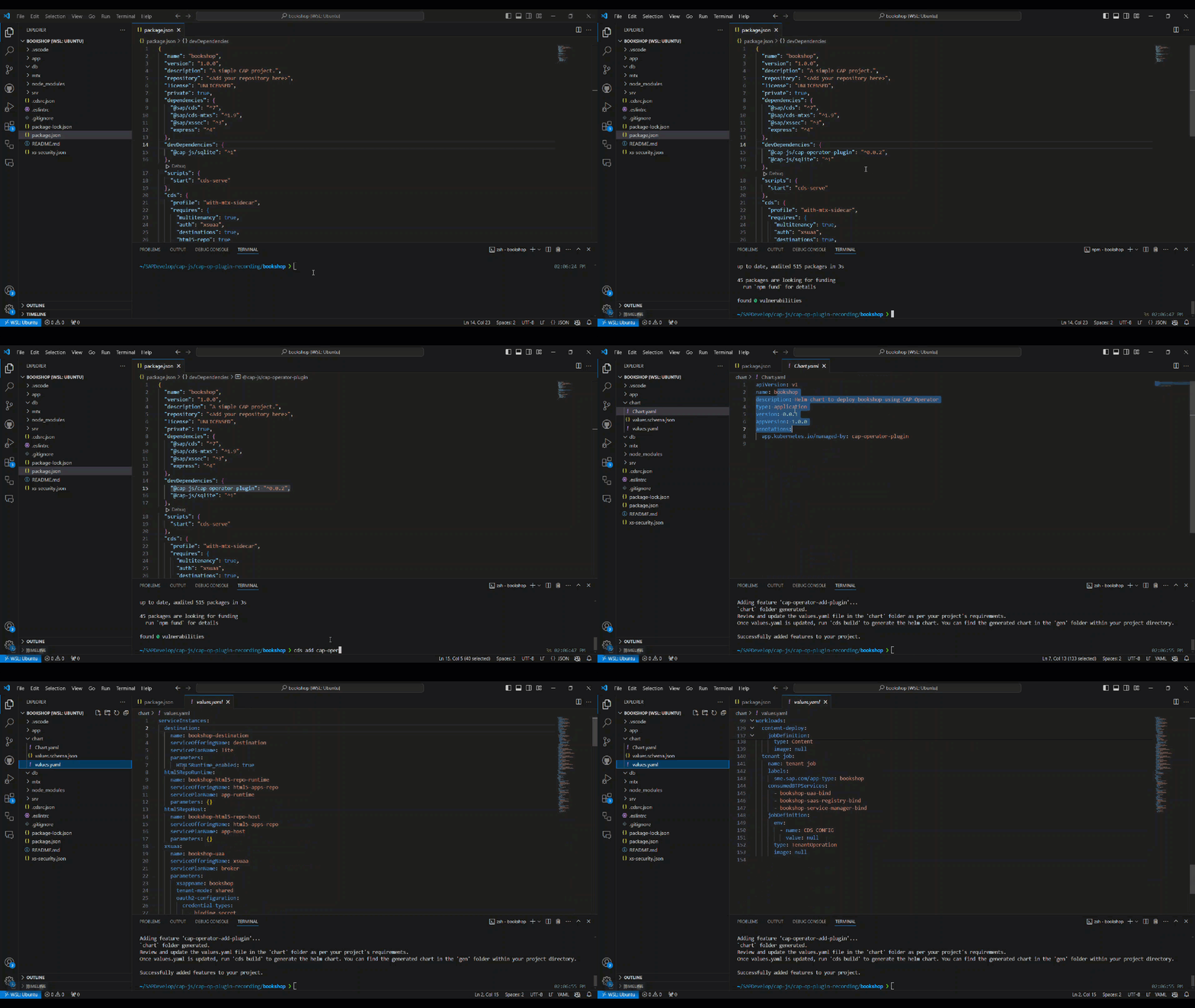
This creates a
chartfolder in your directory with three files:Chart.yaml,values.schema.json, andvalues.yaml.You might notice that the
templatesfolder is missing. This is intentional. The idea is to push only these three files into your GitHub repository. When you deploy your application, you can callcds build, and during the build, the plugin generates the final Helm chart in your project'sgendirectory, which includes the predefinedtemplatesfolder.Available Options
-
--with-templatesWith this option, the plugin also adds the
templatesfolder to the chart folder initially. This is required when applications have to modify the predefined template files to support more complex scenarios. If you use this option, you can skip thecds buildstep, as the chart already contains thetemplatesfolder.cds add cap-operator --with-templates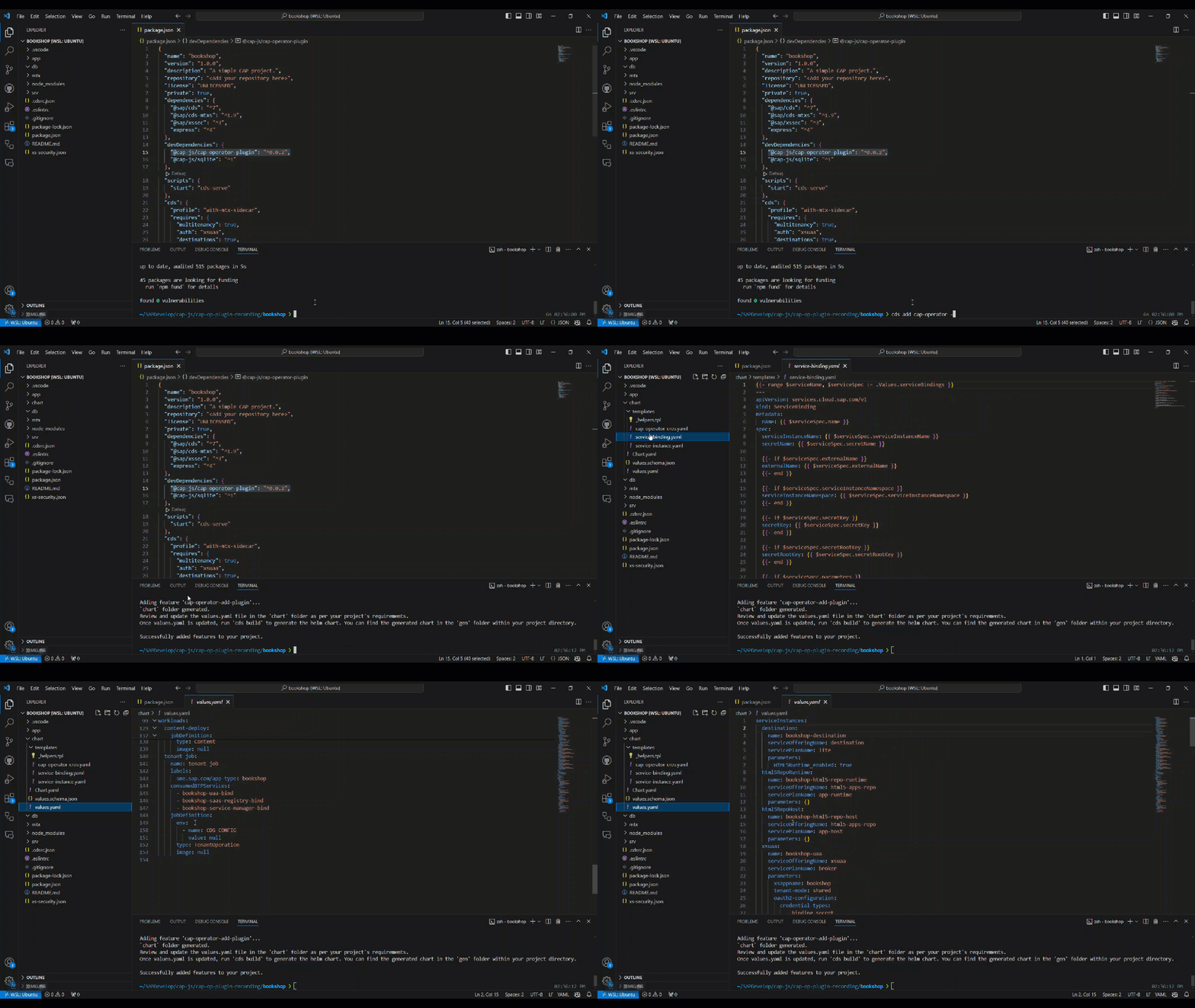
-
--with-configurable-templatesWith this option, the plugin adds a chart with configurable templates. This is required when applications need to utilize template functions in the CAP Operator resources. In this version of the chart, all the CAP Operator resource configurations are defined in
templates/cap-operator-cros.yaml. If you choose this option, you can skip thecds buildstep since the chart already contains thetemplatesfolder.cds add cap-operator --with-configurable-templates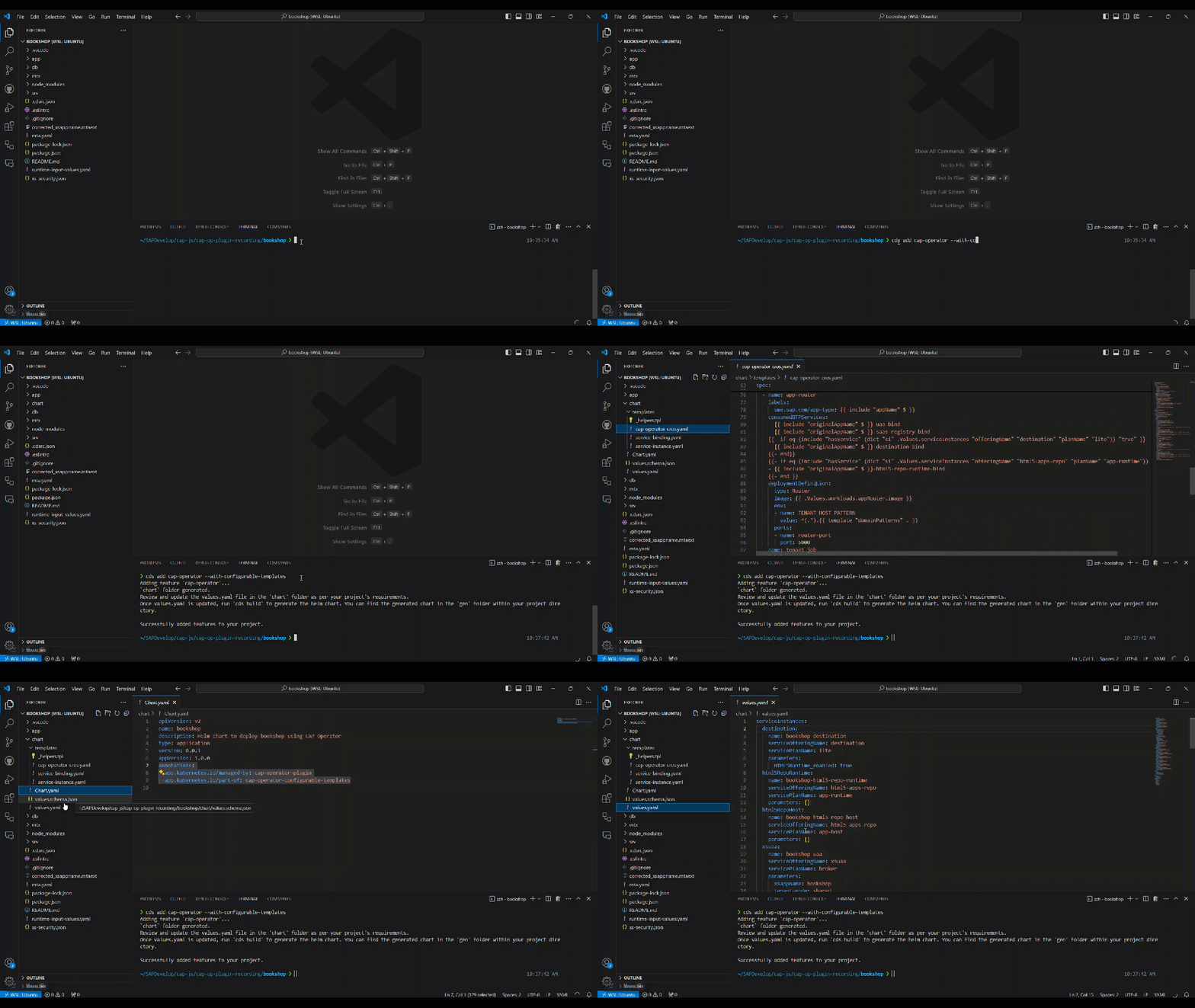
If you have already added your chart and want to switch to
--with-configurable-templates, you can use the plugin to convert the existing chart. For more information, see the Converting to Configurable Templates section. -
--with-service-onlyWith this option, the plugin adds a chart to support service only applications. These applications are tenant-independent, and the plugin will only add service-related configurations to the chart. For more information on service only applications, see here.
cds add cap-operator --with-service-only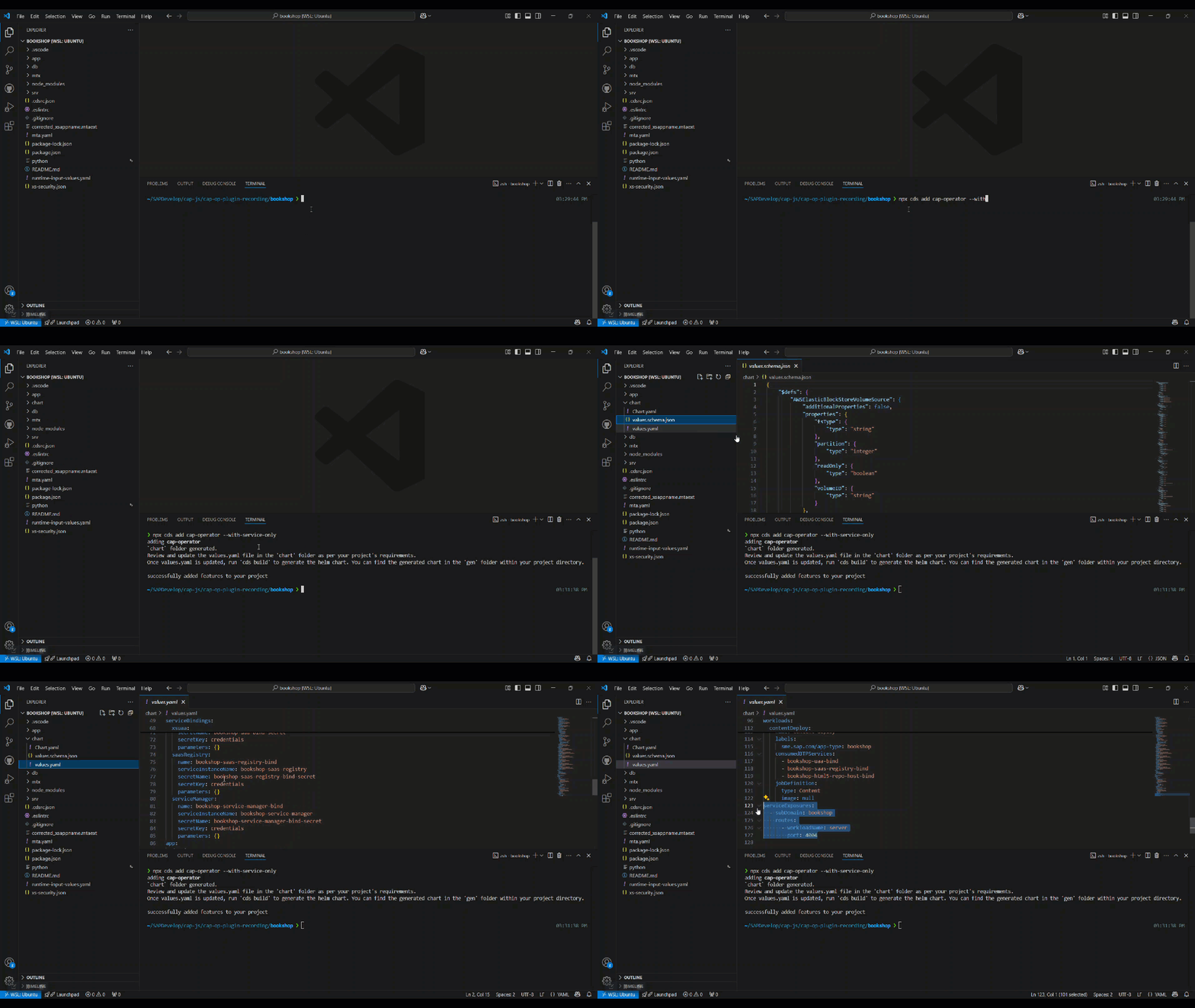
-
--forceThis option allows you to overwrite the existing chart folder.
cds add cap-operator --force
Experimental Options
-
--with-mta&&--with-mta-extensionsUsing
--with-mta, thevalues.yamlcan be prefilled with the design-time deployment information frommta.yaml.cds add cap-operator --with-mta <mta-yaml-file-path>Using
--with-mta-extensions, you can also pass mta extensions. If you have multiple mta extensions, you can pass them as a comma-separated string to merge them.cds add cap-operator --with-mta <mta-yaml-file-path> --with-mta-extensions <mta-ext-yaml-1-file-path>,<mta-ext-yaml-2-file-path>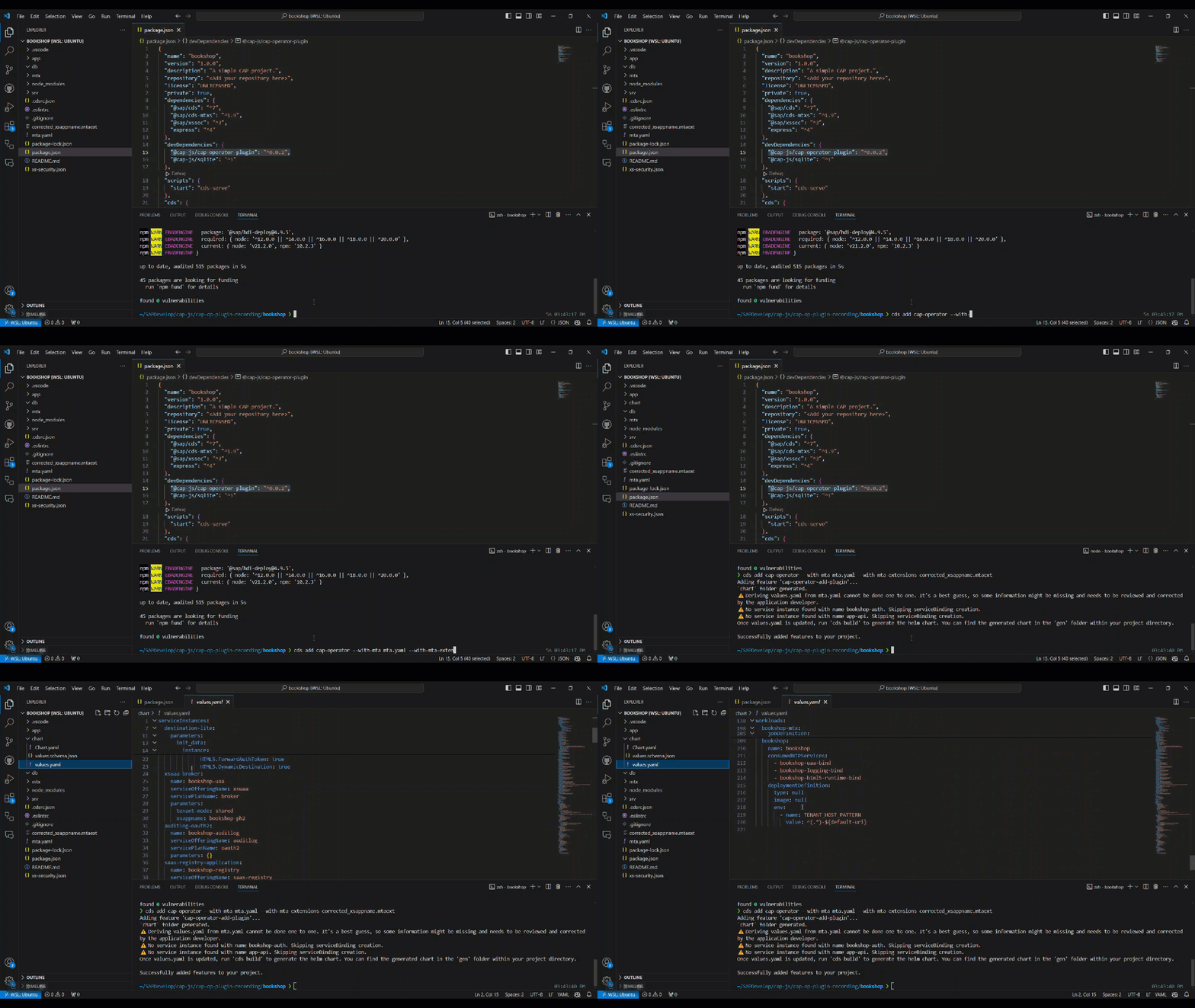
As mentioned above, the plugin will automatically inject the templates folder into the final chart during
cds build. But if you want to add thetemplatesfolder during chart folder creation, you can use--with-templatesalong with this option as shown below:cds add cap-operator --with-mta <mta-yaml-file-path> --with-mta-extensions <mta-ext-yaml-1-file-path>,<mta-ext-yaml-2-file-path> --with-templatesDuring MTA transformation, the plugin automatically populates the
Routerworkload'sconsumedBTPServiceswith all service bindings. This is because thegetDependenciescall is handled by theRouterworkload. If you implement a customgetDependencieshandler, you may need to adjust theconsumedBTPServiceslist accordingly.
-
-
Once you've executed the command above, the basic chart folder or chart folder with templates is added to your project directory, depending on your choice.
Configure Your Chart
The generated chart/values.yaml contains two categories of values: design-time and runtime.
Design-time values describe your application's services and workloads. They are stable across environments and can be committed to your repository. The plugin auto-populates many of these from your project configuration, but you should verify them and fill in any gaps.
Depending on whether you used --with-configurable-templates, the design-time section contains:
-
Basic chart (default):
- serviceInstances (enhanced with
subscriptionDependencyparameter) - serviceBindings
- workloads (Deployment or Job definitions)
- tenantOperations
- contentJobs
- serviceExposures
- serviceInstances (enhanced with
-
Configurable templates chart (
--with-configurable-templates):- serviceInstances (enhanced with
subscriptionDependencyparameter) - serviceBindings
- workload images only — full workload configurations are defined in
templates/cap-operator-cros.yaml
- serviceInstances (enhanced with
Runtime values are environment-specific and must be provided separately at deploy time (see Deploy Your Application). They include:
appdomainsprimary— Primary application domain, used to generate a wildcard TLS certificate. In Gardener-managed clusters, this is typically a subdomain of the cluster domain.additionalDomainRefs— References to existing customer-specificDomainorClusterDomainresources. See the Domain Management for details.
istioIngressGatewayLabels— Labels identifying the Istio ingress-gateway and its namespace. Typically{“app”:”istio-ingressgateway”,”istio”:”ingressgateway”}.enableCleanupMonitoring— Enable monitoring for cleanup operations.
btpproviderSubaccountId— ID of the provider subaccount to which you deploy the application.
- imagePullSecrets — Kubernetes secret for pulling images from a private registry.
env— Environment variables defined inside individual workloads.
The
values.yamlis tightly coupled to the predefined templates, so it must conform tovalues.schema.json. You can validate it with the YAML extension or by running:helm lint <chart-path>You can ignore validation errors for runtime values, as those are filled in later.
Deploy Your Application
-
You must generate the final Helm chart before deploying your application. You can do so by running
cds build. During the build, the plugin generates the final Helm chart in your project'sgendirectory, which includes the predefinedtemplatesfolder.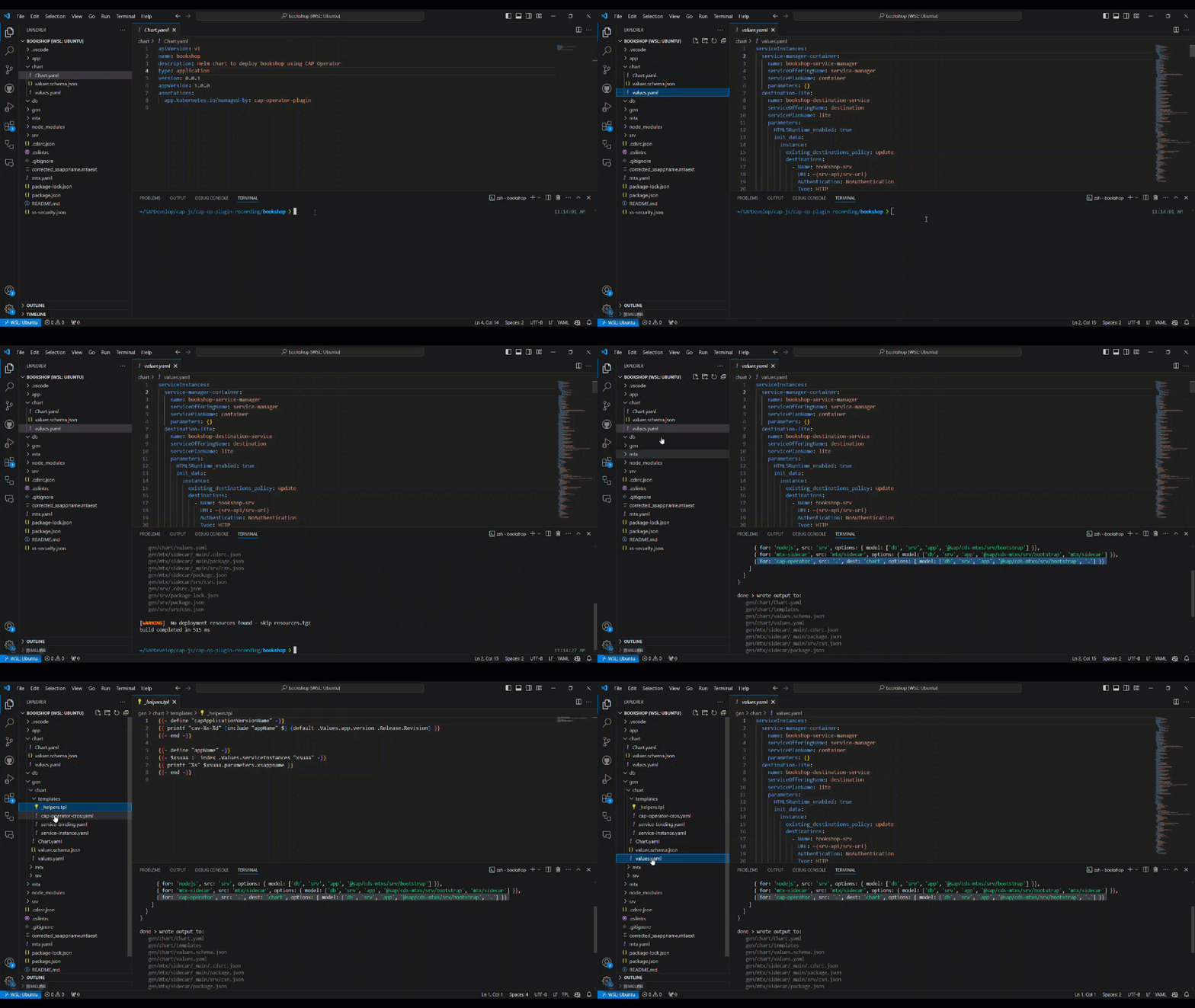
If you've already added the
templatesfolder during the initial plugin call using--with-templatesor--with-configurable-templatesoption, you can skip this step as the Helm chart is already complete.Custom templates: If you place files in the
chart/templatesfolder, the build handles them as follows:- A file with the same name as one of the plugin-generated templates (
_helpers.tpl,domain.yaml,cap-operator-cros.yaml,service-binding.yaml,service-instance.yaml) will be used as-is instead of the plugin's default, and a message is printed to indicate this. - Any additional files you add to
chart/templates(i.e. files with names not in the list above) are copied alongside the standard templates without modification.
- A file with the same name as one of the plugin-generated templates (
-
Up to this point, you've only filled in the design time information in the chart. But to deploy the application, you need to create a
runtime-values.yamlfile with all the runtime values, as mentioned in the section on configuration. You can generate the file using the plugin itself.The plugin requires the following information to generate the
runtime-values.yaml:- Application name (appName) [Mandatory] - Must consist of lowercase alphanumeric characters and hyphens only (
^[a-z0-9-]+$). This value is used asxsappnamein the saas-registry which have the same restriction. - CAP Operator subdomain (capOperatorSubdomain) [Mandatory] - In Kyma clusters, CAP Operator subdomain defaults to
cap-op. But if you're using your "Gardener" cluster, you must provide the subdomain you used to install the CAP Operator. - Cluster shoot domain (clusterDomain) [Mandatory] - Shoot domain of your cluster. In Kyma clusters, you can get the shoot domain by running the following command.
kubectl get gateway -n kyma-system kyma-gateway -o jsonpath='{.spec.servers[0].hosts[0]}' - Provider Subaccount ID (providerSubaccountId) [Mandatory] - The Subaccount ID of the provider subaccount to which you deploy the application.
- HANA Instance ID (hanaInstanceId) [Optional] - ID of the SAP HANA instance to which the application is deployed. It's only required if there are multiple SAP HANA instances in the subaccount.
- Image Pull Secrets (imagePullSecret) [Optional] - Kubernetes secret used to pull the application docker images from a private container image registry or repository.
The plugins provide two ways to generate the runtime values file:
-
Interactive Mode - This mode will ask you individually for all the runtime values. To use this mode, run the following command:
npx cap-op-plugin generate-runtime-values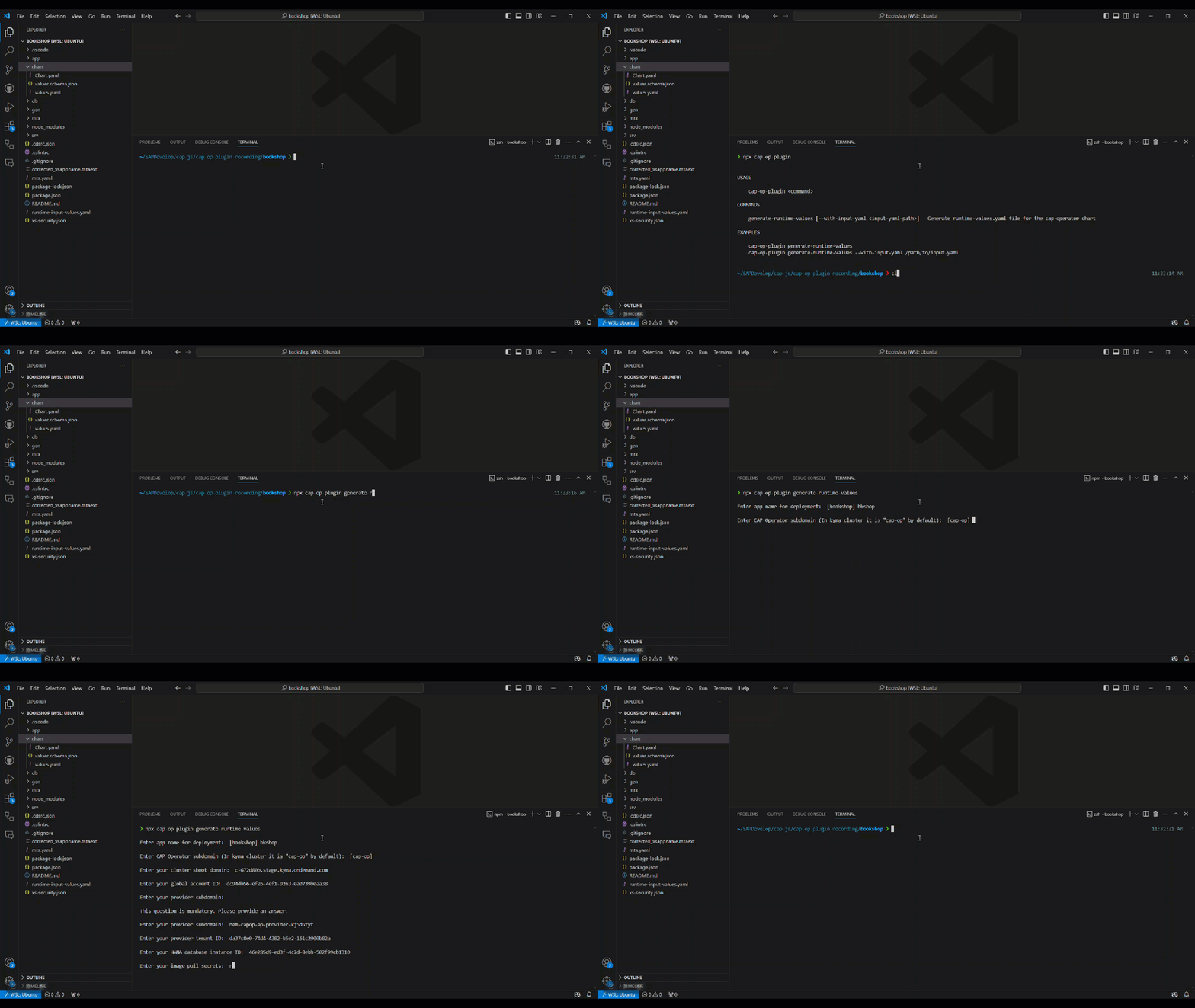
-
File Mode - You can provide all the required runtime values in a YAML file using this mode. To use this mode, run the following command:
npx cap-op-plugin generate-runtime-values --with-input-yaml <input-yaml-path>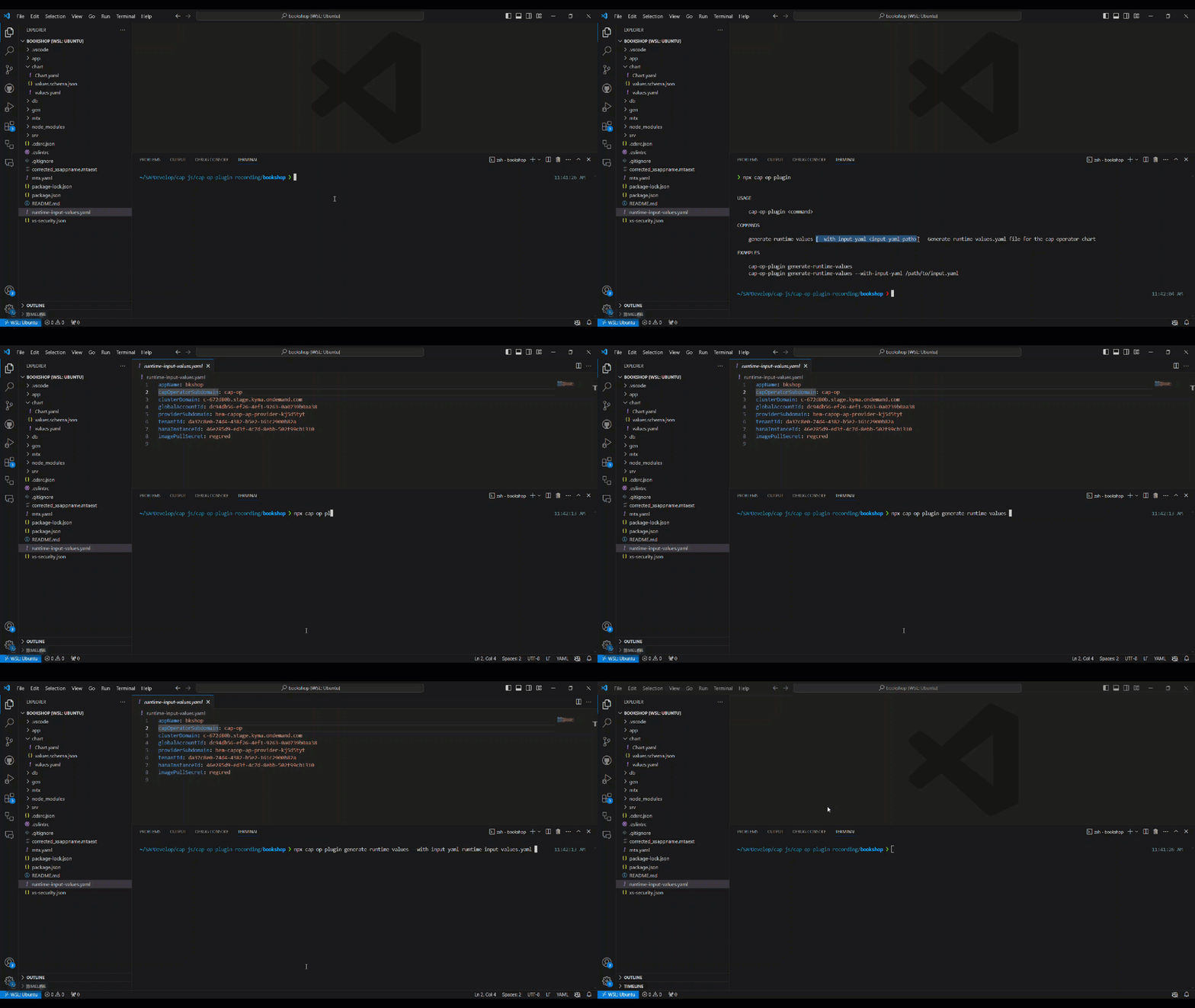
Sample input yaml -
appName: incidentapp
capOperatorSubdomain: cap-op
clusterDomain: abc.com
providerSubaccountId: da37c8e0-74d4-abcd-b5e2-sd8f7d8f7d8f
hanaInstanceId: 46e285d9-abcd-4c7d-8ebb-502sd8f7d8f7d
imagePullSecret: regcred
Similar to the interactive mode,
appName,capOperatorSubdomain,clusterDomain, andproviderSubaccountIdare mandatory fields. The plugin throws an error if they're not provided in the input YAML.After execution, the
runtime-values.yamlfile is created in the chart folder of your project directory.
- Application name (appName) [Mandatory] - Must consist of lowercase alphanumeric characters and hyphens only (
Note: By default, the
CAPApplicationVersionresource uses the Helm release revision as its version (.Release.Revision). If you are not usinghelm install/helm upgradedirectly — for example, when templating the chart and applying the rendered manifests via GitOps tools like Argo CD, the revision may always be1. In such cases, you can explicitly set a version string viaapp.versionin your runtime-values.yaml (e.g.,app.version: "1.2.3"). When set, this value takes precedence over the release revision.
-
Now, you can deploy the application using the following command:
helm upgrade -i -n <namespace> <release-name> <project-path>/gen/chart -f <project-path>/chart/runtime-values.yamlIf you want to set the
xs-security.jsonas a parameter in yourxsuaaservice instance, you can do so by setting thejsonParametersattribute on the service instance as follows:helm upgrade -i -n <namespace> <release-name> <project-path>/gen/chart --set-file serviceInstances.xsuaa.jsonParameters=<project-path>/xs-security.json -f <project-path>/chart/runtime-values.yaml
Converting to Configurable Templates Chart
If you've already added the basic chart folder and want to switch to configurable templates chart, you can use the plugin to convert the chart. To do so, run the following command:
npx cap-op-plugin convert-to-configurable-template-chartIf you want to convert the existing runtime-values.yaml as well to the new format, you can do so by passing the runtime-values.yaml path via the --with-runtime-yaml option:
npx cap-op-plugin convert-to-configurable-template-chart --with-runtime-yaml <project-path>/chart/runtime-values.yaml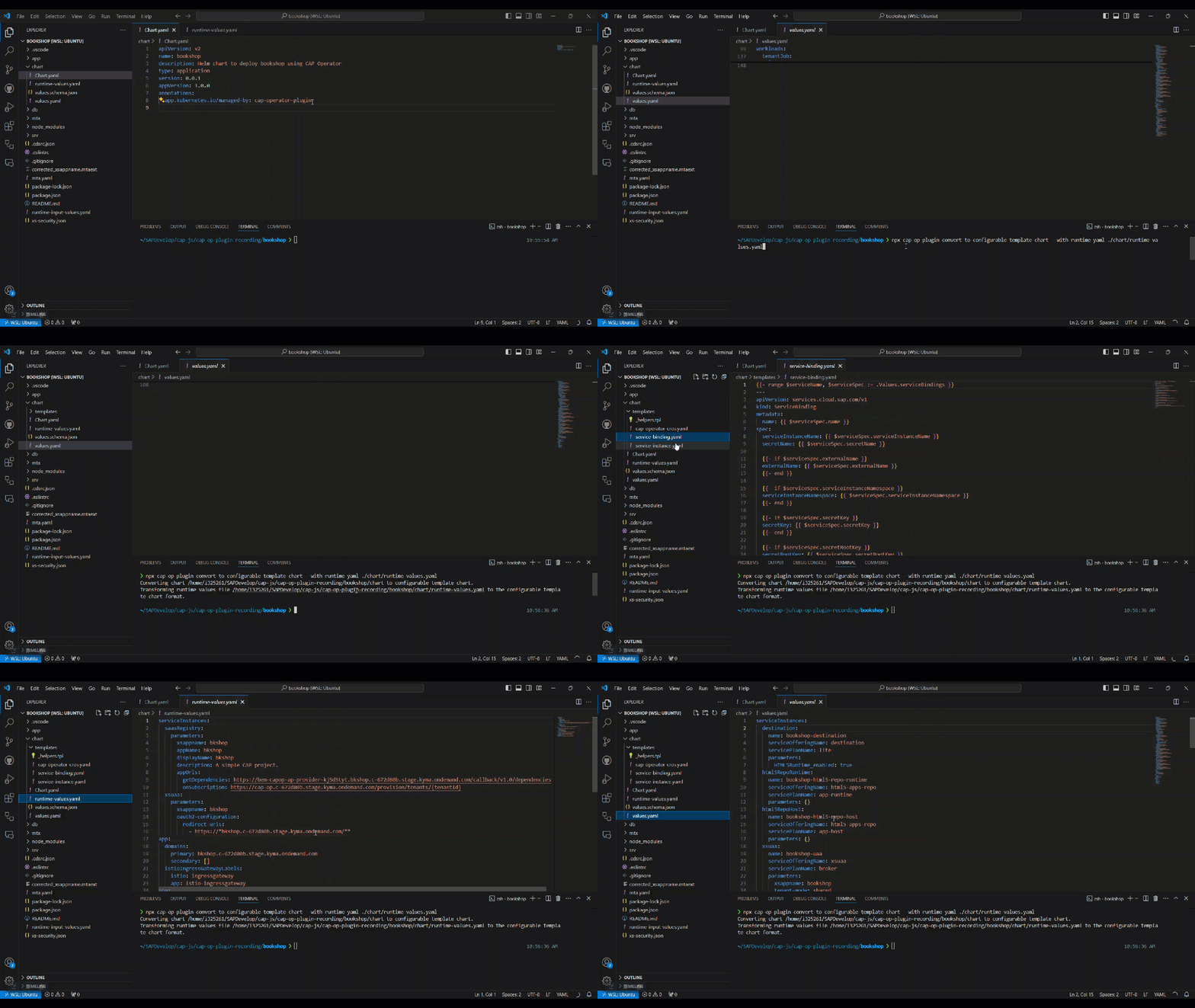
Example
As a reference, check out the CAP Operator Helm chart in the sample incident app. Also, take a look at the corresponding runtime-values.yaml file.
❗Things to Note
-
If you're adding the basic chart folder using the
cds add cap-operatorcommand, don't modify thevalues.schema.jsonfile. The templates injected automatically duringcds buildare tightly coupled with the structure invalues.schema.json. If schema changes are needed, use the option--with-templatesto add the templates folder and adjust them accordingly. -
When defining environment variables for workloads in the
values.yamlfile, it's crucial to mirror these definitions in theruntime-values.yamlfile. This ensures consistency and avoids potential conflicts, as Helm doesn't merge arrays. If you're introducing new environment variables inruntime-values.yamlfor a workload, remember to include existing variables fromvalues.yamlto maintain coherence. If you use the plugin to generate theruntime-values.yaml, the environment variables are automatically copied fromvalues.yaml.
CAP Operator Skill
The CAP Operator skill extends AI tools with domain knowledge for managing the lifecycle of multi-tenant CAP applications on Kubernetes. It understands CAP Operator custom resources (CAPApplication, CAPApplicationVersion, CAPTenant, Domain, ClusterDomain) and can assist with deploying, upgrading, configuring domains, rotating credentials, and troubleshooting.
npx skills add SAP/cap-operator --skill cap-operatorContributing
This project is open to feature requests/suggestions, bug reports etc. via GitHub issues. Contribution and feedback are encouraged and always welcome. For more information about how to contribute, the project structure, as well as additional contribution information, see our Contribution Guidelines.
Code of Conduct
We as members, contributors, and leaders pledge to make participation in our community a harassment-free experience for everyone. By participating in this project, you agree to abide by its Code of Conduct at all times.
Licensing
Copyright 2026 SAP SE or an SAP affiliate company and cap-operator-plugin contributors. Please see our LICENSE for copyright and license information. Detailed information including third-party components and their licensing/copyright information is available via the REUSE tool.
History
Features 1
Notes
Added
- Added support for SAP Build Work Zone, Standard Edition, generating a
build-workzone-standardservice instance with thelocal-entry-pointplan and binding, along with the required workload updates.
Features 1
Notes
Added
lifecycleandterminationGracePeriodSecondsfields toDeploymentDetailsandJobDetailsinvalues.schema.json, enabling pod lifecycle hooks and graceful termination configuration for workloads.
Features 1, Other
Notes
Use this version with CAP Operator
v0.32.0or later.Added
rolloutOnCredentialUpdatefield toCAPApplicationspec. When enabled, workloads are automatically redeployed when their service credentials are updated.
Changed 2, Fixes 1, Other
Notes
Use this version with CAP Operator
v0.31.0or later.Changed
btp.provider(subdomainandtenantId) has been removed from the generated Helm chart. TheCAPApplicationspecproviderfield is deprecated since CAP Operator v0.31.0. Thegenerate-runtime-valuescommand no longer prompts forproviderSubdomainandtenantId.- Dependencies Updated
Fixed
registrySecretsinCAPApplicationVersiontemplate now renders as an empty array ([]) whenimagePullSecretsis not set, preventing a CRD validation failure on helm install/upgrade.
Fixes 1
Notes
Fixed
subscriptionDependencyfield fromserviceInstancesis now propagated to thebtp.servicessection in the CAPApplication template.
Features 3, Changed 5
Notes
Added
- Added
SubscriptionDependencyModesupport (Auto,Always,Never) toserviceInstancesinvalues.schema.json. - Added
startupProbefield to workload definitions invalues.schema.json. - Updated build step to be more flexible and support user-defined templates.
Changed
- Updated
getDependenciesanddependenciesCallbacksURLs inruntime-values.yamlto use the CAP Operator-managed endpoints (/dependencies/{{providerSubaccountId}}/{{appName}}), replacing the previous approuter callback URLs. Use this version with CAP Operatorv0.29.2or later. - Removed optional mutual TLS (
OptionalMutual) configuration; TLS mode is now always set toSimple. - Removed
sme.sap.com/vs-route-request-header-set(x-forwarded-client-cert) annotation from CAPApplication templates. - Improved validation logic for
appNamefield duringruntime-values.yamlgeneration. - Simplified
Durationtype invalues.schema.jsonfrom a nested object to a plain string.
- Added
Changed 6
Notes
Changed
- Deprecated
globalAccountIdin favor ofproviderSubaccountIdin thevalues.yamlfile. This change is part of the latest CAP Operator versionv0.28.0. Use this version with CAP Operatorv0.28.0or later to avoid any compatibility issues. - Defaulting
ttlSecondsAfterFinishedto 300 seconds for job workloads. - Added
sme.sap.com/enable-cleanup-monitoring: "true"as a default annotation on the CAPApplication resource. serviceExposuresrestriction removed in from CAPApplicationVersion template to allow users to configure it as per their needs.- Updated
values.schema.jsonto align with the latest CAP Operator versionv0.28.0and BTP Service Operator versionv0.10.5. - Replaced
readlinebased prompt withenquirerfor improved interactive prompt experience during runtime values generation. Required fields are now marked with*and validated inline.
- Deprecated
Features 2
Notes
Added
- Added new mandatory parameter
providerSubaccountIdto thevalues.yaml. Required for application identification during subscription asglobalAccountIdwould be deprecated in future. - Dependencies updated.
- Added new mandatory parameter
Features 1, Changed 1
Notes
Added
- Updated
values.schema.jsonto support CAP Operatorv0.24.0and BTP Service Operatorv0.10.0.
Changed
- Improved MTA transformer:
TENANT_HOST_PATTERNis no longer added to Router workload invalues.yaml(handled by the template)redirect-urisremoved from xsuaaoauth2-configuration(computed dynamically inservice-instance.yamltemplate)- Router workload now includes all service bindings in
consumedBTPServicesto supportgetDependenciescallback
- Updated
Fixes 1
Notes
Fixed
- Updated the mta transformer to handle optional path attributes in the mta.yaml file correctly.
Features 2
Notes
Added
- Updated
values.schema.jsonto align with the latest CAP Operator versionv0.23.0and BTP Service Operator versionv0.9.4. - Dependencies updated.
- Updated
Features 2
Notes
Added
- Added support for IAS and AMS based subscriptions.
- Template generation refactored to use common template functions for better maintainability.
Fixes 1
Notes
Fixed
- Removed redundant
oauth2-configuration.redirect-urisandTENANT_HOST_PATTERNfrom the generatedruntime-values.yamlfile as it is now handled in the corresponding templates.
- Removed redundant
Fixes 1
Notes
Fixed
- User provided env values in router workload getting replaced by the template instead of merging them.
Features 3
Notes
Added
- Added support for the new Domain Management feature introduced in the CAP Operator
v0.15.0. This version is intended for use with CAP Operatorv0.15.0or later.Note: This version includes breaking changes. If you're upgrading from an earlier release, please consult the migration guide to ensure a smooth transition.
- Dependencies updated
values.yamlschema has been updated to align with the CAP Operator versionv0.15.0and the BTP Service Operator versionv0.7.7.
- Added support for the new Domain Management feature introduced in the CAP Operator
Features 3
Notes
Added
- Support for service only helm charts. For more details visit the Service Only Applications documentation page.
- Dependencies updated
values.yamlschema has been updated to align with the CAP Operator version v0.14.0 and the BTP Service Operator version v0.7.2
Features 2
Notes
Added
- Dependencies updated
values.yamlschema has been updated to align with the latest versions of the CAP Operator(v0.11.1) and the BTP Service Operator(v0.7.1)
Features 1, Fixes 1
Notes
Added
- Added handling for
CAPandAdditionalworkloads in mta transformer
Fixed
- Fix issue with CAV.Spec.Version being set as a number
- Added handling for
Features 5, Fixes 2
Notes
Added
- New helm chart variant with configurable templates
- CLI tool to convert existing basic chart to configurable templates chart
- Updated @sap/cds-dk to version
8.2.1for the CLI option parsing issue fix - Support for dynamic service instance key name in
runtime-values.yamlfile - Changed workload keys in the
values.yamlto camelcase
Fixed
- Removed empty
envfrom workloads during mta transformation - App name derivation fix in template function
Features 4
Notes
Added
- Updated to CDS v8
- Updated
values.schema.jsonto allow additional properties onvalues.yaml - Removed unused variables from templates
- Unit test enhancements
Features 4
Notes
Added
- New CLI to generate runtime values file
npx cap-op-plugin generate-runtime-values - Updated
values.schema.jsonto the latest version of CAP Operator(v0.6.0) and BTP Service Operator(v0.6.5) - Adds the
$XSAPPNAME.Callbackand$XSAPPNAME.mtcallbackscopes toxs-security.jsonif they are not already present - Switched helm chart to v2 apiVersion
- New CLI to generate runtime values file
Features 3, Fixes 1
Notes
Added
- Updated the readme file with more information on the runtime deployment parameters
- Tenant and content job default configuration added to workloads
tenantOperationsandcontentJobsremoved from the default configuration to avoid webhook errors during deployment
Fixed
- Fixed placeholder render issue in mta transformer warning messages
Others providing
Compare all 3 on the Deployment page →- @rizing/cds-customer-stepbystep-tool@rizing/cds-customer-stepbystep-toolA tool that checks and completes the deployment configuration of a CAP project, written for Rizing's step-by-step CAP training, last released August 2023 from a repository since deleted.independent, capTool completing a CAP project's deployment configuration
- @sap/cds-dk@sap/cds-dkThe command line client and development toolkit for CAP projects, with the commands cds build, cds deploy, cds watch and cds add among them.sap official, capCommand line client and development toolkit for CAP
Details
Sources
Sources are graph entities: the same page may back several entries, and an unreachable source flags every row that rests on it.
Compatibility and provenance
History in the atlas
- First seen.
For your agent
- Ref
artifact:cap-js-cap-operator-plugin- JSON
- /artifacts/cap-js-cap-operator-plugin.json
- MCP
- Connecting an agent